Scan to Download
Safari is a lightweight Android browser designed for fast page loading, private browsing, and efficient tab management. It combines a minimalist interface with features like ad blocking, reading mode, and synchronization across devices to streamline web navigation for daily use.
Safari focuses on practical tools that make browsing smoother. Core elements include a turbocharged rendering engine for quick page loads, built-in ad and tracker blocking, an immersive reading mode that strips clutter, and a simple bookmark manager. It also supports private sessions with automatic data clearing to protect your browsing history.
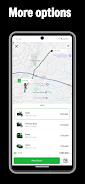
The interface keeps controls within thumb reach and reduces visual noise so content stands out. Tabs are displayed as a horizontally scrollable strip with previews, and gestures let you switch, close, or pin tabs without reaching the top of the screen. A single, combined search-and-address bar simplifies input, while configurable shortcuts allow one-tap access to frequently visited sites.
Privacy is prominent: Safari provides per-site permissions, a tracker prevention engine, and an incognito mode that disables history, cookies, and autofill. A secure password manager integrates with the system keystore to store credentials locally or sync them encrypted between devices. Users can also block third-party cookies and enforce HTTPS connections whenever available.
Personalization options help tailor the browsing environment. Choose from several color themes, adjust font sizes for comfortable reading, and enable a dark mode that respects system preferences. Productivity features like split-screen support, a persistent download manager, and a reading list for offline articles make it easy to work on the go. Quick-access widgets and home-screen shortcuts speed up common tasks.
Safari supports a curated set of lightweight extensions for ad filtering, password management, and content formatting. These plugins are sandboxed to preserve performance and privacy. Compatibility extends across a wide range of Android versions and device sizes: the app adapts to tablets, foldables, and large-screen devices with responsive layouts and higher-density tab previews.
Optimized resource management keeps memory use modest even with many open tabs. Image and script throttling reduce background activity, and an aggressive tab suspension mechanism pauses unused pages to reclaim CPU cycles. These measures, combined with a lean codebase, help preserve battery life while maintaining smooth scrolling and rapid page rendering.
For users who switch between devices, Safari offers encrypted synchronization of bookmarks, open tabs, passwords, and reading lists. Sync can be disabled, limited to specific data types, or routed through user-controlled servers for advanced privacy setups. Sync settings are accessible from a single preferences screen for quick adjustments.
After installing Safari, allow necessary permissions for downloads and storage, then import bookmarks from your previous browser using the import tool. Customize the home screen with favorite sites and enable privacy protections in the settings menu. If you want faster page loads on slow networks, enable the lite data mode that compresses images and defers heavy scripts.
People who value a clean interface, efficient multitasking, and strong privacy controls will find this browser especially useful. Whether you need a dependable reading environment, a secure place to store credentials, or a fast browser for news and research, Safari balances features and performance without overwhelming the user.
Overall, Safari delivers a practical Android browsing experience with a focus on speed, privacy, and easy customization. Try it to see how streamlined controls and focused features change daily web navigation.
File size: 59.32 M Latest Version: 1.0.0
Requirements: Android Language: English
Votes: 214 Package ID: safari.fika.rider
Developer: FikaChu



Must Have Home Apps for Android
Make your house a home with our suite of helpful home apps. Discover clever tools to organize closets, streamline chores, and simplify cooking. Take the stress out of cleaning and maintenance with handy checklists and schedules. Enhance security and control appliances and lighting with our smart home integrations. Design, visualize, and renovate like a pro using our 3D planning software.






LIVE A HERO
Retro Hero Mr Kim
Empire of Passion
Arcane Quest Legends
Magic Snap: Momotaro
AllStar Manga Heroes
Lunescape
ONE PIECE Thousand Storm JP
Tap Titans 2