Scan to Download
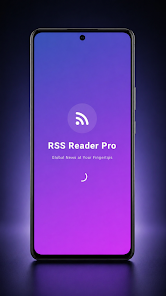
RSS Reader is a lightweight feed aggregator that organizes news, blogs, and podcasts into a single, searchable stream. With fast sync, offline reading, and customizable filters, RSS Reader helps users stay informed without opening multiple sites. Ideal for professionals and casual readers who want efficient content discovery.
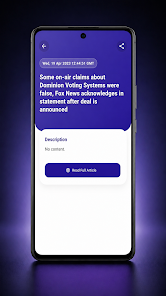
At its core, RSS Reader collects updates from the websites you follow and surfaces them in a clear, chronological list. It supports multiple feed formats, lets you group subscriptions by topic, and presents unread items with smart badges and gestures. The app prioritizes speed and readability, reducing clutter so you can focus on content that matters.
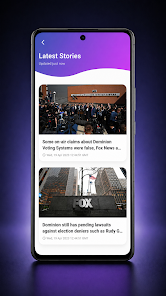
After subscribing to feeds, the app periodically checks for updates in the background. New items appear in the feed list with a timestamp and a short excerpt. Swipe actions let you mark items as read, save for later, or share via your preferred apps. A built-in article view strips away ads and sidebars to present a clean, magazine-style layout.
The interface balances simplicity and control. Tabs organize content into categories while a compact list mode maximizes density for power users. Large-type reading mode and adjustable font sizes improve legibility. Keyboard shortcuts and gesture customizations speed up navigation for heavy readers who rely on efficiency.
RSS Reader offers several layers of personalization. Choose between light and dark themes, enable a priority mode that surfaces top stories, or set auto-download limits to conserve mobile data. You can create custom rules to auto-tag articles, forward select posts to other services, or integrate the reader with third-party read-it-later apps.
Designed to be resource-friendly, the app batches background syncs and respects system power settings. Sync intervals are adjustable so you can reduce network activity during low battery states. On modern devices the app stays responsive even with many feeds, though very large image-heavy feeds may increase storage usage.
For professionals who monitor industry news or developers following tech blogs, RSS Reader streamlines the information intake process. Create topic-focused folders, subscribe to keyword-driven feeds, and set up notifications for high-priority sources. The article saving and tagging system turns casual browsing into an organized research pipeline.
People pick RSS Reader because it blends powerful features with an uncluttered interface. Its ability to import OPML, support for offline reading, and flexible filtering makes it a practical choice for anyone who wants to replace scattered bookmarks and email newsletters with a single, maintainable stream.
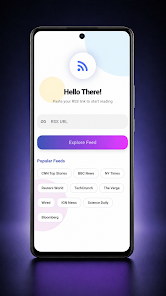
Install the app, sign in if you prefer cloud sync, and import existing subscriptions or search for sites by URL. The onboarding walkthrough highlights folder creation and notification settings to get you reading in minutes. For long-term maintenance, schedule periodic cleanup of low-value feeds to keep your reading time efficient.
Whether you need a daily briefing or an organized archive of research materials, RSS Reader provides the tools to manage information effectively. With a focus on speed, readability, and flexible controls, it helps users turn an overwhelming web into a manageable news stream.
File size: 19.00 M Latest Version: 1.0.0
Requirements: Android Language: English
Votes: 202 Package ID: com.rssreader.pro
Developer: QuvloxStudio

Best Free Books Apps for Your Android Phone
Discover your next great read with our innovative book apps. Access millions of ebooks, audiobooks, and comics on any device. Get personalized recommendations from our advanced algorithms so you always have your next great story lined up. Track your reading habits and browse curated lists for inspiration. Join online book clubs to connect with fellow bibliophiles. Listen to samples and download seamlessly with our integrated stores.






LIVE A HERO
Retro Hero Mr Kim
Empire of Passion
Arcane Quest Legends
Magic Snap: Momotaro
AllStar Manga Heroes
Lunescape
ONE PIECE Thousand Storm JP
Tap Titans 2










































