AV Player is a lightweight, feature-rich media player for Android that delivers smooth video and audio playback with broad format support. It prioritizes performance, simple controls, and reliable streaming so users can play local files and network media without complication.
Designed for everyday viewing and listening, AV Player combines essential playback tools with a clean interface. It supports a wide range of codecs and container formats, offers adjustable playback speed, and includes subtitle handling. The app focuses on responsiveness during seeking, quick file scanning, and a minimal learning curve for new users.
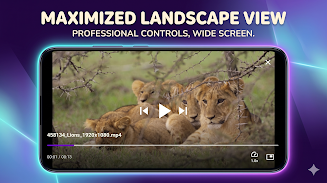
The player presents a straightforward layout: a central playback area with overlay controls that appear on tap. Playback gestures let you fast-seek by swiping horizontally and tweak audio or display settings with vertical swipes. Menus remain uncluttered, with quick access to playlists, open file dialogs, and subtitle options.
AV Player works across a wide range of Android devices, from budget phones to tablets and Android TV boxes. It detects hardware capabilities and switches between software and hardware decoding automatically. That adaptability helps avoid playback stutter on older devices while taking advantage of high-performance chips on newer hardware.
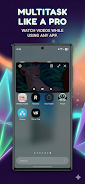
Performance is a strong point: startup times are short, seeking is responsive, and multi-track files are handled without long delays. The app supports background audio playback and resume position, so media continues playing while switching apps or after interruptions. Users with large media libraries will appreciate the folder-based browsing combined with thumbnail previews.
AV Player keeps local and network collections easy to manage. Create and save playlists, sort by name or date, and use a simple file browser to jump into folders. For shared environments, the network discovery tools find available devices and servers without manual configuration in many cases.
The settings panel offers practical customization: choose default audio tracks, set subtitle appearance, enable hardware decoding, and tune buffering for streaming. There are also options to hide the status bar during fullscreen playback and to lock controls to prevent accidental touches during viewing.
For commuters, AV Player’s background audio and variable speed let you listen to podcasts or lectures at a preferred pace. Home users can stream content from a NAS or laptop without moving files, and students can rely on bookmarks and speed controls for study sessions. The app adapts to different workflows, keeping frequently used features accessible.
AV Player strikes a balance between capability and simplicity. It is a reliable choice when you need broad codec coverage, stable streaming, and a no-nonsense interface that prioritizes playback quality. Regular updates and a focus on performance help maintain compatibility with evolving Android releases and new media formats.
Install AV Player if you want a focused media player that handles both local and network content without overwhelming configuration screens. Its combination of speed, format support, and user-oriented controls makes it a practical addition to any Android device’s toolkit.
File size: 51.23 M Latest Version: 1.0.3
Requirements: Android Language: English
Votes: 384 Package ID: com.duostrick.avplayer
Developer: DuoStrick




Must Have Home Apps for Android
Make your house a home with our suite of helpful home apps. Discover clever tools to organize closets, streamline chores, and simplify cooking. Take the stress out of cleaning and maintenance with handy checklists and schedules. Enhance security and control appliances and lighting with our smart home integrations. Design, visualize, and renovate like a pro using our 3D planning software.






LIVE A HERO
Retro Hero Mr Kim
Empire of Passion
Arcane Quest Legends
Magic Snap: Momotaro
AllStar Manga Heroes
Lunescape
ONE PIECE Thousand Storm JP
Tap Titans 2











































