
Scan to Download
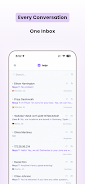
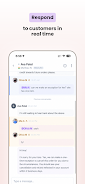
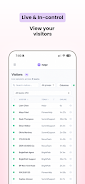
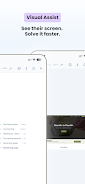
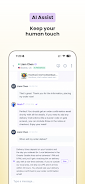
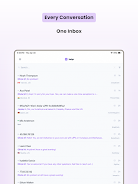
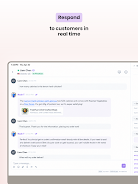
Helpr is a lightweight productivity app designed to streamline common tasks and keep your daily workflow organized. It combines quick access tools, smart reminders, and modular widgets to help users manage chores, appointments, and notes with minimal friction, all through a clean, approachable interface tailored for busy people.
Helpr focuses on practical utility rather than feature bloat. The app centers on a set of core tools—task lists, reminders, a quick-note module, and short-cut actions—arranged so you can act in one or two taps. Instead of trying to replace multiple specialized apps, Helpr integrates frequently used functions into a single, responsive hub.
At the heart of Helpr are tools designed to reduce friction. Tasks can be created from templates or by voice, reminders support location- and time-based triggers, and notes can be pinned as floating widgets. The design encourages quick entry followed by contextual actions, such as converting a note into a checklist or attaching a reminder to a calendar event.
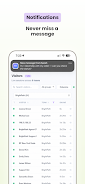
Helpr uses a straightforward interaction model. Add a task or note, choose optional metadata, and pin it to a view. The app offers several default templates—like Groceries, Work Tasks, and Chores—to speed entry. Notifications use adaptive logic, which reduces duplicate alerts while still keeping important items visible. For users who prefer automation, Helpr supports simple rules to schedule repeated tasks or auto-archive completed lists.
The interface emphasizes clarity: readable fonts, consistent iconography, and high-contrast elements that remain usable in low-light settings. Navigation stays shallow; most actions happen on the home screen or a single modal, so users rarely need to drill through menus. Performance remains smooth even with extensive notes and multiple widgets, and background syncing consumes minimal battery when configured for manual or periodic sync.
Helpr offers flexible customization to suit different workflows. Customize the home screen layout, choose widget styles, and set default behaviors for new tasks. Color-coded categories and custom notification sounds help users visually parse priorities. Advanced users can create custom templates and save reusable task bundles for repeated projects.
The app is designed for quick adoption. A short onboarding flow highlights essential features and suggests a starter template based on the user’s goals. Accessibility settings include adjustable text size, high-contrast mode, and full keyboard navigation for tablet or Chromebook users. The app keeps settings straightforward, so customization doesn’t become a barrier to use.
Many users appreciate Helpr for its focused toolkit and speed. The app removes extra navigation and delivers features people actually use day-to-day. It’s particularly attractive to those who prefer a single, adaptable utility over multiple apps that each solve one small problem. Regular updates target reliability and minor quality-of-life improvements rather than constant reworks to the interface.
If you’re looking for a responsive, no-nonsense productivity companion that stays out of the way while helping you complete more, Helpr is worth trying. Its combination of widgets, quick capture, and smart reminders creates a compact hub that supports a wide range of daily tasks without unnecessary complexity.
File size: 78.83 M Latest Version: 1.0.1
Requirements: Android Language: English
Votes: 255 Package ID: so.helpr.mobile
Developer: Bequity Inc

Must Have Home Apps for Android
Make your house a home with our suite of helpful home apps. Discover clever tools to organize closets, streamline chores, and simplify cooking. Take the stress out of cleaning and maintenance with handy checklists and schedules. Enhance security and control appliances and lighting with our smart home integrations. Design, visualize, and renovate like a pro using our 3D planning software.






LIVE A HERO
Retro Hero Mr Kim
Empire of Passion
Arcane Quest Legends
Magic Snap: Momotaro
AllStar Manga Heroes
Lunescape
ONE PIECE Thousand Storm JP
Tap Titans 2










































