
Scan to Download
SpeedUp - Cleaner & Optimizer puts a practical maintenance toolkit in your pocket to keep Android phones and tablets responsive and clutter-free. SpeedUp - Cleaner & Optimizer delivers one-tap routines and background automation that remove junk files, free RAM, and adjust device settings so everyday tasks run smoother; this description explains how the app works, what to expect, and how the controls, customization and maintenance cycle fit into regular use.
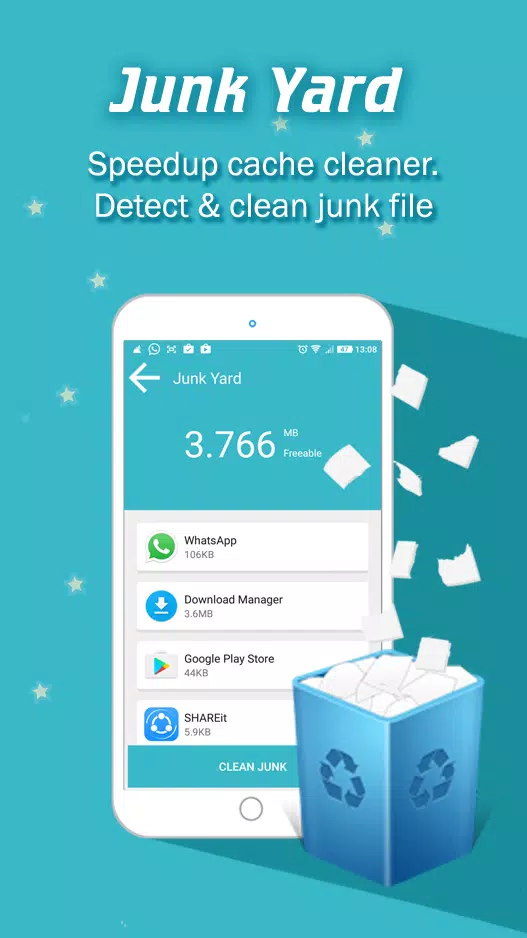
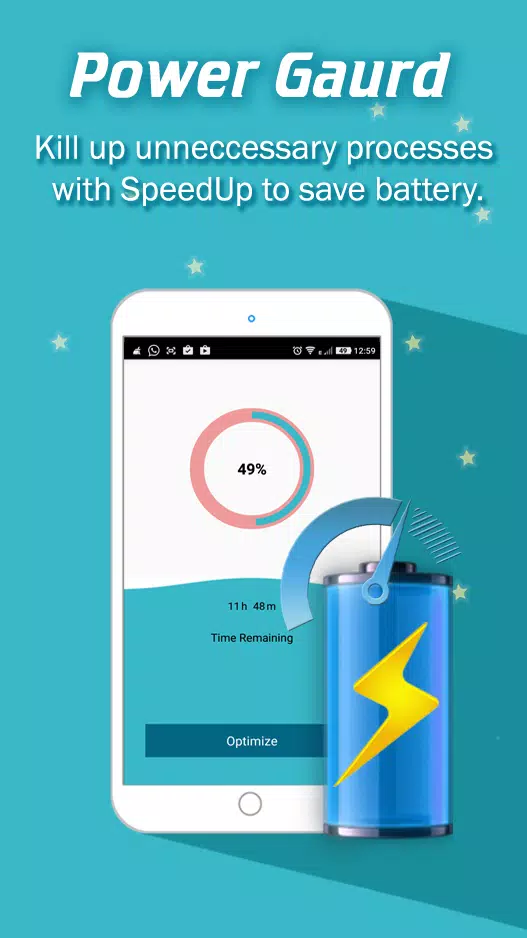
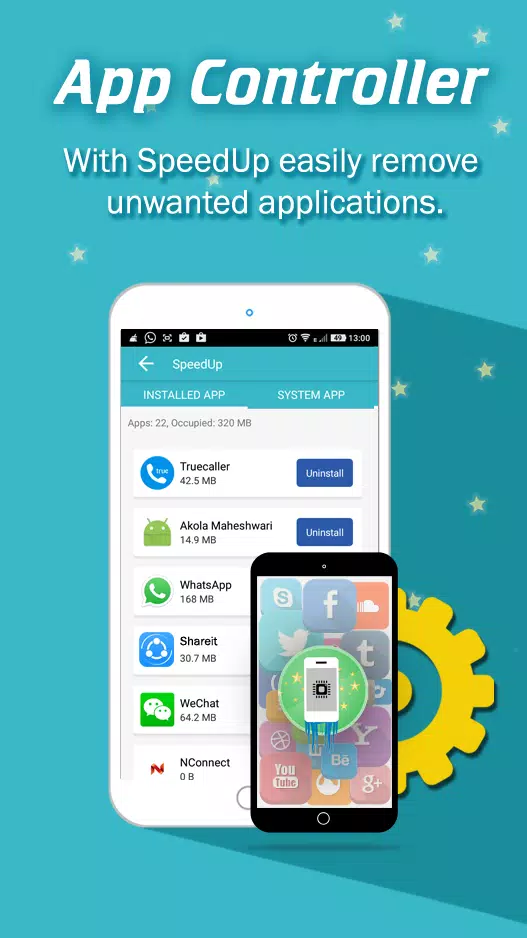
The core functions focus on cache and residual file removal, memory boosting, power management and app control. The Junk Yard component scans system and app caches, temp files and installer residues to safely free storage without touching important user data. The Speed Booster targets idle and redundant background processes to free RAM and reduce app loading delays. Power Guard monitors resource-hungry services and temporarily restricts non-essential tasks to extend battery life during heavy use. App Controller lists seldom-used or large applications and offers a simple uninstall pathway to reclaim space. Each feature is designed to be conservative and reversible where possible, so routine maintenance minimizes risk and avoids deleting user content accidentally.
Controls are deliberately straightforward: a single optimization button launches a quick sequence that performs scan, cleanup and boost operations in a few seconds on most devices. For users who prefer more control, the app provides individual toggles for cache cleanup, memory boosting and power saving so you can run only the functions you want. Automated routines can be scheduled or run based on device conditions, such as low storage or when battery level drops below a selected threshold; these automation options let you maintain performance without manual checks while keeping battery and data usage minimal.
SpeedUp - Cleaner & Optimizer helps users track the impact of maintenance through simple progress indicators and a history log that records freed storage, RAM recovered and battery improvements after each run. This progression system is not a game; instead it documents measurable gains so you can see trends over time, identify apps that repeatedly consume resources, and adjust policies for automatic cleaning. Regular use often results in faster app launches and smoother multitasking, and the app’s lightweight reporting aids decisions about which apps to keep, update or remove.
The interface favors clarity: a clean dashboard highlights current storage and memory status, recent cleanup results and quick access to the one-tap optimizer. Visual cues such as color-coded warnings and succinct status messages make it easy to understand device health at a glance. Customization options include theme preferences, the ability to exclude particular apps or files from scans, and configurable thresholds for automatic actions, so the app adapts to devices with different storage capacities and user habits.
Because device performance naturally degrades with daily use, the app retains strong replay value as a maintenance tool: repeated cleanups and occasional deeper scans become part of a regular care routine that preserves responsiveness. The core functions operate offline without requiring a network connection, ensuring privacy and reducing data consumption. Accessibility considerations include legible text sizes, clear icons and step-by-step prompts for first-time users so people with varying technical experience can use the app effectively.
SpeedUp - Cleaner & Optimizer identifies heavy or misbehaving apps and flags them for user attention; this diagnostic approach helps manage the real causes of slowdowns. However, actual outcomes vary with device model, Android version and preinstalled system restrictions. Some protected system services and manufacturer-level processes cannot be stopped by third-party tools, so the app can’t fix every performance issue. It is built to be safe: it avoids aggressive measures that risk system instability and always asks for confirmation before uninstalling apps or removing items that could affect user data.
For best results run the one-tap optimizer when your device starts to feel sluggish and use scheduled routines to prevent accumulation of caches. Review the app history to identify repeat offenders and adjust exclusions or automation accordingly. SpeedUp - Cleaner & Optimizer is designed to be a lightweight, privacy-respecting assistant that complements good device habits rather than replacing necessary OS updates or app maintenance. If you want predictable improvements in responsiveness and battery endurance, combined with clear controls and offline operation, this app provides a practical, easy-to-manage solution.
File size: 4.10 M Latest Version: 1.2
Requirements: Android Language: English
Votes: 210 Package ID: nspiresoft.com.speedup
Developer: Nspiresoft LLP



Top Health Free Apps for Android
Take charge of your wellbeing with our innovative health and fitness apps. Monitor your activity, sleep, nutrition and more using our advanced tracking tools. Access personalized insights to develop healthy habits. Check symptoms, manage medications, and connect with doctors through our telehealth services. Follow customized workout plans for any fitness level with our virtual coaching.






LIVE A HERO
Retro Hero Mr Kim
Empire of Passion
Arcane Quest Legends
Magic Snap: Momotaro
AllStar Manga Heroes
Lunescape
ONE PIECE Thousand Storm JP
Tap Titans 2










































