
Scan to Download
WordWeb Audio Dictionary brings clear pronunciations, definitions and example sentences into a compact offline app for Android, ideal for students, writers and language learners. It combines fast word lookup with audio playback, a thesaurus and cross-references to help you understand and pronounce new vocabulary accurately.
The WordWeb Audio Dictionary is a focused language utility designed to speed up learning and reduce friction when you encounter unfamiliar words. It pairs a comprehensive lexical database with high-quality audio so users can confirm pronunciation, check meanings and explore related terms without an internet connection. The app targets everyday use—completing writing tasks, reading articles, studying for exams or preparing presentations.
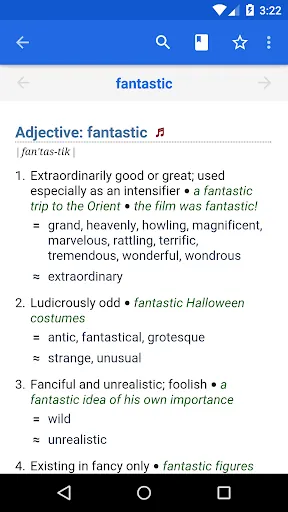
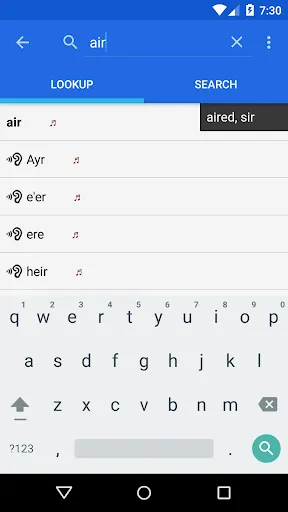
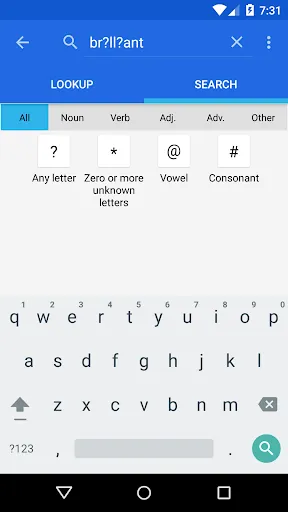
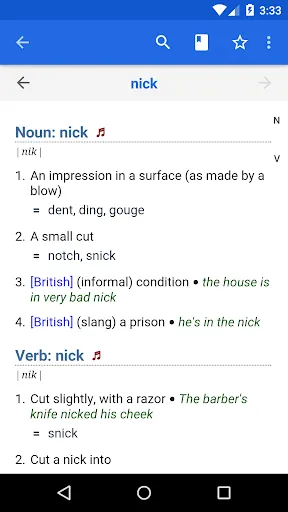
Search is the central interaction model. Type or paste a word into the search bar and results appear immediately, with pronunciation controls next to each headword. The audio player supports repeat play and adjustable volume so you can practice speech patterns. Entries combine concise definitions with part-of-speech labels and usage notes to make meaning clear at a glance.
The app prioritizes clarity: clean typography, high-contrast text and a minimal color palette make entries easy to scan. Navigation is split into a search field, recent lookups and saved words. Pages load quickly even on older devices because the data is optimized for mobile. Touch targets are large, and audio controls are accessible from the entry screen without extra taps.
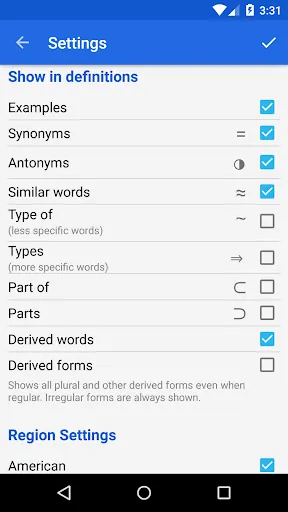
Personalization options let you tailor the app to your workflow. Save frequent lookups to a favorites list, export or import saved vocab as simple files, and toggle between British and American audio where available. You can also adjust font sizes for readability and enable a compact view for denser dictionaries or a readable view for study sessions.
Beyond single lookups, the WordWeb Audio Dictionary includes small productivity boosts that help learners retain words. Flashcard-style review, search history filters and batch operations on saved lists let you study during commutes or review for exams. The thesaurus view shows clusters of related words so you can plan richer sentences and avoid repetition in essays or reports.
Users praise the combination of fast lookups and reliable audio. For writers, the integrated thesaurus helps craft better sentences. For students and test-takers, the offline capability and example sentences support focused study. The app balances depth and simplicity: it’s not bloated with features but includes the ones that matter for practical language work.
Installing the WordWeb Audio Dictionary is straightforward—add the app through your device store, allow the initial data download if prompted, and perform a quick search to test audio playback. Spend a few minutes configuring preferred pronunciations and saving a couple of words to see how lists and review tools function. Once set up, the app becomes a reliable reference that fits into daily reading and writing habits.
Whether you need a dependable pronunciation guide while practicing speaking or a compact reference for writing, WordWeb Audio Dictionary provides a responsive, user-friendly toolkit to improve vocabulary and confidence with words.
File size: 29.40 M Latest Version: 3.4
Requirements: Android Language: English
Votes: 468 Package ID: com.wordwebsoftware.android.wordwebaudio
Developer: WordWeb Software

Must Have Tools Apps for Android
Equip yourself with our all-in-one toolbox app for everyday tasks and projects. Instantly convert between units, calculate tips, scan documents, manage files, and more with handy productivity tools. Includes a level, compass, QR code reader, ruler, speedometer, decibel meter, and flashlight. Save frequently used tools to your customizable dashboard for one-tap access. Track billable hours, wages, budgets, and invoices. Annotate screenshots, magnify labels, and sign PDFs on the go.






LIVE A HERO
Retro Hero Mr Kim
Empire of Passion
Arcane Quest Legends
Magic Snap: Momotaro
AllStar Manga Heroes
Lunescape
ONE PIECE Thousand Storm JP
Tap Titans 2










































