
Scan to Download
DIY Wood Home Furniture offers a step-by-step mobile workshop for planning, designing, and building wooden pieces for the home. The app combines project templates, material calculators, and guided instructions to help users visualize and construct custom furniture with clear plans and realistic previews in a streamlined interface.
The core toolkit in DIY Wood Home Furniture covers everything from initial sketches to final assembly. It provides dimensioned blueprints, cut lists, and shopping lists that adapt when you change measurements. Built-in estimates for time and cost help keep projects realistic, while layered instructions break complex tasks into manageable actions.
Design tools let you create or modify pieces using simple controls. Drag-and-drop components, adjustable profiles, and snap-to-grid alignment let you visualize joinery and proportions quickly. A set of pre-made templates—tables, shelving, benches, and cabinets—kickstarts projects, and a measurement lock ensures critical dimensions remain consistent as other parameters change.
One standout aspect of DIY Wood Home Furniture is its practical calculators. Enter plank sizes, board widths, or hardware choices and the app computes the amount of material needed, optimal cuts to reduce waste, and estimated expenses. Time estimates are broken down by step, giving a more realistic sense of total project duration and which tasks will require the most hands-on effort.
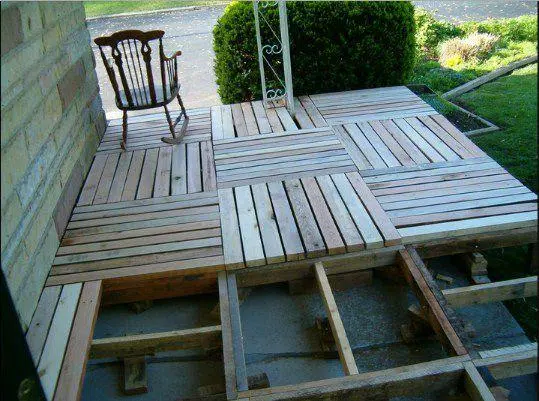
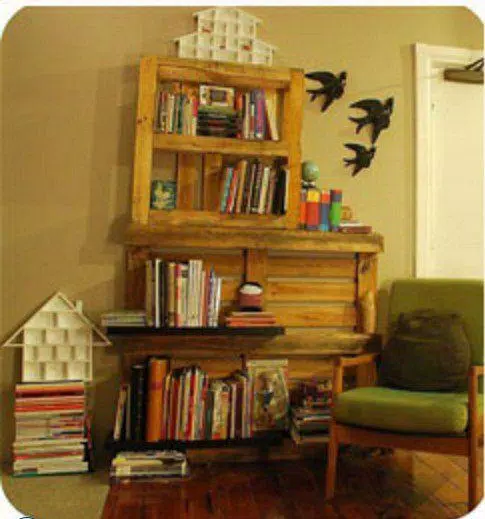
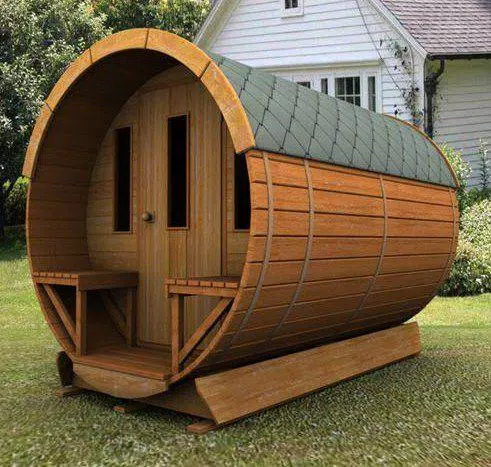
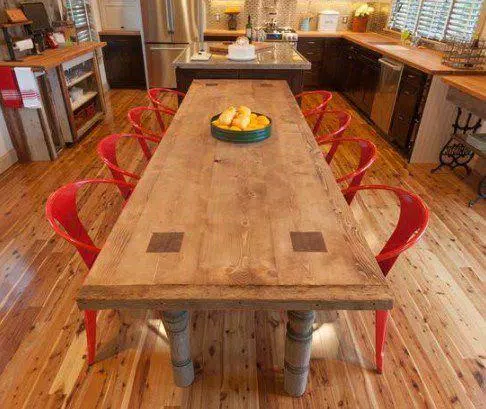
Each project contains a sequenced instruction set that pairs short written steps with annotated diagrams and close-up images. Helpful tips appear at critical moments, such as when selecting fasteners or routing a groove. This guided approach supports confident progress through joinery, sanding, finishing, and assembly phases.
Custom options in DIY Wood Home Furniture let you tailor aesthetics and performance. Choose wood species, change stain or paint colors, and preview how hardware will look on the finished piece. The app also explains finish application methods, drying times, and maintenance suggestions so the result matches your expectations and intended use.
The interface balances power and simplicity. A central project dashboard displays active builds, upcoming steps, and editable parts lists. Contextual shortcuts appear when tools are required, and a timeline view maps actions across days or weekends. Export options let you save plans as PDFs or CSV cut lists for easy sharing or printing.
Optimized for mobile devices, the app runs smoothly on mid-range phones and tablets. Offline access is available for active projects so you can work in a workshop without constant internet. Regular updates add new templates and improve calculation accuracy while keeping the app responsive during large or complex projects.
Built-in tutorials cover foundational woodworking skills—measuring, cutting, sanding, and finishing—alongside safety best practices. A community section enables users to share photos, list custom measurements, and post variations of templates. These real-world examples are useful for adapting designs to different spaces and uses.
To begin a project in DIY Wood Home Furniture, pick a template or start from scratch, set your desired dimensions, and review the parts and material list. Use the timeline to assign tasks across sessions, export a cut list for the hardware store, and follow guided steps to complete assembly. As you build more pieces, save favorite settings to speed up future projects and refine your personal workflow.
File size: 4.50 M Latest Version: 1.0
Requirements: Android Language: English
Votes: 85 Package ID: com.DIYHomeWoodFurniture.laurentapp
Developer: Laurentapp





Must Have Tools Apps for Android
Equip yourself with our all-in-one toolbox app for everyday tasks and projects. Instantly convert between units, calculate tips, scan documents, manage files, and more with handy productivity tools. Includes a level, compass, QR code reader, ruler, speedometer, decibel meter, and flashlight. Save frequently used tools to your customizable dashboard for one-tap access. Track billable hours, wages, budgets, and invoices. Annotate screenshots, magnify labels, and sign PDFs on the go.






LIVE A HERO
Retro Hero Mr Kim
Empire of Passion
Arcane Quest Legends
Magic Snap: Momotaro
AllStar Manga Heroes
Lunescape
ONE PIECE Thousand Storm JP
Tap Titans 2










































