
Scan to Download
利得基金 is a mobile investment companion designed to help individuals manage mutual funds and idle cash with clear tools and transparent pricing. Users download 利得基金 to compare curated fund lists, monitor performance, set up regular investments, and move money quickly when needed; the app is built for both new investors exploring fund basics and experienced savers who want streamlined fund trading and cash-management options. The interface balances straightforward guidance with granular data so you can make choices based on fees, historical performance and your personal schedule rather than marketing buzz.
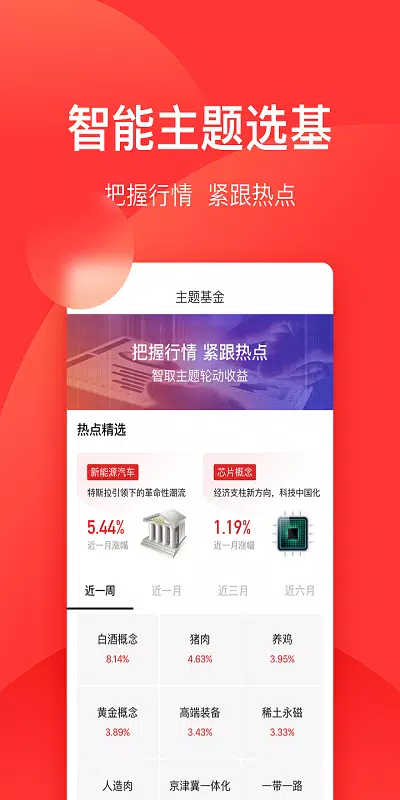
The app organizes more than 6,000 fund options into a Strict Selection Zone that highlights vetted products from major providers and lists purchase discounts that can go as low as 10% under promotional terms. A cash-management product called Le Huo Bao+ is available to optimize idle balances in two steps, emphasizing principal preservation and liquidity. Built-in watchlists let you follow specific funds' net asset values, rankings and rating changes across devices, while real-time data feeds and curated news keep you up to date on market moves without needing to toggle between multiple services. Regular Investment Column content explains step-by-step strategies for dollar-cost averaging and schedule-based contributions, and transaction flows are designed to shorten the time between selling fund shares and accessing funds in a linked Huo Ji Bao account.
Interaction uses familiar mobile controls: tap-to-open fund details, slide to add to watchlist, and guided forms for one-time or scheduled investments. Progression is represented through account milestones and portfolio summaries that chart cumulative investments, realized gains and target goals; these give a sense of long-term accumulation rather than short-term speculation. Customization options cover frequency and amount for regular investments, notification thresholds for price or rating changes, and exportable statements for tax or personal record-keeping. The app’s level-like structure groups funds by category and risk profile so you can move from conservative money-market options to higher-yield bond and mixed-asset funds as your objectives evolve.
The visual design favors clarity: a neutral color palette for long reading sessions, legible typography, and clear contrast for critical numbers such as net asset value and daily return. Charts are interactive at multiple timeframes so you can inspect recent performance or longer-term trends; a compact summary card helps when you need a quick snapshot. Onboarding includes short walkthroughs and contextual tips within the placement flows to reduce friction for first-time purchasers, while advanced views expose fee breakdowns, past distributions and benchmark comparisons for users who want granular analysis.
Accessibility features include adjustable text size, color-contrast options and concise labeling for screen readers to improve usability for a wide range of users. Basic portfolio views and previously loaded fund details are cached so you can review essential information offline; full trading and real-time quotes require a network connection. Customer support is available by phone and online chat to assist with account setup, transfer procedures and product questions, and an FAQ section clarifies common steps such as large-transfer handling and redemption timing.
The platform aims for fee transparency: public mutual fund purchase rates are shown with any discounts and clearly stated conditions, and promotions that reduce purchase fees typically carry time or eligibility limitations. Le Huo Bao+ is described as focusing on safety and liquidity but, as with any cash-management product, it is presented with clear notes about the product type and risk characteristics. A practical limitation is that the service is primarily oriented toward mutual funds and cash-management solutions; users seeking comprehensive brokerage services for direct stock trading or other asset classes may need a separate provider.
Advantages include a wide fund selection, visible discounting on purchase fees, guided regular-investment tools that support long-term accumulation, and a responsive support channel to reduce onboarding friction. Practical considerations are that promotions change over time and that some advanced features—such as very large single investments—may require additional verification or paperwork. The app is continuously updated for stability and clearer product explanations to help users understand conditions associated with discounts and transfers.
The latest release of 利得基金 upgrades the Strict Selection Zone with more than 6,000 fund options and purchase discounts down to around 10% under specified conditions, raises single-investment capacity to one million yuan for eligible users, introduces Le Huo Bao+ for simple idle-cash optimization, launches a seasonal self-selection promotion with gift incentives, adds the Regular Investment Column for strategy guidance, clarifies large-transfer procedures, enhances Le Huo Bao FAQs and applies targeted bug fixes to improve stability and transaction clarity.
File size: 38.80 M Latest Version: 5.4.7
Requirements: Android Language: English
Votes: 228 Package ID: com.leadbank.lbf
Developer: 上海利得基金销售有限公司




Must Have Tools Apps for Android
Equip yourself with our all-in-one toolbox app for everyday tasks and projects. Instantly convert between units, calculate tips, scan documents, manage files, and more with handy productivity tools. Includes a level, compass, QR code reader, ruler, speedometer, decibel meter, and flashlight. Save frequently used tools to your customizable dashboard for one-tap access. Track billable hours, wages, budgets, and invoices. Annotate screenshots, magnify labels, and sign PDFs on the go.






LIVE A HERO
Retro Hero Mr Kim
Empire of Passion
Arcane Quest Legends
Magic Snap: Momotaro
AllStar Manga Heroes
Lunescape
ONE PIECE Thousand Storm JP
Tap Titans 2