
Scan to Download
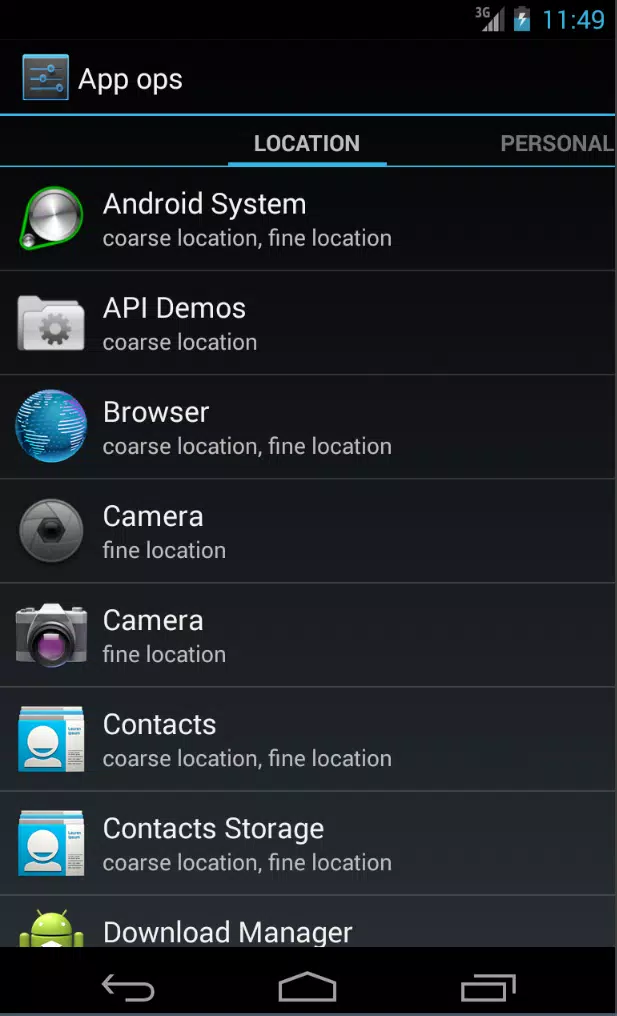
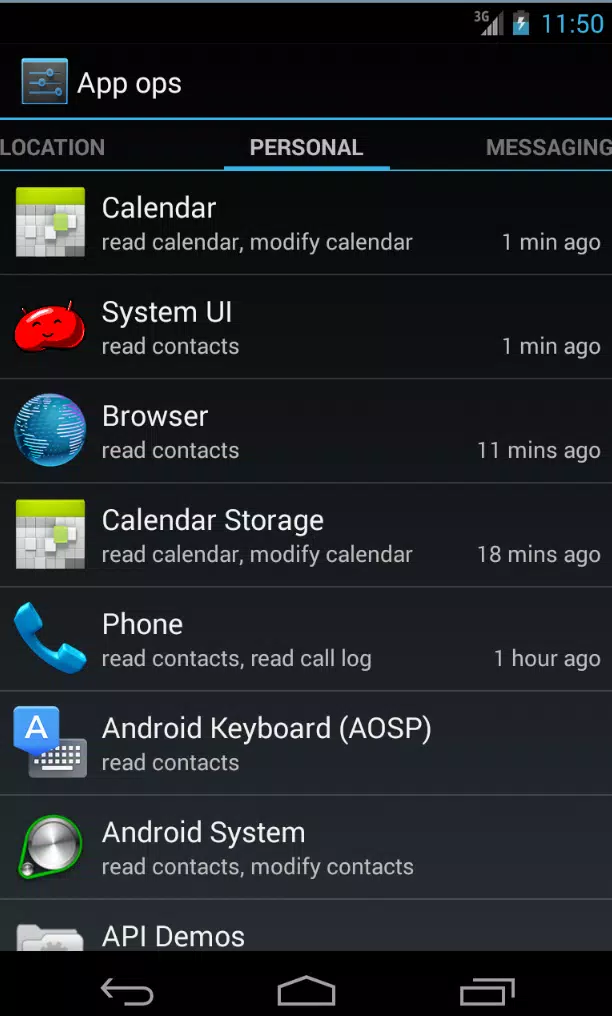
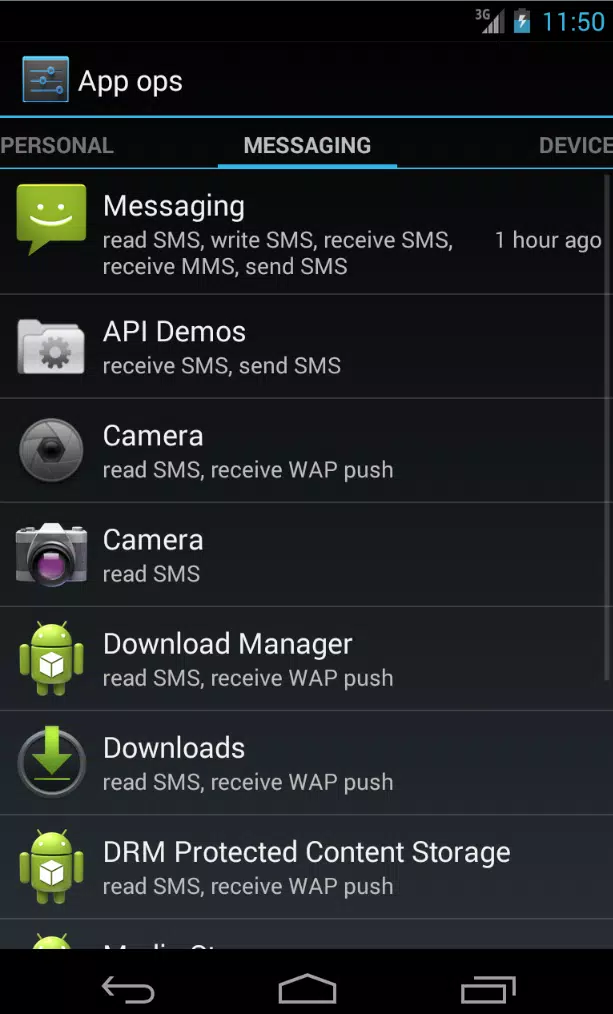
App Ops Launcher puts Android's hidden App Ops permission panel at your fingertips, making it simple to inspect and adjust individual app permissions without rooting your device. App Ops Launcher provides a single, searchable view of which apps can access location, camera, microphone and other sensors so you can make precise, reversible changes that rely only on built‑in system controls.
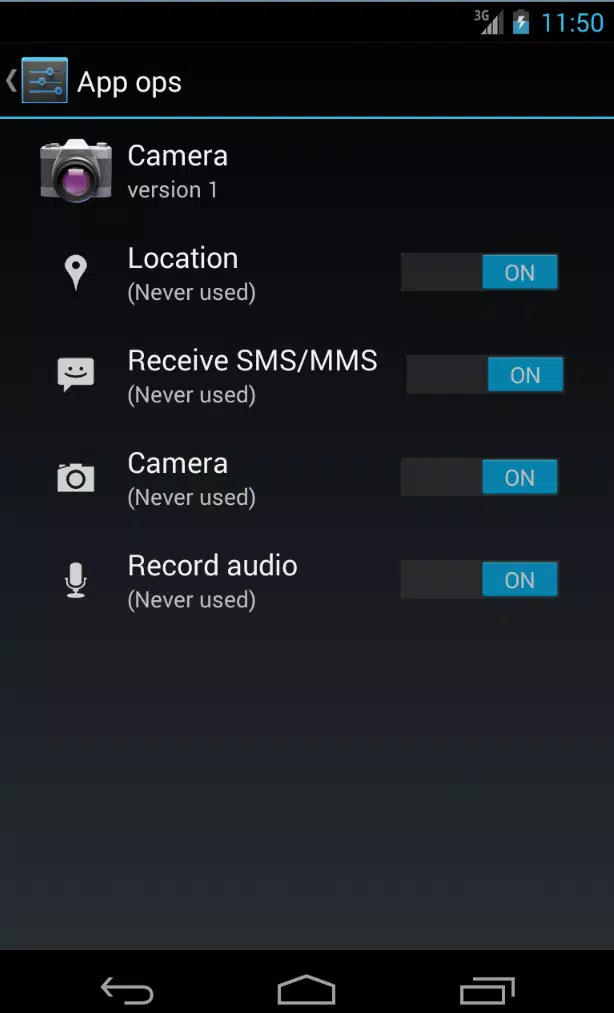
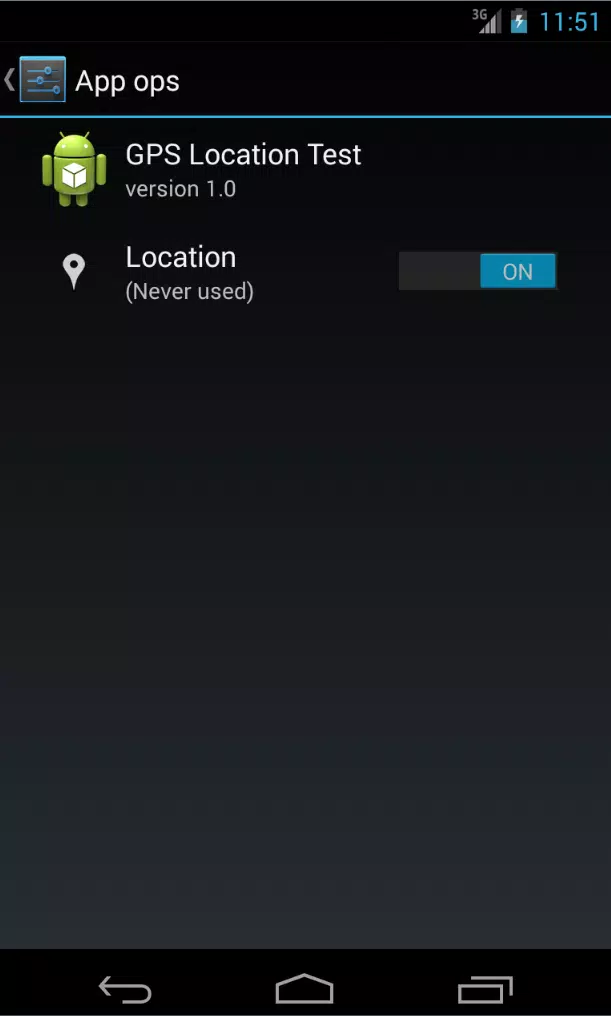
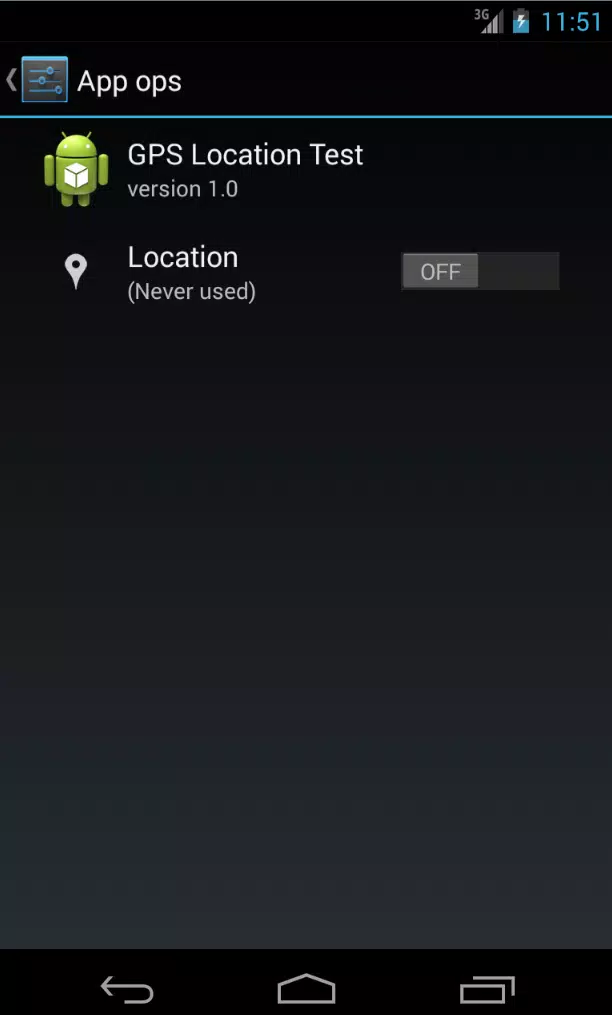
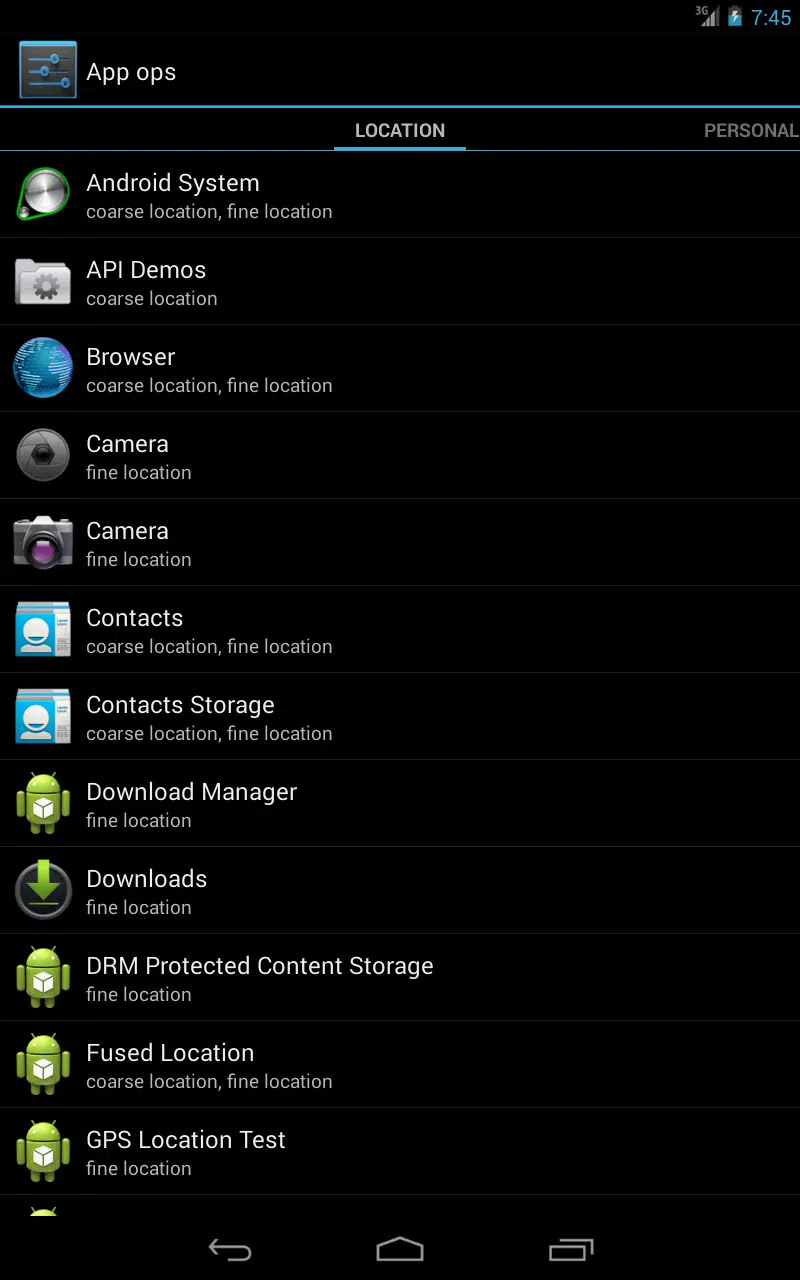
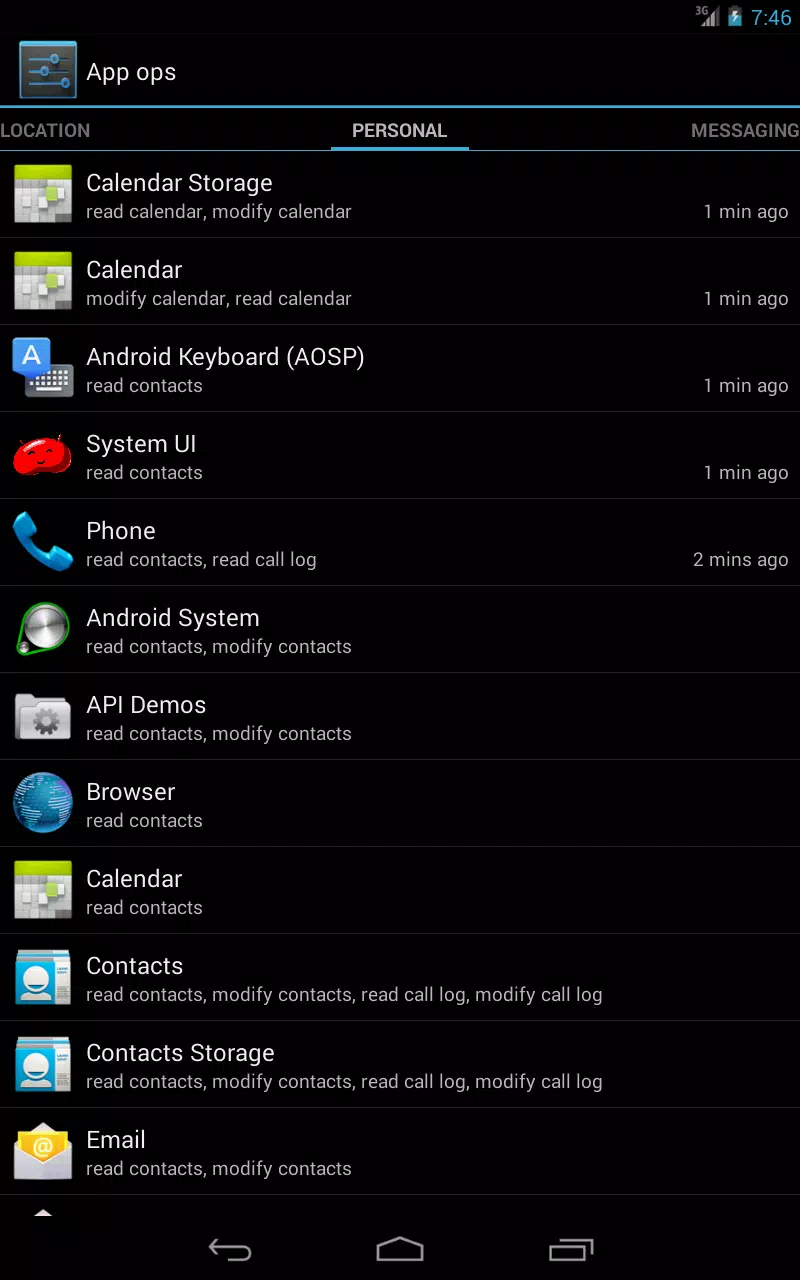
The app exposes the permission interface introduced in Android 4.3 and groups controls in a clear layout so you can scan permissions across all installed apps. The main screen lists apps and summarizes active sensor and runtime permissions, while the detailed view shows each permission with a simple toggle or selection. Quick filtering and search let you find high‑risk permissions or specific apps, and changes are applied using stock system calls so no root is necessary and system integrity is preserved.
Navigation follows a straightforward two‑pane approach: an app list and a permissions detail panel. Tap an app to open its permission sheet, then toggle permissions one by one or use the back controls to revert recent changes. Touch targets are sized for typical fingers and the UI follows standard Android gestures so most users will feel familiar with the flow. For power users the interface supports rapid review of many apps in succession, making periodic privacy audits faster.
There is no leveling or hidden progression, but App Ops Launcher supports a practical user progression: new users can run an initial audit to establish a baseline, learn how common permissions are used by different app categories, and then maintain a routine of checking permissions after installs or major updates. Over time this habit reduces unexpected background access and can reveal apps that frequently request sensitive sensors.
The design emphasizes functional clarity with readable typography, consistent icons and an uncluttered color palette that mirrors system aesthetics. Screens are organized by logical sections: an overview of all apps, a focused permissions screen for a selected app, and a settings panel with compatibility notes. The layout keeps frequently used controls visible while deeper information is only a tap away, which helps you make targeted changes without wading through system menus.
Sorting, search and simple filters let you tailor the list to show only apps with active location access or only apps that use the microphone, enabling focused review sessions. The interface aims for high contrast and large touch targets to help users with limited dexterity; it also avoids extraneous animations to keep interactions quick and predictable. Because the tool operates locally, it does not require internet access and can be used offline for audits and adjustments.
Regular use of the app can reduce unnecessary sensor activity and background work, which may improve battery life and lower data use. App Ops Launcher remains useful beyond initial setup: as apps update or add new features you can recheck permissions, making the tool a recurring part of device maintenance rather than a one‑time utility. Its local, no‑cloud design means you can run audits whenever convenient without network dependency.
Functionality depends on the presence of the App Ops interface in the Android build; the tool is most effective on devices that expose that system feature. It intentionally avoids deep modifications and cannot provide root‑level control beyond what the operating system itself exposes. If your device or OEM disables the underlying permission panel, some controls may be limited; the app indicates when system support is absent or partial so you can understand what to expect.
If a permission toggle appears ineffective, check your Android version and any OEM customizations that might override system permission handling. Basic troubleshooting steps include restarting the target app, reviewing system permission settings and verifying that the device build includes the App Ops interface. For persistent issues consult device documentation or the app's help text to align expectations with the system's capabilities.
File size: 0.20 M Latest Version: 1.0
Requirements: Android Language: English
Votes: 338 Package ID: com.xtrsource.appops
Developer: Raith Thomas

Must Have Navigation Apps for Android
Finding your way has never been easier with our cutting-edge navigation apps. Save time and reduce stress during daily commutes or long road trips. Our software offers real-time traffic updates, accurate ETAs, and optimal routing to avoid delays. Customize routes to find the most scenic drives. Discover interesting stops along the way with points of interest. Arrive relaxed and informed every time.




LIVE A HERO
Retro Hero Mr Kim
Empire of Passion
Arcane Quest Legends
Magic Snap: Momotaro
AllStar Manga Heroes
Lunescape
ONE PIECE Thousand Storm JP
Tap Titans 2










































