Scan to Download
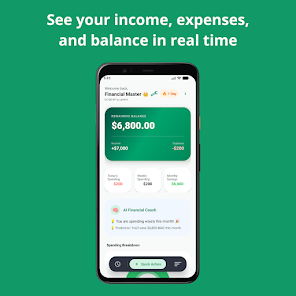
Budgetman Pro is a streamlined personal finance app that helps users track spending, set budgets, and reach savings targets with clear reports and real-time insights. Designed for everyday use, it combines automatic categorization, goal planning, and quick transaction entry to make money management less time-consuming and more actionable.
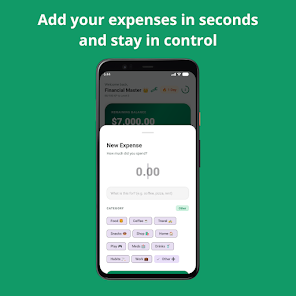
At its core, Budgetman Pro focuses on fast expense capture, straightforward budget creation, and visual feedback. Transactions can be added in seconds, either manually or through import, and the app groups similar items so you can see where money goes. The emphasis is on practical tools that reduce friction and help you form better financial habits.
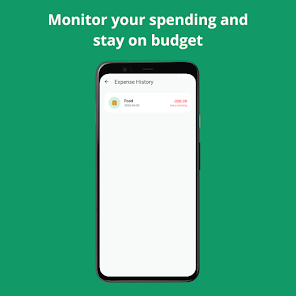
Daily use is intentionally light. Tap to add an expense, choose a category, and assign it to a budget or goal. For users who prefer automation, periodic imports from CSV or third-party aggregators speed up reconciliation. The dashboard highlights overspending and upcoming bills so you can act before surprises arrive.
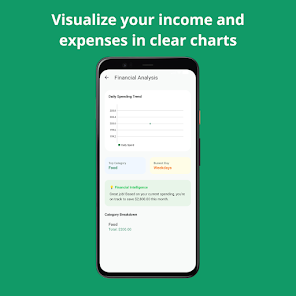
Budgetman Pro uses a clean, modular layout that prioritizes readability. Color-coded budgets, compact transaction lists, and simple charts load quickly on midrange devices. The app supports dark mode, adjustable date ranges, and responsive widgets for at-a-glance summaries on the home screen.
Power users will find several ways to tailor the app. Tags let you cross-reference expenses across categories. Multi-currency support with manual exchange rates helps travelers and freelancers. Custom categories, subbudgets, and configurable notification rules let you design a workflow that matches how you manage money.
Budgetman Pro stores sensitive data locally by default and uses optional cloud sync with end-to-end encryption. PIN and biometric unlock protect quick access, and the app avoids collecting unnecessary personal data. If you link accounts through third-party services, permissions are clearly explained and reversible.
This app is well-suited for people who want a mix of automation and hands-on control. Freelancers, students, and families will appreciate budget flexibility, while anyone trying to build emergency savings or pay down debt can use the goal tracker and recurring plans to keep momentum.
Budgetman Pro stands out for balancing simplicity with depth. It avoids cluttered analytics while still providing exportable data and advanced tagging. The learning categorization engine reduces the time spent cleaning up transactions, which is a notable productivity win compared with more manual-focused tools.
Download, grant optional permissions, and complete a brief setup that asks about income cycles and financial goals. Import existing data from common file types if you’re switching apps. Expect to be productive within a single session, with budgets and one or two accounts configured.
Budgetman Pro delivers an accessible, pragmatic finance workflow that emphasizes daily habits and measurable progress. Whether you want to curb overspending, hit a savings milestone, or simply simplify bookkeeping, the app provides the essential tools without overwhelming complexity.
File size: 12.00 M Latest Version: 1.0
Requirements: Android Language: English
Votes: 305 Package ID: com.budgetproman
Developer: azapage

Must Have Home Apps for Android
Make your house a home with our suite of helpful home apps. Discover clever tools to organize closets, streamline chores, and simplify cooking. Take the stress out of cleaning and maintenance with handy checklists and schedules. Enhance security and control appliances and lighting with our smart home integrations. Design, visualize, and renovate like a pro using our 3D planning software.






LIVE A HERO
Retro Hero Mr Kim
Empire of Passion
Arcane Quest Legends
Magic Snap: Momotaro
AllStar Manga Heroes
Lunescape
ONE PIECE Thousand Storm JP
Tap Titans 2