Scan to Download
Life-Link.app is a centralized personal productivity hub that connects your calendars, tasks, notes and contacts into one streamlined interface. Designed for busy professionals and families, Life-Link.app blends intelligent reminders, cross-device sync and simple automation to help you manage time, routines and priorities without switching between apps.
Life-Link.app acts as a single destination for everyday planning and long-term organization. It aggregates data from multiple sources, surfaces the most relevant items for your day, and offers tools to convert scattered inputs into structured plans. The app prioritizes clarity: deadlines, meetings, and follow-ups appear together so you can make decisions faster.
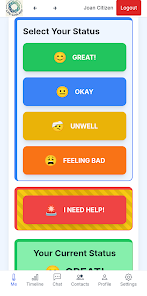
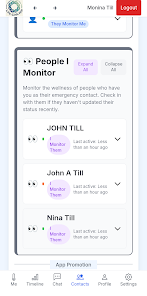
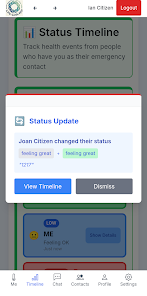
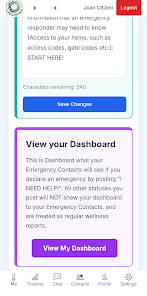
The interface of Life-Link.app balances minimalism with functionality. A customizable dashboard highlights what matters most—today’s agenda, overdue items, and an inbox for new entries. Navigation relies on gestures and a bottom toolbar for quick access to create tasks or add events. The workflow encourages a daily review habit: import, triage, schedule, and act.
Life-Link.app supports themes and layout options so you can choose a compact list view or a more visual board-style layout. Integrations include major calendar services, email providers, note apps, and popular cloud drives. You can set rules that automatically label incoming emails as tasks or convert meeting notes into follow-up items.
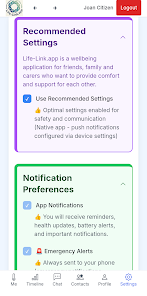
Synchronization in Life-Link.app is designed for reliability. The app uses incremental sync to minimize data transfer and merge changes smoothly when devices reconnect. Offline support lets you make edits without interruption; changes are queued and pushed when you’re back online. Sync settings let you control which accounts and folders are included to conserve bandwidth and storage.
Security is a core consideration for Life-Link.app. Data in transit is encrypted using industry-standard protocols and optional end-to-end encryption is available for sensitive notes. Account access supports two-factor authentication and session controls, and data residency options let organizations choose regional storage locations for compliance needs.
Life-Link.app is optimized for modern Android devices and scales to tablets and low-end phones. Background sync is battery-aware and respects Doze mode settings. The app is lightweight on memory and provides quick launch times, even with multiple accounts connected. Regular updates focus on performance improvements and reduced app size.
Begin by connecting the calendars and accounts you use daily. Life-Link.app guides you through importing events and tasks and offers a short setup wizard to define your work hours and preferred notification windows. Use the onboarding checklist to enable key features like location reminders and cloud backups.
Life-Link.app aims to reduce context switching and make daily planning more intentional. With flexible integrations, reliable syncing, and a focus on privacy, it serves as a practical tool for people who want a clearer view of obligations and more control over how they spend time.
File size: 27.00 M Latest Version: 1.0
Requirements: Android Language: English
Votes: 207 Package ID: app.lifelink.app
Developer: Fair-Go

Top Events Free Apps for Android
Discover and share the hottest events around with our intuitive apps. Find local concerts, festivals, shows, and more based on your unique interests. Create customizable calendars of upcoming events to coordinate schedules with friends. Purchase tickets seamlessly from our integrated platforms. Check real-time transit schedules to plan your trip. Access maps, directions, and parking information for any venue.






LIVE A HERO
Retro Hero Mr Kim
Empire of Passion
Arcane Quest Legends
Magic Snap: Momotaro
AllStar Manga Heroes
Lunescape
ONE PIECE Thousand Storm JP
Tap Titans 2