Scan to Download
Smart Tasks is a straightforward, lightweight task manager designed to help you add, edit, delete and track everyday to-dos without clutter. Smart Tasks focuses on minimalism and clarity, giving you a place to collect task lists, mark progress, and keep a clear overview of what matters today. The app is built for Android 8.0 and later, occupying roughly 26 MB of storage, and aims to deliver essential task-management tools with a calm, focused user experience rather than a long list of advanced extras.
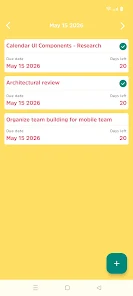
The core functionality centers on basic but reliable task operations: create new items, update details, remove completed entries and track status across simple lists. Task lists act as containers for grouped work or personal items, and the interface shows an at-a-glance summary of progress so you can see how much remains. The app keeps a compact footprint, so installation and updates are quick even on devices with limited free space.
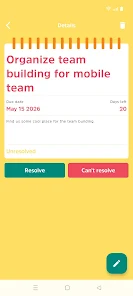
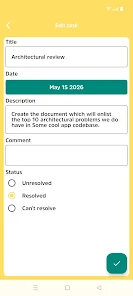
Interaction in Smart Tasks follows familiar mobile patterns to keep the learning curve low. Adding a task is immediate and requires only a few taps; editing is performed inline so changes are visible right away; and removing tasks is quick to execute. Touch targets are intentionally clear and spaced to reduce accidental taps, and the flow emphasizes direct manipulation over nested menus so routine operations stay fast and predictable.
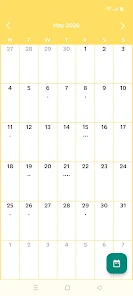
Progress tracking is intentionally simple: the app provides status indicators and aggregate views of list completion to help you prioritize. You can maintain multiple lists for different contexts—work, shopping, short-term projects—and the list view provides a compact summary so switching focus is effortless. This minimal progression system supports steady momentum without pushing gamified incentives or complex scoring.
Smart Tasks uses a clean, uncluttered visual style with clear typography and a restrained color palette to minimize distractions. The design favors readability and contrast, making it easy to scan long lists. Basic customization options let you adjust common display preferences so the app adapts to your usage—whether you prefer a denser list to fit more items onscreen or a more spacious layout for easier reading.
Built with accessibility and practicality in mind, Smart Tasks keeps controls large and labels straightforward to support users who rely on assistive tools. The app is fully functional offline, so you can manage tasks on a plane, subway or in other places without a network connection. Local data storage preserves your lists on the device, which suits people who prefer a private, no-account approach to task management.
At roughly 26 MB and targeted for Android 8.0 and newer, Smart Tasks is intended to run smoothly on a broad range of phones and tablets. The minimal feature set helps conserve battery and memory, and the app starts quickly even on older hardware. This release emphasizes stability and predictable behavior over experimental features, making it a practical tool for daily use.
As a first release (version 1.0), the app focuses on essential task-management capabilities and may lack some advanced features available in more mature apps, such as cloud sync, complex tagging or automated reminders. The current public adoption is modest, and the developer is collecting feedback to guide future updates. If you prefer a compact, offline-first task manager without unnecessary extras, this initial release provides a solid foundation.
Smart Tasks is published by Milan Zujevic and this listing reflects version 1.0, released and updated on May 1, 2026. The app carries a content rating of Rated for 3+ and shows a modest download count, consistent with a recent launch. If you want a lightweight, focused way to manage daily to-dos on Android, Smart Tasks offers a simple, reliable starting point that prioritizes clarity and ease of use.
File size: 26.00 M Latest Version: 1.0
Requirements: Android Language: English
Votes: 172 Package ID: com.zujevic.android.smarttasks
Developer: Milan Zujevic

Empower learning and research with our innovative reference apps. Access dictionaries, thesauruses, encyclopedias, and more with our comprehensive databases. Get homework help, study tips, and writing guides from our academic resources. Learn new skills by browsing how-to videos and manuals. Stay up-to-date with latest news, data, and facts curated by our editors.





LIVE A HERO
Retro Hero Mr Kim
Empire of Passion
Arcane Quest Legends
Magic Snap: Momotaro
AllStar Manga Heroes
Lunescape
ONE PIECE Thousand Storm JP
Tap Titans 2