Scan to Download
FuelTech Vision is a professional configuration and analysis application for the VisionFT line of vehicle control units, designed to help engineers and technicians update firmware, tune functions, and inspect internal datalogger records with clarity. FuelTech Vision brings live telemetry into the workflow alongside traditional datalogging, enabling real-time receive and transmit between laptops, desktops, tablets and phones across iOS, Android, Windows and Mac. The app focuses on fast, synchronized adjustments and immediate feedback so teams can collaborate on the same VCU without losing traceability or control.
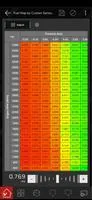
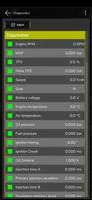
FuelTech Vision provides comprehensive access to every exposed VCU function, from sensor calibration and input scaling to auxiliary output mapping and ignition strategies. Its real-time telemetry stream displays incoming sensor data and control outputs while the internal datalogger stores high-resolution recordings for later review. The app supports firmware updates and function-level configuration edits, and it surfaces diagnostic information to help locate faults and unexpected behavior quickly. Cross-platform connectivity ensures that a laptop in the workshop, a tablet in the paddock and a phone on the pit wall can all view and interact with the same data in near real time.
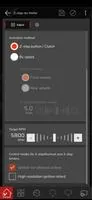
The user interface is designed around practical controls for experienced users: direct parameter editing, context-aware sliders and numeric entry, and confirmation workflows that reduce accidental changes. Navigation groups related functions into configurable panels so users can create workspaces that match their testing procedure. FuelTech Vision preserves previous configurations and change notes so technicians can compare settings, revert to known-good values, and document the rationale behind each edit. For teams, the collaborative sessions include conflict warnings and a clear history of who changed which parameter and when.
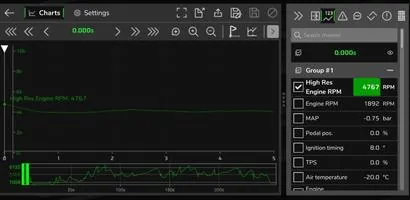
Analyzing performance over time is central to the app. The internal datalogger review tools include timeline scrubbing, channel overlays and basic statistical summaries so that trends and anomalies are easier to spot. Progression is represented by project-based workflows: each vehicle, test session or event can be stored as a project with its own datalogs, configuration snapshots and notes. This structure increases replay value because engineers can replay sessions, compare iterations, and test the impact of incremental changes across repeat runs without losing context.
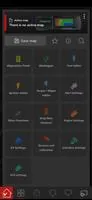
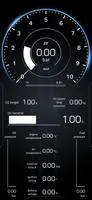
FuelTech Vision favors a clean, high-contrast visual style that prioritizes legibility in workshop and track-lighting conditions. Charts and gauges can be resized and pinned, and panels are arranged in levels that mirror a typical diagnostics session: live view, historical review, configuration editor and firmware manager. This level structure lets users move from quick live checks to detailed analysis without switching apps, keeping the diagnostic flow compact and predictable.
The app supports a range of customization options that adapt to varied team practices: configurable dashboards, saved panel layouts and the ability to tag and filter datalogs by test type, driver or vehicle. Accessibility considerations include adjustable font sizes, color-contrast themes and touch-friendly controls for tablets and phones. FuelTech Vision aims to reduce barriers for technicians who rely on mobile devices in noisy or physically constrained environments, while still exposing advanced controls for expert users.
While the app enables live telemetry over local and networked connections, FuelTech Vision also supports offline analysis by allowing users to download and open datalog files locally. This is useful when connectivity is limited or when teams need to archive sessions for later review. The firmware update process includes verification steps and rollback safeguards so a failed update does not leave a unit in an unusable state.
The app emphasizes practical diagnostic tools rather than gamified challenge systems: threshold alerts, event markers and automated checks help highlight out-of-range signals, missing sensor inputs or inconsistent timing. These tools speed up troubleshooting during testing and track work by calling attention to exceptions and suggesting likely causes based on the available telemetry and log data. For complex problems, the detailed datalog review and comparison tools provide a path from symptom to corrective action.
FuelTech Vision is optimized for the VisionFT line of VCUs and may not support unrelated models. It is built to run across major operating systems and device types to meet the needs of mixed teams. Recent updates enhance the datalogger analysis experience and add integrated telemetry capabilities to make real-time data exchange and collaborative configuration more robust, with attention to stability and clear session histories for team coordination.
File size: 82.63 M Latest Version: 00.02.22.05
Requirements: Android Language: English
Votes: 331 Package ID: br.com.fueltech.visionft
Developer: FUELTECH

Top Auto Free Apps for Android
Hit the open road with confidence using our automotive apps. Access comprehensive makes/models reference guides for expert vehicle knowledge. Get step-by-step repair and maintenance tutorials so you can DIY with ease. Scan diagnostic codes and get repair estimates from local shops. Stay on top of your vehicle's health with digital logs and alerts. Plan road trips leveraging real-time maps, traffic data, and trip computer integration.





LIVE A HERO
Retro Hero Mr Kim
Empire of Passion
Arcane Quest Legends
Magic Snap: Momotaro
AllStar Manga Heroes
Lunescape
ONE PIECE Thousand Storm JP
Tap Titans 2