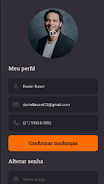
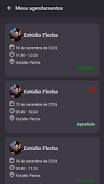
Infinitus App is an application designed to streamline meeting room and event reservations across a company, and Infinitus App places search, booking and calendar coordination into a single, easy-to-use interface. Designed for teams that need dependable scheduling without clutter, the Infinitus App helps employees check room availability, reserve space in moments and manage appointments with minimal training. This introduction explains how the app organizes room calendars, how users interact with the interface, and what administrators can expect when they adopt the system.
The core of the experience is per-room calendars that synchronize in real time with external calendar services so availability stays accurate across teams and platforms. Each room includes its own schedule view and metadata such as capacity, equipment, and preferred layout. Quick reservation flows let users create single bookings or recurring events, set reminders and attach a brief agenda. The app also provides basic analytics and reporting tools to identify underused spaces, and configurable notification options to reduce no-shows and last-minute conflicts. All of these features are built to minimize friction for everyday use and to consolidate reservations into one single place for administrators and team members alike.
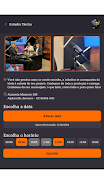
Search and booking are driven by an intuitive query bar and contextual filters: users can search by date, time, capacity, equipment tags or building zones, then view matching rooms in a compact calendar or list view. Selecting a time slot opens a confirmation dialog that shows any existing conflicts and allows quick edits such as adjusting the duration, adding attendees, or choosing a room layout. Real-time synchronization with external calendars means that changes made in third-party calendar apps are reflected in the room calendars, and vice versa, so schedules remain consistent across tools used by the organization.
User controls are purposefully simple to reduce training needs: tap to open schedules, drag to extend or shorten bookings on timeline views, and use search filters to narrow results. The interface supports keyboard navigation for power users and has clear affordances for mobile touch input. Form fields are streamlined so bookings can be completed in a few taps or clicks, while advanced options such as approval workflows and attendee lists are tucked behind progressive disclosure to keep the common path uncluttered. Visual cues and confirmation messages guide the user through each step so mistakes are easy to spot and correct.
Rather than a gamified progression system, progression in this context refers to role-based permissions and the organizational hierarchy that governs booking visibility and approval. Administrators can define user roles, room ownership, booking limits and approval gates so the booking process scales from small teams to large enterprises. A booking history and audit trail let managers track usage trends and compliance, while custom templates and default durations speed up recurring scheduling for regular meeting types.
The app emphasizes a clean, functional visual design with color-coded availability indicators and uncluttered timelines that make it easy to scan free and busy periods at a glance. Room details use clear typography and iconography to communicate capacity and AV options without long descriptions. Accessibility features include high-contrast themes, screen-reader friendly labels, and support for larger text sizes, ensuring people with different needs can reliably find and book spaces. The design choices aim for clarity rather than flashy decoration so teams focus on scheduling, not on learning a new visual language.
To remain useful when connectivity is intermittent, the app caches recent schedule data locally so users can view room availability while offline and prepare reservation requests. When a connection is restored, queued changes synchronize with the central calendars and external services. Synchronization emphasizes consistency and conflict resolution: if two users create overlapping bookings while offline, administrators and users receive clear conflict notices with options to resolve by editing or canceling one of the requests. Regular background syncs and retry logic keep schedules current and reduce the likelihood of double bookings.
The app is focused on meeting room and event reservations rather than a full facilities management suite, so organizations expecting asset lifecycle tracking or complex maintenance workflows should plan for complementary tools. Functionality relies on accurate calendar synchronization to maintain current schedules; initial setup requires connecting external calendar systems and defining room metadata. With sensible configuration and user training, Infinitus App can simplify scheduling, reduce conflicts, and help teams make better use of shared spaces while providing administrators with the controls they need to scale reservations across buildings and floors.
File size: 40.68 M Latest Version: 2.0.3
Requirements: Android Language: English
Votes: 454 Package ID: com.infinitusapp.app
Developer: U-All






Top Events Free Apps for Android
Discover and share the hottest events around with our intuitive apps. Find local concerts, festivals, shows, and more based on your unique interests. Create customizable calendars of upcoming events to coordinate schedules with friends. Purchase tickets seamlessly from our integrated platforms. Check real-time transit schedules to plan your trip. Access maps, directions, and parking information for any venue.






LIVE A HERO
Retro Hero Mr Kim
Empire of Passion
Arcane Quest Legends
Magic Snap: Momotaro
AllStar Manga Heroes
Lunescape
ONE PIECE Thousand Storm JP
Tap Titans 2