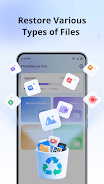
PhotoRescue Plus is a lightweight recovery utility that helps you restore deleted photos, videos and common files quickly and securely. Designed to scan both internal storage and SD cards, PhotoRescue Plus guides you through recovery after accidental deletion, cache cleaning, or formatting without requiring root access or a complicated setup. The app balances a simple, familiar interface with enough controls and scanning options to put recovery power in the hands of everyday users and casual power users alike.
PhotoRescue Plus provides a set of practical recovery tools: multi‑format photo and video retrieval, support for common document and media file types, and a selectable deep scan mode for tougher cases. You can inspect files before restoration with thumbnail and metadata previews, choose which storage area to scan, and restore single files or batches in one tap. The engine is optimized to reduce false positives and to present recovered items with clear file names, dates, and size information so you can confirm results before committing space on your device.
The app performs non‑destructive, read‑only scans of storage areas to locate file headers and fragments that remain after deletion. A quick scan searches recently freed file entries and directory records for faster results, while the deep scan examines raw storage regions to reconstruct files from recognizable signatures. Because PhotoRescue Plus operates without elevated privileges on most devices, it focuses on methods that do not require rooting while still recovering a wide range of file formats.
The interface centers on clarity and minimal steps: select a storage area, choose a scan mode, and tap to begin. Progress indicators show elapsed time and an estimate of remaining scan time, and a live preview pane lets you inspect recoverable images and video thumbnails as they are found. Filters let you narrow results by type, size or date so you can locate important items faster. All main actions are accessible from the primary screen to keep the learning curve low for nontechnical users.
PhotoRescue Plus separates recovery into stages to match different needs and device conditions. Start with a quick scan when you need immediate results; move to deep scan when files are missing after formatting or longer retention. The app reports progress in percent and shows an estimated completion time based on storage size and device performance, helping you plan whether to continue immediately or run scans when the device is idle and charging.
Customize your scans by selecting which folders or card partitions to include, and use type filters to focus on photos, videos, or documents. When items are located, you can preview them and choose selective restore so only the files you need are returned to a destination folder you control. The app emphasizes clarity about storage use and shows available free space before starting large restores to avoid interruptions.
PhotoRescue Plus works fully offline; no network connection is required to scan or restore files, which keeps sensitive data on your device. The app uses readable fonts, clearly labeled controls, and high‑contrast icons so it is easier to use on phones and tablets of different sizes. These accessibility choices help users with varying vision and dexterity find and restore items without additional tools.
Privacy is a core consideration: recovered files remain on your device and are not uploaded to external servers unless you choose to export them yourself. The app requests only the storage permissions necessary to scan and restore files and explains why each permission is needed. Operations are performed locally and read‑only where possible, and the app provides guidance on safely exporting recovered items to your preferred backup or cloud app if you wish to make an extra copy.
No recovery tool can guarantee success in every case. If deleted data has been overwritten or the storage is encrypted by the device or app, some files may be unrecoverable. To maximize recovery chances, stop writing new data to the affected storage, run the quick scan first to capture recently deleted items, and use deep scan for formatted cards or older deletions. The app clearly notes these limitations so users can set realistic expectations before starting a lengthy scan.
PhotoRescue Plus is built to be lightweight and compatible with a broad range of Android devices and common file formats. Regular updates refine format recognition and scanning accuracy while keeping battery and resource use modest. The app is suitable as a first‑response tool to recover cherished photos, important documents or lost media, and its straightforward workflow makes it practical for repeated use whenever accidental deletion occurs.
File size: 42.47 M Latest Version: 1.30
Requirements: Android Language: English
Votes: 196 Package ID: com.photorescue.photoplus.photorecover
Developer: Last Minute Flights Corp.





Must Have Tools Apps for Android
Equip yourself with our all-in-one toolbox app for everyday tasks and projects. Instantly convert between units, calculate tips, scan documents, manage files, and more with handy productivity tools. Includes a level, compass, QR code reader, ruler, speedometer, decibel meter, and flashlight. Save frequently used tools to your customizable dashboard for one-tap access. Track billable hours, wages, budgets, and invoices. Annotate screenshots, magnify labels, and sign PDFs on the go.






LIVE A HERO
Retro Hero Mr Kim
Empire of Passion
Arcane Quest Legends
Magic Snap: Momotaro
AllStar Manga Heroes
Lunescape
ONE PIECE Thousand Storm JP
Tap Titans 2