Scan to Download
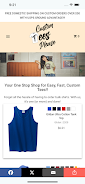
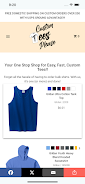
Custom Tees Please is a t-shirt design and printing mobile app that helps individuals and small groups create, proof, and order personalized shirts from a phone or tablet. App type: T-shirt design and printing. The interface is built for quick entry—people with no prior design experience can select templates, place artwork, and complete an order without switching between tools or devices, while more experienced users can fine-tune layouts and typography for print-ready results.
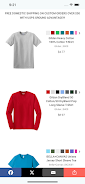
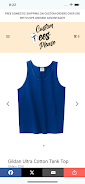
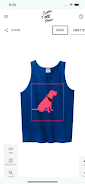
The app combines an editor, template library, and ordering workflow in a single experience. Templates cover common needs like team logos, event shirts, and simple photo prints, while a blank canvas option supports custom layouts. Add text, icons, uploaded photos, and vector-style illustrations, then adjust sizing, alignment, and letter spacing using the font controls. Built-in image tools allow cropping, opacity, and basic color correction so uploaded artwork integrates smoothly with the shirt mockup. Available shirt styles include classic crew, v-neck, and long sleeve with standard size ranges for adults and children; available materials and ink options are displayed at checkout.
The editor is optimized for touch-first interactions: drag to position elements, pinch to scale graphics, and rotate with two fingers for fine orientation. Alignment guides and an optional grid help you place objects precisely, and simple layer order controls let you bring elements forward or send them back. Autosave preserves edits as you work and named drafts make it easy to resume design sessions. Short in-app tooltips explain each control the first time you access a feature so new users can get productive quickly without reading a manual.
Rather than a game-style level system, Custom Tees Please organizes progress through project stages: draft, revise, proof, and finalize. You can create multiple revisions of a design, save versions with distinct names, and assemble a proof gallery to compare iterations. The proofing view generates realistic mockups that show placement and scale on different shirt sizes so you can confirm proportions before ordering. This iterative workflow supports gradual improvement: start with a template, experiment with variations, then lock a final version for production.
When a design is finalized you can place an order from inside the app. Production options explain available printing methods and suggested artwork resolutions for best results. The checkout interface lists sizes and quantities by item so family or team orders can be combined in a single cart. Shipping methods and estimated delivery windows are shown at checkout, and qualifying orders over $50 within the continental US receive free shipping. Order status updates let you follow fulfillment from production to delivery.
Custom Tees Please emphasizes visual clarity and consistency: choose color palettes that match event branding, mix typography styles for emphasis, and layer graphics to create depth. Replay value comes from reusable templates, saved project libraries, and the ability to duplicate past projects for quick seasonal or event variations. Regular creators will find it efficient to copy a previous job, update sizing and artwork, and place a new run with minimal setup time.
The app is designed with larger tap targets, readable controls, and straightforward iconography to improve accessibility on smaller devices. Core drafting and editing features work offline so you can sketch and save concepts without a network connection; placing an order and retrieving live shipping options require an internet connection. Tooltips and contextual help guide first-time users through common tasks and the autosave feature reduces the risk of lost work during interruptions.
For best print quality upload high-resolution images and check the mockup preview on multiple shirt sizes to confirm placement. The app focuses on t-shirt style apparel rather than an extensive merchandise catalog, so if you need non-shirt products check the available print options at checkout before finalizing. Review the material and ink descriptions in the production section to match expectations for durability and washability. Overall, Custom Tees Please aims to shorten the path from idea to printed garment with an approachable editor, clear project versioning, and an integrated ordering flow suited to casual creators, event organizers, and small teams.
File size: 18.42 M Latest Version: 1.0.0
Requirements: Android Language: English
Votes: 433 Package ID: com.instances.app.custom_tees_please
Developer: Custom Tees Please

Must Have Tools Apps for Android
Equip yourself with our all-in-one toolbox app for everyday tasks and projects. Instantly convert between units, calculate tips, scan documents, manage files, and more with handy productivity tools. Includes a level, compass, QR code reader, ruler, speedometer, decibel meter, and flashlight. Save frequently used tools to your customizable dashboard for one-tap access. Track billable hours, wages, budgets, and invoices. Annotate screenshots, magnify labels, and sign PDFs on the go.






LIVE A HERO
Retro Hero Mr Kim
Empire of Passion
Arcane Quest Legends
Magic Snap: Momotaro
AllStar Manga Heroes
Lunescape
ONE PIECE Thousand Storm JP
Tap Titans 2