VEC Radio brings continuous live radio programming to your Android device, placing high-quality audio and easy access to live shows in a compact, lightweight player. VEC Radio is built for listeners who prefer steady, uninterrupted streams rather than on-demand libraries, so the app focuses on delivering clear sound and reliable playback for music, news and talk shows around the clock. In everyday use you’ll notice how the app conserves resources while keeping your listening experience consistent whether you are commuting, working, or relaxing at home.
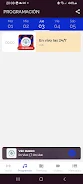
The core of VEC Radio is its 24-hour live streaming: a single, streamlined app that maintains a continuous broadcast feed rather than a collection of downloadable episodes. The player emphasizes audio clarity and steady buffering behavior so brief network hiccups are handled gracefully when possible. Basic playback controls are presented in a minimal, easy-to-reach layout so you can play or pause, adjust volume and resume listening quickly. The app also offers simple tuning controls and direct access to on-air programming, keeping interaction straightforward so you are not distracted while on the move.
VEC Radio aims for a predictable, low-friction listening experience. The user interface prioritizes clear labels and big controls that are usable with one hand during travel. Playback transitions are smoothed by conservative buffering strategies that favor continuity over aggressive prefetching, which helps reduce battery drain on long commutes. While the app focuses on live feeds, it provides visible indications of connection status and buffering so you understand when the stream is adapting to network conditions. These cues help you manage expectations in environments with fluctuating coverage.
Rather than overloading settings, the app keeps customization options practical and relevant: straightforward preferences for audio quality and data usage are available so you can choose settings that match your current network. This approach lets you favor clearer audio on strong Wi‑Fi or reduced data rates on mobile connections. The interface includes shortcuts to frequently accessed shows and a simple way to switch between active broadcasts, which keeps commonly used controls within thumb reach. Small, thoughtful touches in the layout make it easy to pick up the app and start listening without a learning curve.
Accessibility considerations are built into the design with readable text sizes and high-contrast controls, helping users of varying vision and dexterity to operate the player comfortably. The app is intended to run on a wide range of Android devices and is optimized for lightweight performance, so older phones can still maintain a smooth listening session when network conditions permit. Audio output works with wired headsets, Bluetooth devices, and standard speaker modes, and the app remains responsive if you switch audio targets while a stream is playing.
Because VEC Radio focuses on live broadcasts, it does not center on offline downloads or stored episode libraries; recorded on-demand content may be limited or unavailable. This live-first design means that a stable internet connection is required for full functionality, and streaming performance depends on your network. In areas with weak signal, audio quality may drop or playback may pause until a stronger connection is available. The app does, however, include sensible settings to reduce data usage during cellular streaming and to limit background activity when necessary.
Engineered for steady playback, VEC Radio balances buffering and network usage to reduce interruptions while keeping battery impact modest. Power-efficient codecs and conservative buffer sizing are used where possible to avoid excessive energy use during long listening sessions. Users should expect the best results on Wi‑Fi or strong mobile data, and the app gives transparent feedback if network conditions are likely to affect audio quality.
The straightforward, live-oriented nature of VEC Radio creates replay value through the unpredictability and immediacy of live programming: returning fans will tune in to catch hosts, news updates and music sets as they air. While the app does not emphasize on-demand archives, its continual live schedule encourages habitual listening and makes it useful as a companion for daily routines like commuting, work breaks or evening relaxation. Regular updates aim to refine playback stability and accessibility rather than introduce complex new features, keeping the experience focused and dependable.
Install VEC Radio, grant the minimal permissions required for audio streaming, and you can begin listening almost immediately. If you plan to use the app primarily on mobile data, review the data usage setting to match your plan. For the most consistent listening, connect to Wi‑Fi when possible and keep the device’s system audio settings at a comfortable level. With its emphasis on live audio quality and steady playback, VEC Radio is a practical choice for anyone who wants to stay connected to live broadcasts without unnecessary complexity.
File size: 56.92 M Latest Version: 1
Requirements: Android Language: English
Votes: 396 Package ID: com.vecradionuevo.app
Developer: CCI WEB DESIGN








Must Have Home Apps for Android
Make your house a home with our suite of helpful home apps. Discover clever tools to organize closets, streamline chores, and simplify cooking. Take the stress out of cleaning and maintenance with handy checklists and schedules. Enhance security and control appliances and lighting with our smart home integrations. Design, visualize, and renovate like a pro using our 3D planning software.






LIVE A HERO
Retro Hero Mr Kim
Empire of Passion
Arcane Quest Legends
Magic Snap: Momotaro
AllStar Manga Heroes
Lunescape
ONE PIECE Thousand Storm JP
Tap Titans 2