Scan to Download
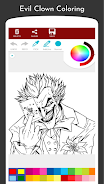
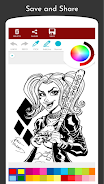
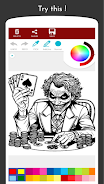
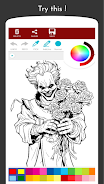
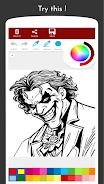
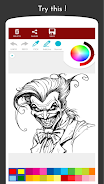
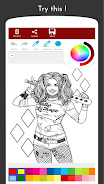
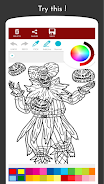
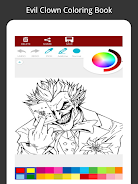
Bad Clown Coloring Book is a free, single-player coloring app that invites artists and horror fans to work through a curated library of eerie clown illustrations using straightforward digital tools and palettes. The first impression is a clean canvas-focused layout where each page is framed with a short contextual sidebar that mixes historical notes about clowns and brief, approachable commentary on the psychology of fear. Bad Clown Coloring Book balances casual coloring sessions with opportunities for more detailed, atmospheric work so users can choose a quick creative break or a longer artistic project.
Gameplay centers on selecting scenes and applying color with familiar touch controls: tap to pick a tool, drag to brush, and pinch to zoom for close-up shading. A range of brush sizes and opacity controls lets you paint soft gradients or bold lines, while a fill tool speeds up coverage on larger regions. Pages vary in complexity, from simplified silhouettes suited to a fast five-minute session to highly detailed compositions that reward time and patience. The flow is intentionally non-competitive; there are no timers or scores, but each image invites exploration of texture, contrast, and mood.
The app offers a palette system with preset themes and the option to mix custom colors for repeatable palettes you can reuse across pages. Brush presets include a basic solid brush, a soft airbrush for atmospheric effects, and a pencil-style tool for sketchy detail work. Undo and redo controls are clearly placed and responsive, and a layer-like approach to shading—implemented through translucent brush options and multiple strokes—lets users build depth without needing advanced image-editing skills. The interface is designed so new users can find the main tools within a few taps while experienced colorists can tweak brushes and palettes for more nuanced results.
Rather than a linear level system, progression in Bad Clown Coloring Book comes from increasing image detail and thematic variety. Early pages are accessible and forgiving, which helps newcomers practice shading and palette choices; later pages present finer linework and denser compositions that encourage experimentation with tones and contrast. Presets and saved palettes create a personal progression: as you develop a preferred approach to moody lighting or skin tones, you can reuse that setup across new pages to refine a signature style.
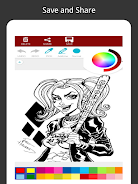
Customization centers on color and brush choices rather than modifying scene content. You can save multiple color palettes, store alternate colored versions of a page, and export finished work to standard image files. This encourages replay value because the same illustration can be interpreted in many ways—warm, cold, desaturated, or high-contrast—so a single scene can yield several distinct artworks. The combination of varied brushes, palettes, and repeatable techniques keeps the app engaging for repeat sessions.
Illustrations lean into a gothic, atmospheric aesthetic with heavy linework and areas intended for dense shading; many pages emphasize mood over realism, which suits experimentation with lighting and texture. The UI supports focused work by minimizing visual clutter: tool icons remain subtle, and informational sidebars are concise so the artwork stays central. Bad Clown Coloring Book also includes short contextual blurbs on selected pages to provide historical or psychological perspective, adding an educational layer to the creative experience.
The app is designed with accessibility in mind through adjustable brush sizes, a simple, readable interface, and clear contrast between tool icons and background controls. Basic coloring features function without constant internet access, allowing you to work offline when traveling or in places with limited connectivity; occasional content updates or downloadable packs may require a connection. The app performs smoothly on a range of devices, and pinch-to-zoom plus precise brush sensitivity make it usable on both phones and tablets.
For users seeking variety beyond macabre themes, the exclusive focus on clown imagery may feel narrow, but the challenge comes from mastering shading, mood, and composition within that niche. The app includes short tips for tackling complex pages—suggestions on how to approach lighting, how to layer tones, and how to use custom palettes to build atmosphere—so users can steadily improve their technique without needing external tutorials. One practical note: some images are flagged as of unknown origin or possibly public domain, so users with strict copyright concerns should review image attributions inside the app.
File size: 22.73 M Latest Version: 1.6
Requirements: Android Language: English
Votes: 151 Package ID: com.evilclown.coloringbookowlia
Developer: Owlia

Best Free Education Apps for Your Android Phone
Unlock your greatest potential with our innovative education apps. From early learning to college prep, we offer tools for students of all ages. Young learners can build skills through interactive games and stories. Older students can strengthen expertise in math, science, writing, and more with our targeted training. Test prep students can access thousands of practice questions and simulations. Manage assignments, take notes, and stay organized with our productivity tools.





LIVE A HERO
Retro Hero Mr Kim
Empire of Passion
Arcane Quest Legends
Magic Snap: Momotaro
AllStar Manga Heroes
Lunescape
ONE PIECE Thousand Storm JP
Tap Titans 2