Scan to Download
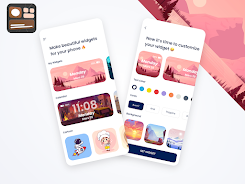
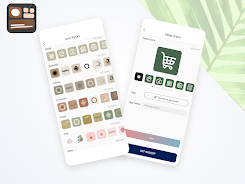
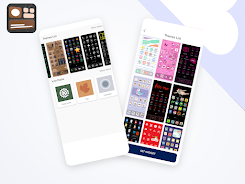
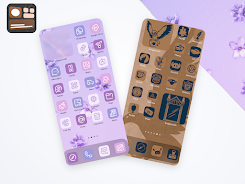
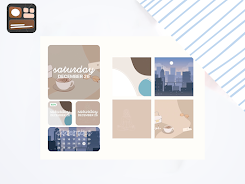
Icon Changer App Widget Kit helps you personalize app icons and home screen widgets using your own images, installed icon packs, or included shape presets. The app creates shortcuts and configurable widgets without root access and provides straightforward editing tools to crop, resize, add borders and apply color overlays. Icon Changer App Widget Kit keeps images on your device and does not require an account.
Change app shortcuts with custom photos, icon packs or preset shapes. Create widgets with adjustable size, label text and touch actions. Edit icons by cropping, resizing, adding borders and applying color overlays. Organize and save multiple icon sets for quick switching between styles.
Open the app and select an app or shortcut you want to customize. Choose an image from the gallery or an installed icon pack, then adjust appearance and preview the result. Add the new shortcut or widget to your launcher. To change an icon later, use Icon Changer App Widget Kit and follow the on-screen prompts; no root is necessary.
The app works with most Android launchers that support custom shortcuts, though some launchers may limit icon replacement. If a changed icon does not appear immediately, check your launcher settings or refresh the home screen. Icon Changer App Widget Kit stores visuals locally and focuses on simple, offline customization.
File size: 128.00 M Latest Version: 1.0
Requirements: Android Language: English
Votes: 445 Package ID: com.icon.changer.widgets.aesthetic.themes.homescre
Developer: All IOS Widget and Tools

Must Have Tools Apps for Android
Equip yourself with our all-in-one toolbox app for everyday tasks and projects. Instantly convert between units, calculate tips, scan documents, manage files, and more with handy productivity tools. Includes a level, compass, QR code reader, ruler, speedometer, decibel meter, and flashlight. Save frequently used tools to your customizable dashboard for one-tap access. Track billable hours, wages, budgets, and invoices. Annotate screenshots, magnify labels, and sign PDFs on the go.






LIVE A HERO
Retro Hero Mr Kim
Empire of Passion
Arcane Quest Legends
Magic Snap: Momotaro
AllStar Manga Heroes
Lunescape
ONE PIECE Thousand Storm JP
Tap Titans 2