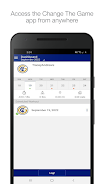
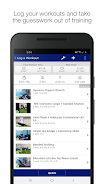
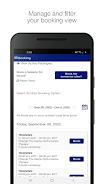
Change The Game helps you adjust gameplay settings, customize profiles, and monitor performance across supported titles, letting players tailor difficulty, controls, and visual preferences for a more personal experience without technical complexity; it is suitable for casual players and competitive users who want flexible configuration and simple tools.
Custom profiles: create and switch between multiple configuration profiles per title. Control mapping: remap controls and adjust sensitivity where supported. Difficulty and rules: modify available in-game difficulty and rule presets when supported by the game. Performance tracking: view simple session statistics and recent changes. Offline mode: save and apply settings without a network connection.
Install the app and grant the requested permissions to manage configurations for supported games. Use the profile editor to change settings, save presets, and apply them before launching a title. The app verifies compatibility and provides guidance when a setting cannot be applied. Change The Game applies settings only through supported APIs and does not alter game code.
This app does not modify game code, enable cheating, or grant unauthorized access. Supported features depend on each game's available APIs and permissions. Privacy information and terms are available within the app, and Change The Game explains required permissions and data handling in its in-app documentation.
File size: 13.00 M Latest Version: 4.21.0
Requirements: Android Language: English
Votes: 93 Package ID: com.changethegamept.train.own
Developer: exercise.com



Must Have Tools Apps for Android
Equip yourself with our all-in-one toolbox app for everyday tasks and projects. Instantly convert between units, calculate tips, scan documents, manage files, and more with handy productivity tools. Includes a level, compass, QR code reader, ruler, speedometer, decibel meter, and flashlight. Save frequently used tools to your customizable dashboard for one-tap access. Track billable hours, wages, budgets, and invoices. Annotate screenshots, magnify labels, and sign PDFs on the go.






LIVE A HERO
Retro Hero Mr Kim
Empire of Passion
Arcane Quest Legends
Magic Snap: Momotaro
AllStar Manga Heroes
Lunescape
ONE PIECE Thousand Storm JP
Tap Titans 2