Scan to Download
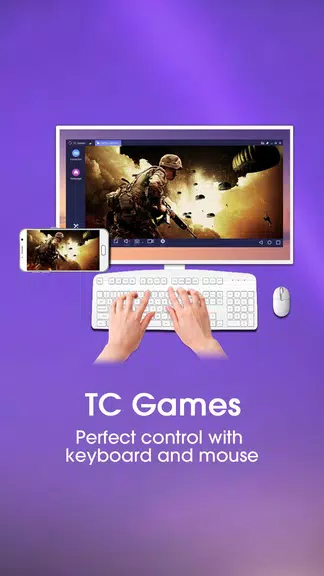
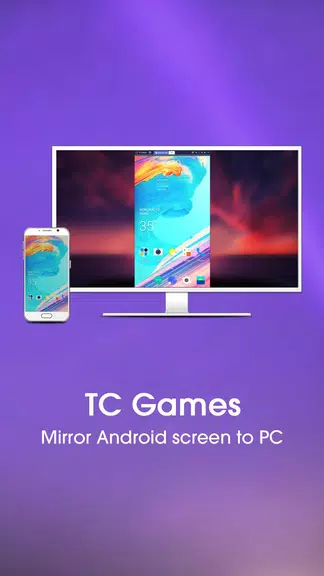
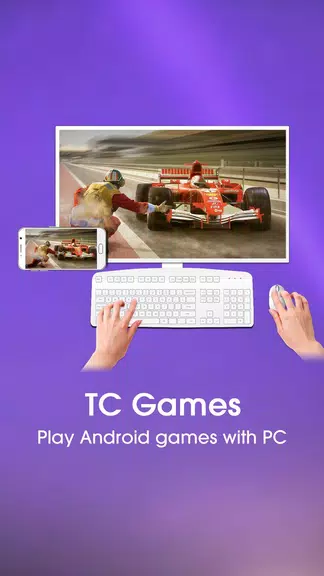
TC Games-PC plays mobile games is a lightweight desktop client that mirrors Android and iOS screens to Windows, letting you control mobile games with keyboard, mouse, or gamepad. It provides low-latency streaming, customizable keymapping, and recording tools to turn a phone-based title into a comfortable PC experience.
At its core, TC Games-PC plays mobile games focuses on bringing mobile gameplay to a larger screen without changing the original game files. The app streams your device display to a PC, translates touch inputs into keyboard and mouse events, and supports external controllers. Expect features such as live recording, screenshot capture, and adjustable resolution to match different system capabilities.
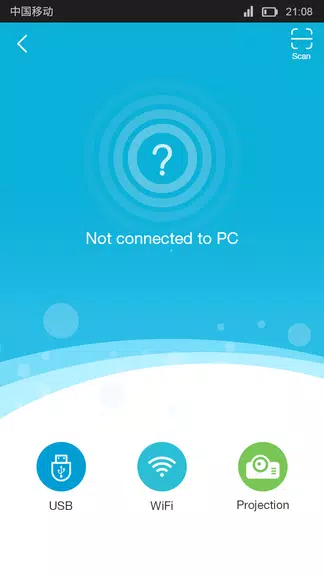
The interface is organized around a simple connection panel and a control mapping editor. After launching the client, you choose the device link method—USB or local network—and the app displays the mirrored screen in a resizable window. The mapping editor overlays clickable zones and drag-to-place icons so you can assign keys, simulate swipes, and tweak sensitivity without leaving the game.
One of the strongest points of TC Games-PC plays mobile games is its customization. Key bindings can be saved as profiles for specific titles, allowing instant switching between setups for different genres. You can calibrate joystick response for controllers, configure multiple key layers for complex inputs, and lock or hide overlays for cleaner visuals while maintaining full command over on-screen actions.
Streaming mobile video to a PC is only useful when latency is minimal. The app offers several performance tools: adjustable frame rate, bitrate selection, and hardware acceleration options that leverage your computer’s GPU. For wired USB connections latency is typically lower and more stable, while Wi-Fi gives more freedom at the cost of potential hiccups depending on network quality. Built-in diagnostics help identify bottlenecks so you can choose optimal settings.
Compatibility covers a wide range of Android and iOS devices plus Windows PCs. Supported controllers include common Bluetooth gamepads and XInput devices. System requirements are modest for basic mirroring but increase if you enable high-resolution streaming or recording. The app is designed to adapt to weaker machines by lowering resolution and frame rate, which keeps gameplay smooth on many setups.
Beyond input control, TC Games-PC plays mobile games includes recording options to capture matches or create tutorials. You can record locally at configurable quality settings or take screenshots with a single key. There are also broadcast-friendly features such as overlay hiding and direct output to streaming software via virtual camera output or window capture, making it convenient for content creators.
Players who prefer the comfort of keyboard and mouse or want to use a large monitor for mobile titles will find the app especially useful. Streamers and content creators can capture footage more easily, while casual users enjoy quick access to mobile apps on a desktop. TC Games-PC plays mobile games suits a range of workflows from competitive play to relaxed couch sessions with a controller.
Setup is straightforward and the feature set emphasizes practical controls and stable performance. With profile management, recording tools, and flexible connection options, TC Games-PC plays mobile games offers a complete toolkit for anyone who wants to move mobile gameplay to the desktop without complex configurations.
File size: 7.30 M Latest Version: 3.0.41.14267
Requirements: Android Language: English
Votes: 463 Package ID: com.sigma_rt.tcg
Developer: Sigma Resources & Technologies, Inc.

Must Have Tools Apps for Android
Equip yourself with our all-in-one toolbox app for everyday tasks and projects. Instantly convert between units, calculate tips, scan documents, manage files, and more with handy productivity tools. Includes a level, compass, QR code reader, ruler, speedometer, decibel meter, and flashlight. Save frequently used tools to your customizable dashboard for one-tap access. Track billable hours, wages, budgets, and invoices. Annotate screenshots, magnify labels, and sign PDFs on the go.






LIVE A HERO
Retro Hero Mr Kim
Empire of Passion
Arcane Quest Legends
Magic Snap: Momotaro
AllStar Manga Heroes
Lunescape
ONE PIECE Thousand Storm JP
Tap Titans 2