
Scan to Download
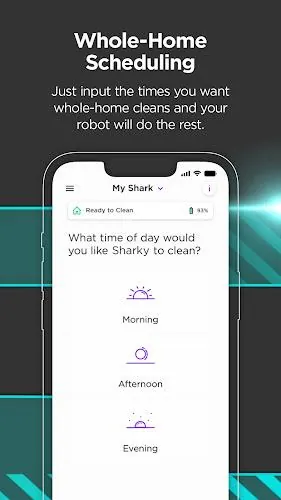
SharkClean lets you control your Shark robot vacuum from your phone, making it simple to schedule cleanings, map and edit your home layout, send the robot to specific rooms, and monitor performance from anywhere. SharkClean supports scheduling adjustments, notifications, troubleshooting tips, and detailed cleaning reports, and it can enable features like Recharge & Resume or VacMop on compatible models. If you own a supported Shark Connected Robotic Vacuum, SharkClean helps make maintenance and targeted cleaning quicker and more convenient whether you are at home or away.
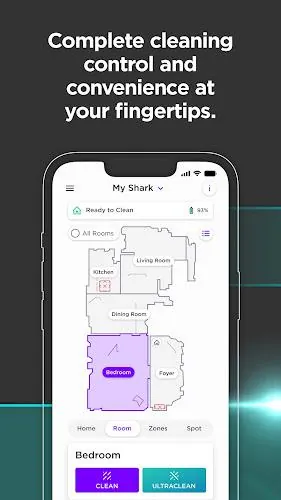
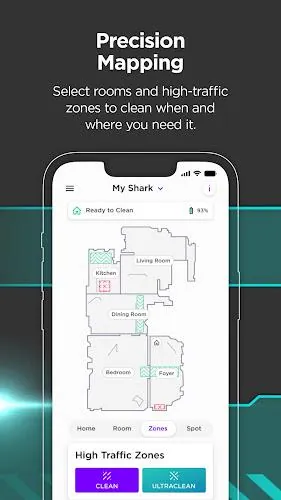
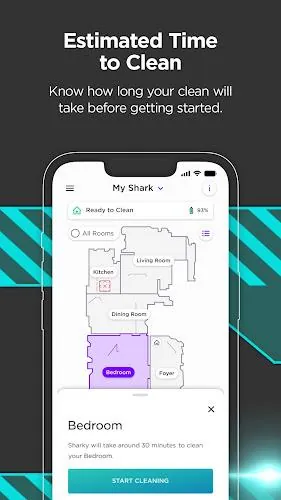
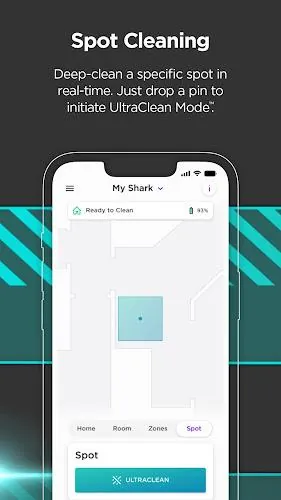
Use the app to set and change cleaning schedules, view and edit maps of your home, and assign the robot to specific rooms or high-traffic zones on supported models such as the 1000 and 2000 series. Mapping and room-targeted cleaning make spot cleaning more efficient without extra manual effort.
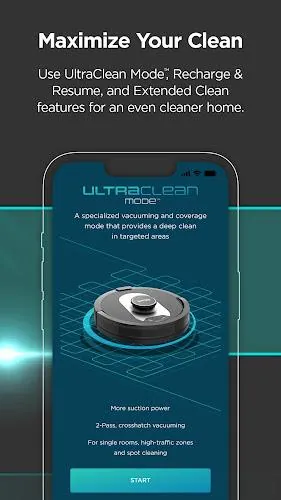
Control the robot hands-free with popular voice assistants where supported, and take advantage of advanced behaviors on compatible units: Recharge & Resume returns the robot to its base to recharge and then continues cleaning, while VacMop mode lets select models vacuum and mop while avoiding carpets (RV2000WD model).
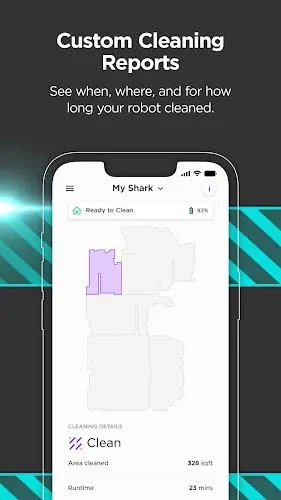
SharkClean delivers notifications, troubleshooting guidance, and detailed cleaning reports so you can monitor performance and maintain your device; available features vary by model.
Remote control and monitoring over Wi‑Fi let you manage cleaning cycles from anywhere, reducing hands-on time for routine chores. Custom mapping and room targeting provide more accurate and efficient cleaning coverage, and voice control support offers a simpler, hands-free experience. Advanced behaviors like Recharge & Resume and VacMop expand what your robot can do when they are supported by your model.
Certain features such as room cleaning, Recharge & Resume, and VacMop are limited to specific models. The app requires a 2.4 GHz Wi‑Fi network and an Android phone running 9.0 or later. Initial setup and mapping work best with an uninterrupted mapping run and a stable Wi‑Fi connection.
File size: 65.61 M Latest Version: 4.9.3
Requirements: Android Language: English
Votes: 356 Package ID: com.sharkninja.shark

Explore the world with confidence using our intuitive map software. Navigate unfamiliar cities, find hidden gems, and plan adventures with ease. Our powerful apps feature robust offline functionality, real-time traffic updates, and crowd-sourced points of interest. Customize maps to match your needs - save favorite locations, download areas for offline access, and share recommendations.






LIVE A HERO
Retro Hero Mr Kim
Empire of Passion
Arcane Quest Legends
Magic Snap: Momotaro
AllStar Manga Heroes
Lunescape
ONE PIECE Thousand Storm JP
Tap Titans 2



































