Scan to Download
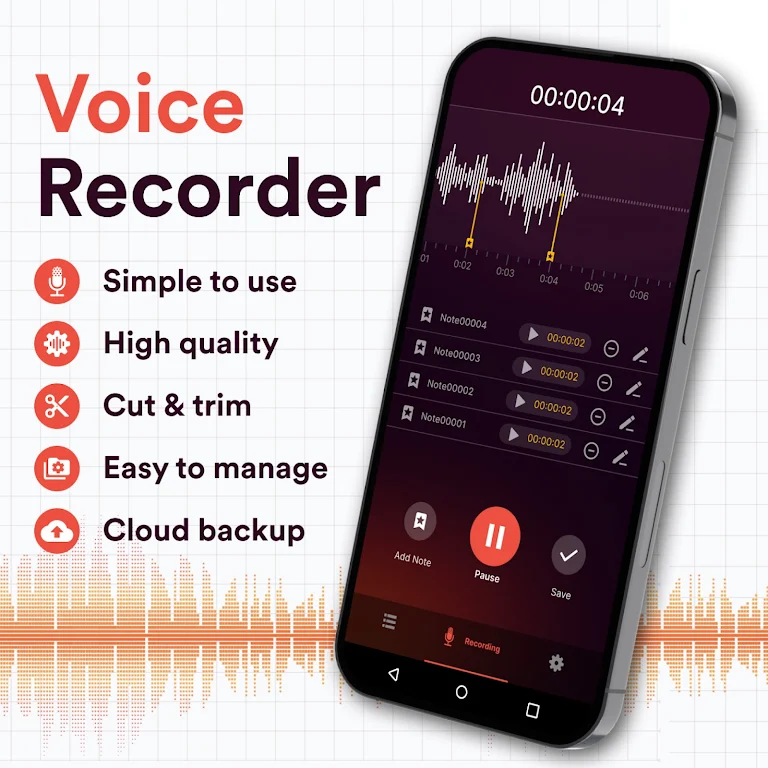
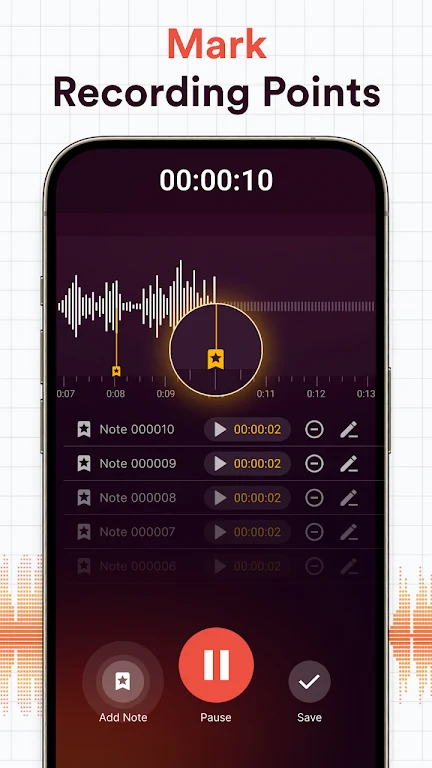
Voice Recorder, Voice Memos is a simple and efficient mobile app designed to help users record, organize, and manage audio notes with ease. Whether you need to capture important lectures, meetings, personal reminders, or creative ideas, this app offers an intuitive interface for recording high-quality audio. It’s perfect for students, professionals, journalists, and anyone who needs a reliable tool for voice recording. With features like easy playback, file organization, and sharing options, Voice Recorder, Voice Memos ensures that your recordings are always accessible and well-organized.
1. High-Quality Audio Recording: The app provides crystal-clear audio recordings, ensuring that every word is captured in high fidelity. Whether you’re recording a lecture or a personal note, your voice will be captured clearly, with minimal background noise.
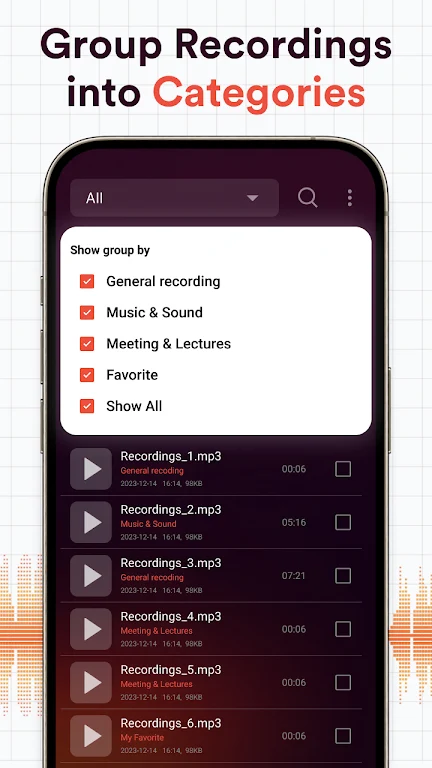
2. Easy File Organization: Voice Recorder, Voice Memos lets you organize your recordings with custom labels, folders, and tags. This feature helps you stay organized, so you can quickly find and access specific recordings whenever you need them.
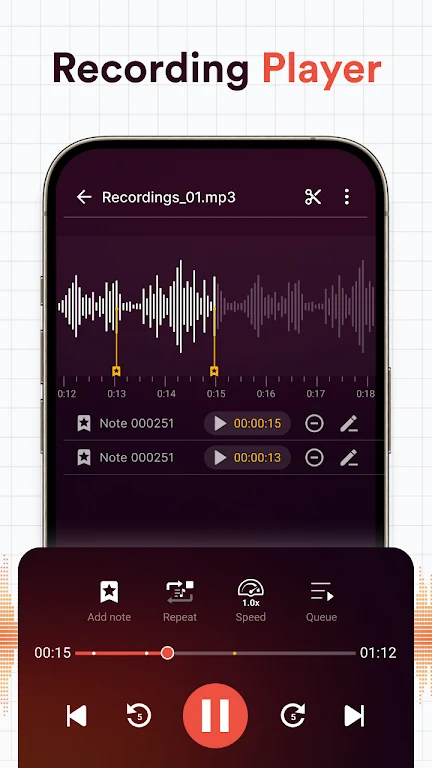
3. Playback and Editing: The app includes a built-in audio player that allows you to listen to your recordings and easily navigate through them. You can also trim and edit your recordings to remove unwanted sections, ensuring the final file meets your needs.
4. Share and Export Options: Whether you need to send a recording to a colleague or save it for later use, the app allows you to share your audio files via email, cloud storage, or social media. You can also export your files in various formats for easy compatibility with other devices and platforms.
5. Voice Activation: With the voice activation feature, the app automatically starts recording when it detects sound, making it ideal for hands-free use. This feature saves storage and ensures you never miss a moment, especially in situations where you don’t have time to start the recording manually.
1. Is Voice Recorder, Voice Memos free to use?
- Yes, the app is free to download and use, with core features like audio recording, playback, and basic editing available at no cost. However, premium features like additional storage or advanced editing tools may require an in-app purchase.
2. Can I record audio in the background while using other apps?
- Yes, Voice Recorder, Voice Memos allows you to record audio in the background while using other apps. This feature is ideal for multitasking and ensures you can capture important moments without interrupting your workflow.
3. Does the app support transcription services?
- The app does not include built-in transcription features. However, you can export your recordings to transcription services or apps for further processing if needed.
4. Can I set recording quality in Voice Recorder, Voice Memos?
- While the app provides a high-quality recording option by default, some versions may allow you to adjust the recording quality (e.g., sample rate or bit rate) in the settings. Check the app's settings to customize audio quality to suit your needs.
5. How can I organize my recordings in the app?
- The app allows you to organize recordings by adding custom labels, tags, and folders. You can also sort recordings by date or title, ensuring your audio files are easy to navigate and find.
Voice Recorder, Voice Memos is an essential tool for anyone looking for an easy way to record and manage audio notes. With its high-quality recording capabilities, intuitive organization features, and easy playback options, it serves as a reliable companion for students, professionals, and anyone who needs to capture audio on the go. The app’s ability to share, edit, and export recordings adds to its versatility, making it a great option for both casual and serious audio recording needs. While some advanced features may require a premium version, the free app provides great value for everyday use. If you’re looking for a straightforward and effective voice recorder, Voice Recorder, Voice Memos is a perfect choice.
File size: 9.40 M Latest Version: 1.11
Requirements: Android Language: English
Votes: 111 Package ID: com.recorder.voice.speech.easymemo
Developer: Otiza Studio

Must Have Tools Apps for Android
Equip yourself with our all-in-one toolbox app for everyday tasks and projects. Instantly convert between units, calculate tips, scan documents, manage files, and more with handy productivity tools. Includes a level, compass, QR code reader, ruler, speedometer, decibel meter, and flashlight. Save frequently used tools to your customizable dashboard for one-tap access. Track billable hours, wages, budgets, and invoices. Annotate screenshots, magnify labels, and sign PDFs on the go.






LIVE A HERO
Retro Hero Mr Kim
Empire of Passion
Arcane Quest Legends
Magic Snap: Momotaro
AllStar Manga Heroes
Lunescape
ONE PIECE Thousand Storm JP
Tap Titans 2










































