Category: Wallpaper Date:2026-02-04 16:21:01
Rating: 4.4 Tags: Wallpaper
Scan to Download
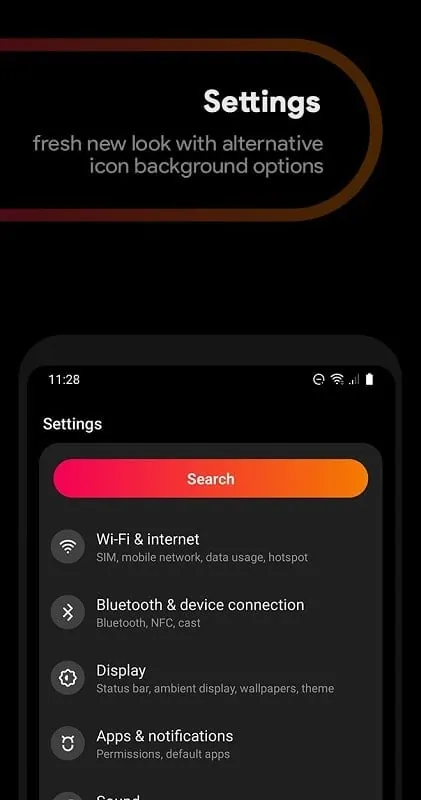
Liv Dark - Substratum Theme is a sleek and stylish theme designed to give your Android device a fresh, modern look. This dark-themed package provides an elegant, minimalistic interface, with deep, rich colors that make your device easier on the eyes, especially in low-light environments. Whether you’re looking to reduce battery consumption or simply enjoy a more immersive experience, Liv Dark delivers a seamless and visually appealing design across your system, apps, and UI elements. With its clean, polished appearance and a focus on usability, Liv Dark is perfect for users who appreciate both form and function.
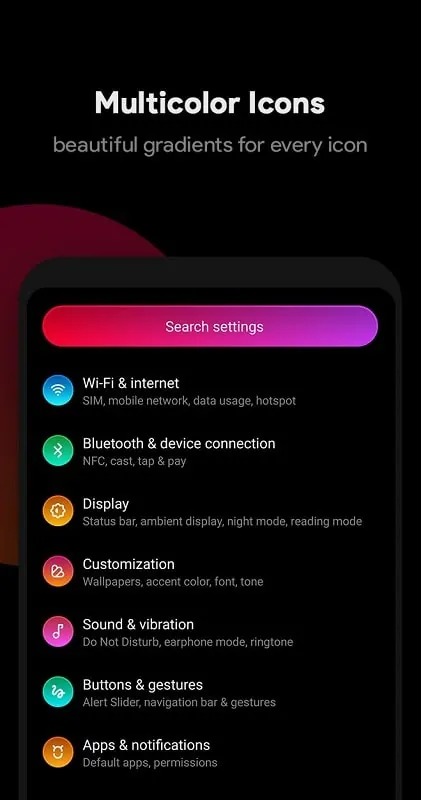
- Dark Mode for System Apps: Liv Dark applies a uniform dark theme across most system apps, creating a consistent, eye-friendly interface throughout your device.
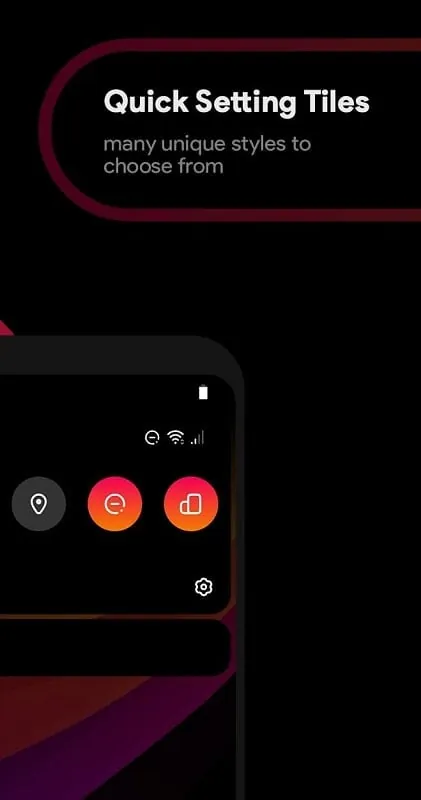
- High-Quality UI Elements: The theme features well-designed icons, toggles, and system elements, making every interaction feel smooth and visually cohesive.
- Battery Saving: The dark color scheme can help reduce battery consumption, particularly on OLED and AMOLED displays, extending your device’s battery life.
- Customizable Accents: Liv Dark offers customizable accent colors, allowing you to tweak the theme to match your personal style, from subtle tones to bold hues.
- Supports Substratum: As a Substratum-compatible theme, Liv Dark works with a wide range of custom ROMs, providing flexibility and easy installation for advanced users.
- Choose the Right Accent Color: Customize the accent color to suit your preferences—try out various tones to match your wallpaper or create a stylish contrast.
- Experiment with Tints: Adjust the opacity and tint settings for different UI elements to make them stand out or blend in more smoothly with the overall dark theme.
- Test on Different Apps: After applying the theme, check how it affects various third-party apps. Some apps might require manual tweaks to fully integrate with the dark mode.
- Keep It Updated: Regularly check for theme updates to ensure compatibility with the latest system updates or new apps, keeping your theme experience fresh and functional.
- Use with Dark Wallpapers: Pair Liv Dark with a dark or minimalistic wallpaper for a complete, seamless aesthetic that enhances the overall visual appeal of your device.
Liv Dark - Substratum Theme is a stunning and functional theme that transforms your Android device with a sleek, dark design. With its beautiful UI elements, customizable features, and battery-saving advantages, it’s the perfect choice for anyone looking to give their device a modern, minimalist touch. Whether you’re a fan of dark mode for aesthetic reasons or simply want to reduce eye strain, Liv Dark offers a premium user experience that’s both visually appealing and practical. Easy to install and compatible with a variety of custom ROMs, it’s a must-have theme for any Android user who appreciates style and functionality.
File size: 37.50 M Latest Version: 2.7.1
Requirements: Android Language: English
Votes: 452 Package ID: liv.substratum.theme
Developer: giannisgx89
Top Wallpaper Free Apps for Android
Personalize your device and delight your eyes with our stunning live wallpapers. Choose from a spectacular selection of animated backgrounds with smooth, seamless motion. Enjoy gorgeous themes like drifting clouds, rippling water, or galloping horses. Set a serene mood with our nature landscapes and zen designs. Express your personality with artistic, abstract, and fantasy options.





LIVE A HERO
Retro Hero Mr Kim
Empire of Passion
Arcane Quest Legends
Magic Snap: Momotaro
AllStar Manga Heroes
Lunescape
ONE PIECE Thousand Storm JP
Tap Titans 2