
Scan to Download
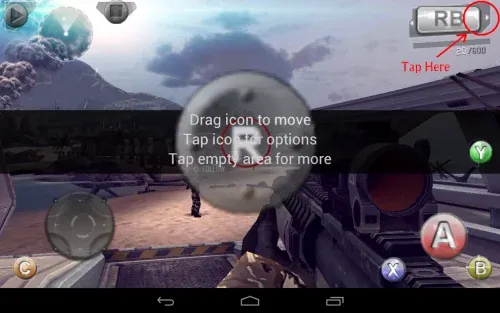
GameKeyboard + is a powerful input tool designed to enhance the mobile gaming experience through advanced control customization. By providing a fully functional onscreen controller and flexible key mapping options, the app allows players to tailor controls to match their preferred playstyle.
Whether you need precise movement, fast reactions, or simplified input for complex actions, GameKeyboard + helps turn your touchscreen into a more efficient and immersive gaming setup.
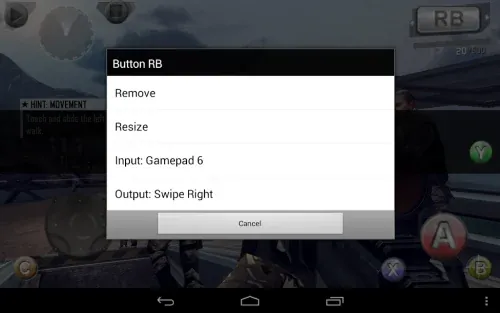
The app features a customizable onscreen gamepad that supports multiple action buttons, a directional pad, and analog-style controls. Users can freely adjust button size, position, and layout to suit different game types and screen sizes.
This flexibility makes GameKeyboard + suitable for a wide range of mobile games, from action and racing titles to emulators and RPGs.
GameKeyboard + allows users to remap physical and virtual keys, creating a personalized control scheme that improves comfort and efficiency during gameplay.
Profiles can be created and saved for different games, enabling quick switching without the need to reconfigure settings every time.
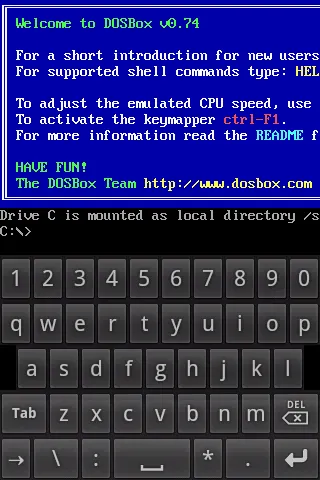
In addition to gaming controls, the app includes a full QWERTY keyboard that can be used for typing, messaging, and general input tasks.
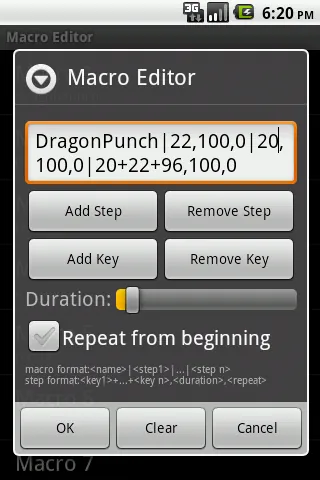
A built-in macro recording feature allows users to record and replay input sequences, simplifying repetitive actions and improving overall usability.
Customizable Onscreen Controller: Adjust button layout, size, and mapping for a controller-like experience on mobile.
Key Remapping: Personalize controls by remapping keys for improved comfort and precision.
Profile Management: Save and switch between multiple control profiles for different games.
QWERTY Keyboard: Use a full keyboard layout for gaming and everyday input needs.
Macro Recording: Record input sequences to streamline complex or repetitive actions.
Experiment with different control layouts to find the most comfortable configuration for each game.
Create separate profiles for different game genres to save time and improve performance.
Use macro recording thoughtfully to simplify actions without interrupting gameplay flow.
GameKeyboard + offers a flexible and customizable solution for players who want more control over their mobile gaming experience. With its combination of onscreen controllers, key remapping, profile management, and productivity features, the app enhances both gameplay and everyday input tasks.
For users seeking greater precision and personalization on mobile devices, GameKeyboard + provides a practical and versatile tool.
File size: 308.30 M Latest Version: 6.1.1
Requirements: Android Language: English
Votes: 135 Package ID: com.locnet.gamekeyboard2


Boost your productivity with our handpicked selection of top-rated apps designed to help you get things done faster and easier. Streamline tasks, organize projects, collaborate with others, and maximize your efficiency with powerful productivity tools optimized for mobile. Say goodbye to wasting time and hassle. Our editors rigorously test and curate the most useful apps that will supercharge your productivity wherever you are. Download now and accomplish more every day.





LIVE A HERO
Retro Hero Mr Kim
Empire of Passion
Arcane Quest Legends
Magic Snap: Momotaro
AllStar Manga Heroes
Lunescape
ONE PIECE Thousand Storm JP
Tap Titans 2