Scan to Download
Today's Weather is a streamlined weather app that gives clear hourly and daily forecasts, live radar views, and customizable notifications to help users plan their day. It balances accurate meteorological data with an intuitive interface, making it quick to check conditions, alerts, and trends at a glance.
This app focuses on presenting reliable forecasts without clutter. Today's Weather aggregates data from multiple sources and presents it in readable charts, icons, and short summaries. Whether you need a quick look at the next few hours or a detailed outlook for the week, the layout is designed for rapid comprehension and minimal setup.
Today's Weather pulls model data and observational inputs, then reconciles those feeds into a single, user-facing forecast. The app uses short-term nowcasting for rapid updates and blends longer-range models for daily outlooks. Interactive graphs let you zoom in on hourly changes, and the radar animation shows the movement of precipitation in near real time.
The interface keeps important information prominent: current temperature, a concise condition summary, and a clear timeline for precipitation. Transitions are smooth and the radar map responds quickly to pinch and pan gestures. The app is optimized to minimize battery and data usage, using background updates sparingly and caching tiles for offline access to recently viewed areas.
Personalization is a strong point. You can configure notification rules—get alerted when temperature drops below freezing or when a storm is approaching. Choose preferred units (Celsius/Fahrenheit, km/h or mph) and select the amount of detail shown on widgets. Advanced users can toggle forecast models or enable additional meteorological overlays like air quality or ultraviolet index.
Today's Weather is built to fit into everyday routines. The app offers a morning briefing option, condensing the essential details into a short summary you can read in under a minute. Locations sync between devices, and quick share options let you send a snapshot of current conditions through messaging apps for coordination with coworkers or family.
The forecasting mix in Today's Weather aims for practical accuracy focused on immediate user needs rather than academic precision. Regular updates and multiple data sources help reduce surprises, and the app clearly marks the confidence level for longer-range predictions so you can weigh the forecast appropriately.
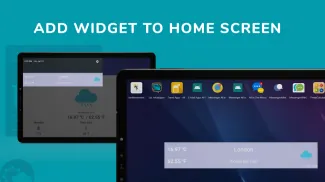
Download, grant location access, and pick your preferred units to get going. Adding locations is straightforward—tap the plus icon and search by city, zip code, or coordinates. Widgets are added from the device’s widget menu and configured inside the app for size and detail level.
Users appreciate Today's Weather for its balance of clean design, meaningful alerts, and practical widgets. It delivers the essential weather tools without overwhelming extras, which makes it a solid daily utility for commuters, outdoor enthusiasts, and anyone who needs reliable, fast weather information.
Overall, the app is a pragmatic choice for people who want clear forecasts, flexible notifications, and a responsive radar experience that supports everyday decision-making.
File size: 18.20 M Latest Version: 4.5.0
Requirements: Android Language: English
Votes: 194 Package ID: comw.weatherstate.provider
Developer: turgay
Must Have Weather Apps for Android
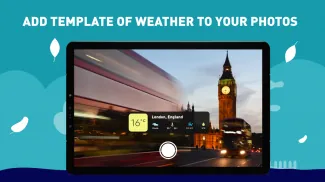
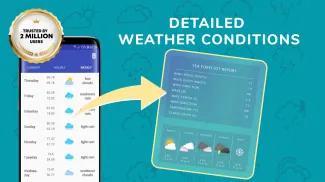
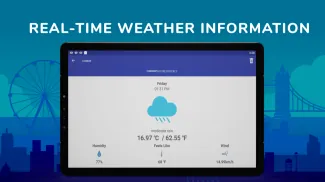
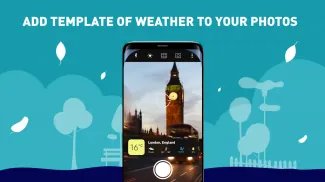
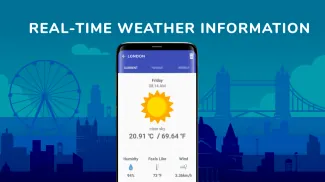
Be prepared and plan your days better with our new weather app. Get real-time hyperlocal forecasts, customizable alerts and widgets, and detailed hourly projections. Beautiful photo backgrounds change dynamically based on conditions. Intuitive radar and satellite imagery help you visualize storms and patterns. Get humidity, precipitation probability, pollen count, and other useful data at a glance. Save favorite locations like home, work, or travel destinations for quick access.




LIVE A HERO
Retro Hero Mr Kim
Empire of Passion
Arcane Quest Legends
Magic Snap: Momotaro
AllStar Manga Heroes
Lunescape
ONE PIECE Thousand Storm JP
Tap Titans 2










































