
Scan to Download
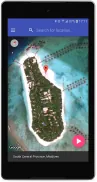
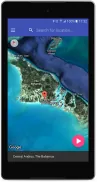
Fake GPS Location PRO is a compact utility that lets users set a custom GPS position on their Android device to test apps, protect privacy, or simulate location-based behavior. It provides a straightforward virtual location selector, basic route simulation, and quick toggles for developers and casual users wanting temporary location overrides.
Designed for people who need flexible location control, Fake GPS Location PRO replaces the device’s actual coordinates with a user-selected point on the map. It works without complex setup, supports common Android permissions, and focuses on reliability so third-party apps read the spoofed location consistently during testing or privacy scenarios.
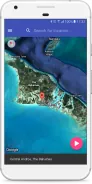
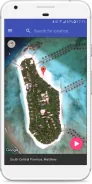
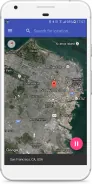
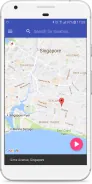
After granting location and mock-location permission, the app registers itself as the selected mock provider in developer settings. Once active, other apps on the device read the substituted coordinates. The interface keeps this process transparent: a status indicator shows whether spoofing is currently live and which coordinates are active.
Fake GPS Location PRO prioritizes a clean, responsive UI. The map loads quickly and handles pinch-zoom and pan gestures smoothly. Memory and battery impact are modest because the app only updates location data when changes are made or when a route simulation is running. Background operation is supported, so location remains overridden while you use other apps.
The app includes a few practical customization options. You can save favorite locations for repeated use, label points for quick reference, and define movement speed for simulated routes. Manual coordinate entry is ideal for QA teams who need to reproduce specific situations. There’s also a history list to revisit recent spoofed positions.
Enable developer options and select the app as the mock location provider before starting. If a target application still reads the real location, check that the device’s location settings are set to allow mock locations and that battery optimization isn’t restricting background access. Save commonly used spots to speed up future sessions.
Behavior can vary slightly between Android versions and device manufacturers. Some security-sensitive apps detect mock locations and may refuse to accept spoofed coordinates. Fake GPS Location PRO is designed to be as compatible as possible, but testing on your target device is recommended before relying on it for critical workflows.
People pick Fake GPS Location PRO for its no-nonsense approach: minimal fuss, dependable spoofing, and useful extras like saved locations and route simulation. It balances a lightweight footprint with features that cover the needs of developers, QA testers, and privacy-conscious users.
Install the app, open Developer Options, and set Fake GPS Location PRO as the mock location app. Pick a point on the map or enter coordinates, tap start, and your device will present the selected position to other apps. When you’re done, toggle the spoofing off to return to normal operation.
File size: 5.40 M Latest Version: 3.4
Requirements: Android Language: English
Votes: 461 Package ID: com.usefullapps.fakegpslocationpro
Developer: CzekWal

Best Free Travel Apps for Your Android Phone
Make travel planning effortless with our all-in-one trip companion app! Get insider tips from locals on top attractions, hidden gems, restaurants, and accommodations at your destination. Book flights, rental cars, and hotels at the lowest prices. Access maps offline; track bookings, itineraries, and reservations; create shared group trips; and auto-translate menus, signs, and conversations abroad. Our clever algorithms surface personalized recommendations everywhere you go.






LIVE A HERO
Retro Hero Mr Kim
Empire of Passion
Arcane Quest Legends
Magic Snap: Momotaro
AllStar Manga Heroes
Lunescape
ONE PIECE Thousand Storm JP
Tap Titans 2










































