Category: Photography Date:2026-10-15 20:48:01
Rating: 4.5 Tags: Tools
Scan to Download
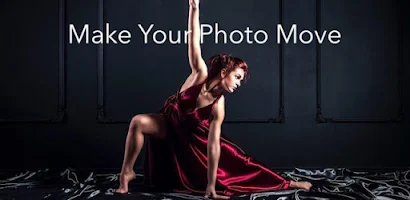
Moving Pictures & 3D pictures turns static photos into lively animations and depth-enhanced scenes with intuitive editing tools. The app blends parallax 3D effects, motion paths, and layered masking to produce short cinematic loops, offering export options for social media and a streamlined workflow suitable for hobbyists and mobile creators.
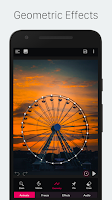
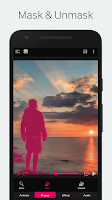
At its core, Moving Pictures & 3D pictures converts ordinary images into motion-rich visuals by simulating depth and adding directional movement. It uses an approachable set of editors — depth painting, anchor points, motion brushes, and masking — so you can isolate foregrounds, push backgrounds back, and animate elements independently.
The editing workflow in Moving Pictures & 3D pictures is designed around three steps: define depth, apply motion, and refine. Begin with depth separation by sketching regions or using the auto-segment tool. Next, attach motion pins or draw paths to simulate camera or object movement. Finally, refine transitions with soft brushes, feather controls, and speed curves to make the loop feel natural.
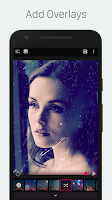
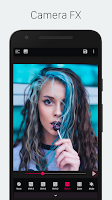
Moving Pictures & 3D pictures offers granular controls for creators who want a distinct aesthetic. You can tweak depth scales to exaggerate or subtlely hint at 3D, adjust parallax strength, and combine multiple motion layers for complex sequences. Built-in filters and color grading allow a final stylistic pass without leaving the app.
The interface is laid out with a large preview pane and a collapsible toolbox, making it easy to focus on composition. Performance is optimized for recent mid- to high-range Android devices, with background rendering and low-resolution preview to keep interactions snappy. Export times vary by resolution and length, but caching reduces repeated wait times for similar projects.
Photographers and social creators will find a quick path from capture to share. Import images directly from your gallery or camera, use templates for common social formats, and batch-process multiple photos with the same motion preset. The app also supports re-editing of saved projects so you can iterate without starting over.
Moving Pictures & 3D pictures fills the gap between static photography and full video production by offering accessible motion tools tailored to single images. It’s ideal for enhancing portfolios, generating eye-catching social posts, or producing short loops for banners and presentations without complex software.
Installation is straightforward from your app store. After a quick onboarding tutorial you’ll be guided through a sample project that demonstrates depth painting, motion assignment, and export. Regular updates add new filters and performance improvements, and an integrated help section provides step-by-step guides for advanced techniques.
File size: 61.60 M Latest Version: 1.0.5
Requirements: Android Language: English
Votes: 383 Package ID: com.pixamotion
Developer: Imagix AI Private Limited




Must Have Tools Apps for Android
Equip yourself with our all-in-one toolbox app for everyday tasks and projects. Instantly convert between units, calculate tips, scan documents, manage files, and more with handy productivity tools. Includes a level, compass, QR code reader, ruler, speedometer, decibel meter, and flashlight. Save frequently used tools to your customizable dashboard for one-tap access. Track billable hours, wages, budgets, and invoices. Annotate screenshots, magnify labels, and sign PDFs on the go.






LIVE A HERO
Retro Hero Mr Kim
Empire of Passion
Arcane Quest Legends
Magic Snap: Momotaro
AllStar Manga Heroes
Lunescape
ONE PIECE Thousand Storm JP
Tap Titans 2