ABA Cloud is a mobile cloud productivity app that centralizes file storage, team collaboration, and secure backups in one place. Designed for professionals and small teams, it streamlines document access, real-time syncing, and permission control so users can work from any device without sacrificing speed or security.
At its core, ABA Cloud combines cloud storage with collaboration tools and flexible access controls. Users can upload files, create shared folders, and set granular permissions for colleagues or external partners. The app emphasizes quick retrieval and continuous synchronization across Android devices and desktop clients.
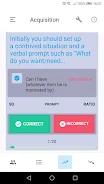
ABA Cloud is designed to reduce friction between device and document. Team members can collaborate on shared folders, leave comments on files, and see activity history to track edits. Integration points allow you to pull documents into third-party apps or export data to common formats, making it easy to incorporate the service into existing workflows.
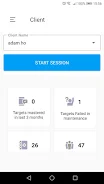
The interface balances functionality with clarity. A clean navigation bar separates personal, shared, and recent items while contextual actions surface only when needed. Under the hood, the app prioritizes low latency for file previews and uploads so everyday tasks feel responsive even on slower networks.
Organizing data is straightforward: create nested folders, apply tags for cross-folder grouping, and use color-coded labels for high-priority items. Automated rules let you route incoming files into specific folders based on name patterns or sender, which helps to maintain a consistent structure without manual sorting.
Security features are core to ABA Cloud’s design. Data is encrypted in transit and at rest, and administrators can enforce two-factor authentication and session timeouts. Audit logs provide a clear record of access and changes, useful for teams that need to meet internal or external compliance requirements.
On Android devices the app balances battery usage and background syncing. You can configure sync windows or limit large uploads to Wi-Fi only. Performance testing shows steady upload speeds and efficient use of local storage when managing cached files.
Teams appreciate ABA Cloud for its balance of simplicity and control. It supports both ad-hoc sharing and regimented information governance, which makes it suitable for freelancers, small businesses, and larger teams that need predictable organization. The combination of instant sync and offline access helps keep productivity steady regardless of connectivity.
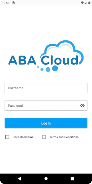
Installation is quick: download the app, sign in with your company credentials or personal account, and follow the onboarding prompts to connect desktop clients. New users should enable sync for priority folders first, and administrators can pre-configure security policies from the web console to ensure consistent protection across the organization.
For anyone looking to consolidate file management and team collaboration on Android, ABA Cloud offers a pragmatic set of tools that focus on productivity, security, and ease of use without unnecessary complexity.
File size: 10.40 M Latest Version: 2.1
Requirements: Android Language: English
Votes: 472 Package ID: com.abacloud.app
Developer: ABA Cloud, Inc.


Top Free Business Necessary Apps for Android
Streamline operations and maximize productivity with our innovative business apps. Manage contacts, schedule meetings, and route calls seamlessly. Collaborate on documents and projects in real-time. Track inventory, finances, and analytics to inform smart decisions. Build customized proposals, invoices, and contracts to win clients. Stay on top of emails, tasks, and passwords for efficient work.






LIVE A HERO
Retro Hero Mr Kim
Empire of Passion
Arcane Quest Legends
Magic Snap: Momotaro
AllStar Manga Heroes
Lunescape
ONE PIECE Thousand Storm JP
Tap Titans 2











































