
Scan to Download
RegOp is a compact productivity tool designed to streamline repetitive system operations and automate routine workflows. It combines a clean interface with powerful automation rules, allowing users to schedule tasks, manage configurations, and monitor activity in one place — without steep learning curves or heavy resource demands.
At its core, RegOp acts as a bridge between manual maintenance tasks and full-scale automation. The app is aimed at users who need reliable task orchestration: scheduling updates, toggling settings, running scripts, and logging results. It sits comfortably between simple task reminders and enterprise-grade orchestrators, offering an approachable balance of power and usability.
RegOp organizes operations into jobs and profiles. A job defines what should be executed — for example, a system cleanup script or a configuration change — while a profile groups related jobs for easy reuse. Triggers link external events to jobs: file changes, network status, or scheduled times can all initiate actions. The workflow is visual and linear, which helps users map processes without complex scripting.
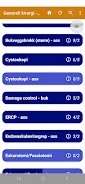
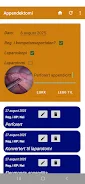
The interface emphasizes clarity: a dashboard shows active profiles, pending tasks, and recent logs. Menus are contextual, meaning advanced options appear only when relevant. Performance-wise, the app remains lightweight; background services are optimized to minimize battery and CPU usage, and memory footprint is modest compared to heavier automation suites.
RegOp is adaptable for a variety of scenarios. Developers might use it to run test suites at night or deploy build artifacts automatically. System administrators can schedule maintenance windows and collect diagnostic data. Power users will find it useful for personal desktop upkeep — rotating backups, clearing caches, and toggling power profiles at specific hours.
Customization is a strong point. Users can chain tasks, add wait conditions, and insert error handlers to retry failed steps or notify an admin. Plugin support and script hooks allow integration with existing toolchains. While the app is ready-to-use out of the box, those who prefer deeper control can tailor workflows extensively.
Onboarding guides walk through common setups, and inline tips help demystify automation concepts. The app balances guidance with flexibility: beginners can adopt prebuilt templates, while experienced users can refine complex sequences. Notifications are configurable so that alerts are meaningful rather than intrusive.
Choose RegOp if you want an automation tool that is approachable but not simplistic. It covers a wide range of automation needs without requiring a steep learning curve. The combination of rule-based triggers, script support, and profile management makes it suitable for individuals and small teams aiming to reduce manual overhead.
Installation is straightforward: download, grant necessary permissions, and follow the setup wizard to create your first profile. Experiment with a scheduled job that performs a harmless operation, then review the log to confirm behavior. As confidence grows, link additional triggers and introduce error handlers to make workflows resilient.
RegOp provides a sensible middle ground between manual task handling and heavyweight orchestration platforms, making automation accessible to a broader range of users while preserving depth for professional needs.
File size: 9.66 M Latest Version: 1.0
Requirements: Android Language: English
Votes: 166 Package ID: com.sigurdtorvund.regopdatabase
Developer: Kontakt.RegOp



Top Events Free Apps for Android
Discover and share the hottest events around with our intuitive apps. Find local concerts, festivals, shows, and more based on your unique interests. Create customizable calendars of upcoming events to coordinate schedules with friends. Purchase tickets seamlessly from our integrated platforms. Check real-time transit schedules to plan your trip. Access maps, directions, and parking information for any venue.






LIVE A HERO
Retro Hero Mr Kim
Empire of Passion
Arcane Quest Legends
Magic Snap: Momotaro
AllStar Manga Heroes
Lunescape
ONE PIECE Thousand Storm JP
Tap Titans 2










































