
Scan to Download
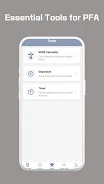
Air Force PFA is a focused fitness-assessment app that helps service members track, prepare for, and analyze performance on physical fitness tests. It bundles test simulations, scoring calculators, and tailored training plans into a compact interface designed to streamline preparation and give clear, actionable feedback on progress.
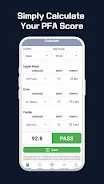
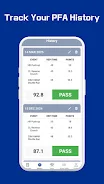
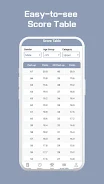
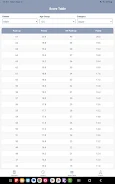
Air Force PFA consolidates the essential steps of test preparation into one tool: schedule practice runs, log event results, and view instant scoring based on the relevant standards. The app keeps historical records so users can spot trends and adjust training without juggling spreadsheets or paper logs.
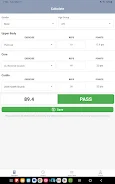
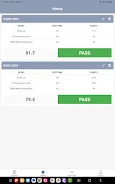
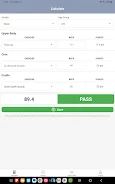
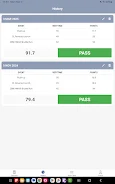
Begin by selecting your profile parameters such as age and gender, then choose a test type. The app guides you through warm-up recommendations and timers for each event. After completing a session, enter performance metrics and receive an immediate score along with notes on where to focus next. Repeating simulations refines the app's training suggestions.
The user interface favors clarity. Large buttons start timers, and numeric input screens are optimized for quick entry between test events. Color-coded results highlight pass/fail thresholds while pop-up tips explain scoring rules. The layout keeps essential controls within one or two taps to minimize distraction during practice sessions.
Air Force PFA builds training blocks based on recent test results. If a particular event lags, exercises shift toward improving that skill — for example, interval runs for aerobic capacity or targeted strength sets for bodyweight events. Users can adjust difficulty, set weekly targets, and mark days for rest or cross-training.
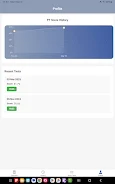
Test logs are stored locally with an option to export CSV summaries for personal records or to share with a coach. The app includes simple privacy settings to control what is uploaded or synced. Regular backups are available so long-term progress isn’t lost if you switch devices.
Designed to run on a wide range of devices, the app keeps power consumption low and minimizes background activity. Timers are accurate to the second and continue running even if you switch apps. Routine updates refine test standards and add minor usability improvements without disrupting stored data.
Users praise Air Force PFA for turning abstract standards into clear targets. The combination of immediate feedback, tailored workouts, and simple exports makes routine preparation less guesswork and more measurable improvement. It’s particularly useful for those who prefer self-directed training but want objective evidence of readiness.
Download the app, create a profile, and run the initial assessment to establish a baseline. From there, follow the suggested training blocks and re-test regularly to update the plan. The app’s onboarding walks through essential features so new users can begin meaningful practice in minutes.
Air Force PFA is a practical assistant for anyone preparing for service-related fitness assessments or personal benchmarks. With straightforward tools, clear visuals, and focused coaching suggestions, it keeps training targeted and progress easy to track.
File size: 48.19 M Latest Version: 1.0.0
Requirements: Android Language: English
Votes: 200 Package ID: com.robins_dev.airforcepfa
Developer: Robins Dev

Top Free Fitness Necessary Apps for Android
Reach your fitness goals and maximize workouts with our revolutionary exercise apps. Track progress, log workouts, and analyze performance using our intuitive tracking tools. Follow customized training plans tailored to your level and interests. Learn new exercises and techniques with our video instructional library. Monitor heart rate, calories burned, and other metrics to optimize your routine.





LIVE A HERO
Retro Hero Mr Kim
Empire of Passion
Arcane Quest Legends
Magic Snap: Momotaro
AllStar Manga Heroes
Lunescape
ONE PIECE Thousand Storm JP
Tap Titans 2










































