Scan to Download
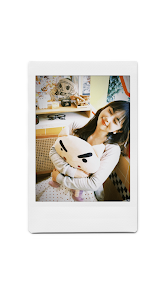
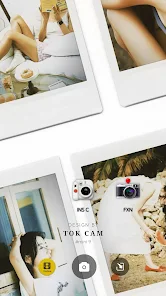
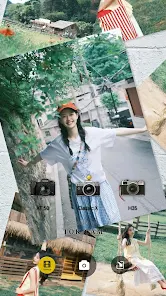
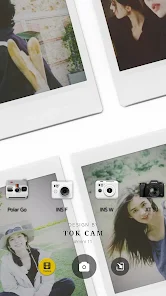
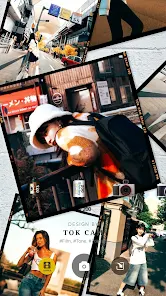
TOK CAM - Analog Camera brings vintage film aesthetics to your Android device, combining realistic light leaks, grain, and manual controls in a compact photo app. It blends simple workflows with advanced settings so users can create authentic analog-style images without needing external hardware or complex editing suites.
TOK CAM - Analog Camera is designed for photographers and hobbyists who appreciate retro visuals. The app recreates classic film characteristics through customizable filters and camera controls. Beyond presets, it gives access to exposure, white balance, and grain intensity so each shot can be tuned to taste.
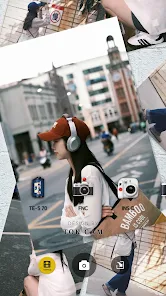
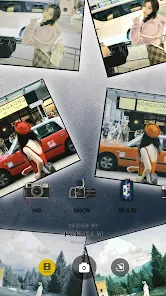
Launch the app, choose a film profile, tweak exposure and color, then tap to capture. The interface prioritizes large controls and gestures so adjustments are quick even on smaller screens. For more involved edits, TOK CAM - Analog Camera includes a lightweight editor for crop, rotate, and fine-tuning tone curves after capture.
The layout focuses on clarity: an uncluttered viewfinder, prominent manual sliders, and a streamlined toolbar. Performance is optimized for recent Android versions; operations like applying filters or exporting high-resolution images happen smoothly. Battery usage is moderate during extended shoots, and background processing minimizes UI lag.
Customization is where the app shines. Instead of relying solely on one-click effects, it offers layered controls so you can mix grain with a soft fade, alter color temperature independently, and mask effects selectively. Preset packs help users get started, while advanced users can save custom profiles for repeatable aesthetics.
If you’re new to analog-style photography, start with a neutral film preset and tweak grain and contrast slowly. Use manual exposure to prevent blown highlights—film emulation looks best with preserved detail. Try different light leak placements to simulate sun flares or backlit portraits, and save a favorite preset for consistent results.
TOK CAM - Analog Camera is popular because it balances authenticity with usability. Casual users enjoy the instant vintage looks, while enthusiasts appreciate the depth of manual controls and editable layers. It’s a solid choice for social media-ready images as well as portfolio work that benefits from film-like textures.
Installation is straightforward from the Android store. Permissions request access to the camera and storage to save high-resolution files. The app remains lightweight compared with desktop editors, so it’s a practical tool for on-the-go shooting and quick creative experiments.
Open the app, grant permissions, and explore presets to get acquainted. Switch on manual controls when you want more precision. Over time you’ll build a small library of saved looks tailored to your style. TOK CAM - Analog Camera is an efficient way to add classic film character to modern mobile photography without a steep learning curve.
File size: 22.00 M Latest Version: 1.0.0
Requirements: Android Language: English
Votes: 447 Package ID: com.muyin.camera
Developer: Yingyu Xu


Must Have Tools Apps for Android
Equip yourself with our all-in-one toolbox app for everyday tasks and projects. Instantly convert between units, calculate tips, scan documents, manage files, and more with handy productivity tools. Includes a level, compass, QR code reader, ruler, speedometer, decibel meter, and flashlight. Save frequently used tools to your customizable dashboard for one-tap access. Track billable hours, wages, budgets, and invoices. Annotate screenshots, magnify labels, and sign PDFs on the go.






LIVE A HERO
Retro Hero Mr Kim
Empire of Passion
Arcane Quest Legends
Magic Snap: Momotaro
AllStar Manga Heroes
Lunescape
ONE PIECE Thousand Storm JP
Tap Titans 2