Scan to Download
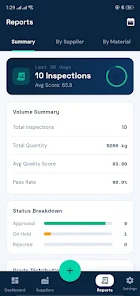
Batch Flow is a streamlined Android utility for automating repetitive file and image operations. It combines fast bulk renaming, conversion, and workflow scripting with a clean interface for mobile. Batch Flow accelerates tedious tasks while keeping controls accessible for both casual users and power users.
Batch Flow targets anyone who regularly handles multiple files on their phone: photographers, content creators, and administrators. The app centralizes batch processing tasks so you can rename, resize, convert, and tag dozens or hundreds of files in a single pass. It reduces manual repetition and cuts the time spent on routine digital chores.
Workflows in Batch Flow combine individual operations into a linear sequence. You pick input files, add actions (like convert, rename, or compress), and preview a small sample to confirm the results. Once satisfied, run the workflow in the background and let the app process the rest. Jobs can be paused, resumed, or canceled, giving you control over long batches.
The preset system streamlines repeat jobs. Save frequently used pipelines as named presets and apply them with one tap. Some users use presets to prepare images for social media, while others generate consistent filenames for archives. Scheduled runs allow unattended processing during off-peak hours to reduce battery and data impact.
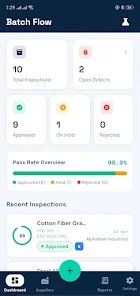
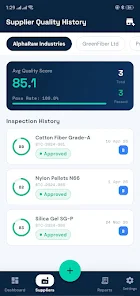
Batch Flow balances power with accessibility. The main screen highlights recent presets, recent jobs, and a quick entry for new tasks. Action cards are drag-and-drop reorderable so constructing workflows feels tactile. On modern Android devices processing is fast; the app leverages multi-threading where possible to maximize throughput without blocking the interface.
Careful resource management prevents the app from overusing CPU or battery. When handling large volumes, Batch Flow throttles background threads and provides progress indicators so you can estimate completion time. If you need priority, the app can optionally keep the device awake during processing to avoid interruptions.
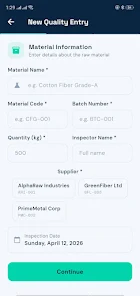
Customization is a strong point. Name templates accept metadata tokens (date, camera model, sequence number), and conversion actions expose quality and resolution controls. Batch Flow integrates with the Android share sheet and file picker, letting you feed files directly from galleries, cloud apps, or downloads. Export options include saving to a new folder or replacing originals with backups kept by default.
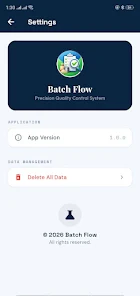
The app processes files locally by default and does not upload content unless you explicitly share results. Settings control whether originals are preserved and how long temporary files remain. These options give a safety net when experimenting with new workflows.
People choose Batch Flow when they need consistent, repeatable results without juggling multiple utilities. The app removes friction from routine tasks and produces predictable outputs suitable for professional workflows. Its combination of preset automation, rich conversion options, and integration with Android makes repetitive work less tedious.
Installation is straightforward through the Android app store. After launch, grant the minimal storage permissions required for file access, then import a handful of sample files to learn how actions apply. Explore the preset library or create a simple rename+convert pipeline as your first test. Within minutes you can experience noticeable time savings.
Batch Flow is particularly useful for anyone managing media on the go. Its feature set scales from quick one-off fixes to full-scale automated processes, making it a practical tool for modern mobile workflows.
File size: 24.00 M Latest Version: 1.0
Requirements: Android Language: English
Votes: 422 Package ID: com.commitstash.batchflow
Developer: Techwear

Boost your productivity with our handpicked selection of top-rated apps designed to help you get things done faster and easier. Streamline tasks, organize projects, collaborate with others, and maximize your efficiency with powerful productivity tools optimized for mobile. Say goodbye to wasting time and hassle. Our editors rigorously test and curate the most useful apps that will supercharge your productivity wherever you are. Download now and accomplish more every day.





LIVE A HERO
Retro Hero Mr Kim
Empire of Passion
Arcane Quest Legends
Magic Snap: Momotaro
AllStar Manga Heroes
Lunescape
ONE PIECE Thousand Storm JP
Tap Titans 2










































