
Scan to Download
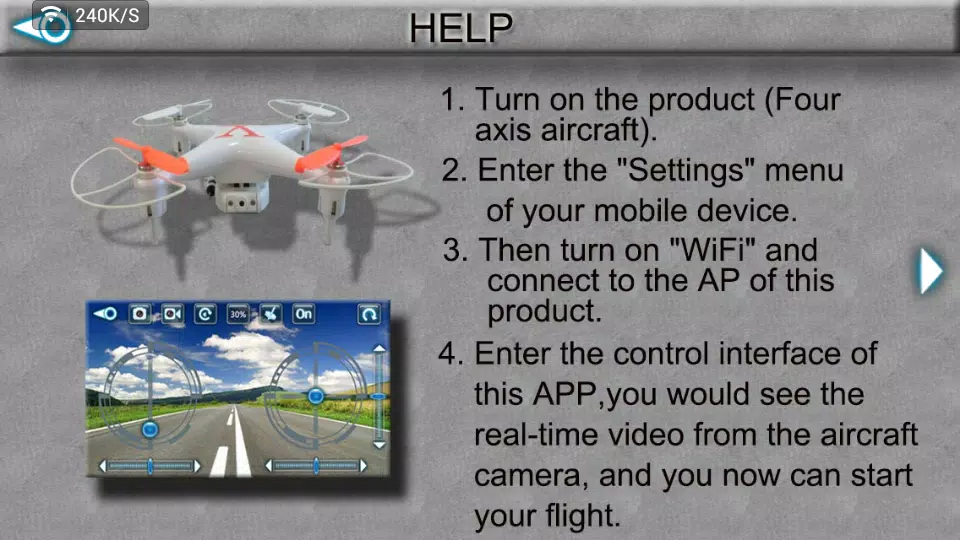
CX_WiFiUFO is a compact Android utility that inspects, optimizes and helps you manage wireless connections with clear, actionable visuals. CX_WiFiUFO scans nearby Wi‑Fi networks, measures signal strength and throughput, and provides practical tools for choosing the best access point, creating personal hotspots and securely sharing credentials with guests. The app is designed for everyday users who want simple recommendations and for technical users who need repeatable diagnostics without wading through raw logs.
The app combines a fast network scanner with long‑term signal mapping and on‑device speed diagnostics so you can see both instant snapshots and aggregated trends. You will find channel and encryption details for each SSID, live signal strength graphs, upload/download tests that report latency and jitter, and a straightforward auto‑connect rule set to prioritize known networks or blacklist unwanted SSIDs. Hotspot management shows connected clients and lets you limit bandwidth per device, while QR‑based credential sharing provides a quick, privacy‑preserving way to give guests access without exposing your password.
Rather than relying on a single scan, the app collects repeated measurements to smooth short spikes and reveal stable patterns. It calculates channel occupancy, estimates the noise floor and highlights probable sources of interference so you can pick less congested channels. Speed diagnostics are performed against nearby servers when available to deliver realistic throughput values; when server connections are not possible, the app falls back to local loopback checks and reports that context so you understand the limits of the measurement.
The interface is organized around three main tabs — Scan, Monitor and Tools — with consistent controls and intuitive touch gestures. The Scan tab lists networks with sortable columns; the Monitor tab shows a timeline and live graphs for signal quality and recent speed tests; Tools centralizes hotspot setup, QR sharing and a concise client list. Visual elements include color‑coded heatmaps and line graphs with adjustable time windows, an optional dark theme for night use and accessible contrast modes to improve readability in bright or dim environments.
Progression in CX_WiFiUFO is practical rather than gamified: you start with an initial quick scan, then perform guided mapping sessions as you walk through rooms or a site. Each session can be saved and compared to previous runs so you can evaluate the impact of moving a router or changing channels. Saved sessions become a simple history you can revisit to confirm improvements, repeat tests after hardware changes, or maintain a log for client work. This structured approach increases the tool's long‑term usefulness and reduces repeated guesswork.
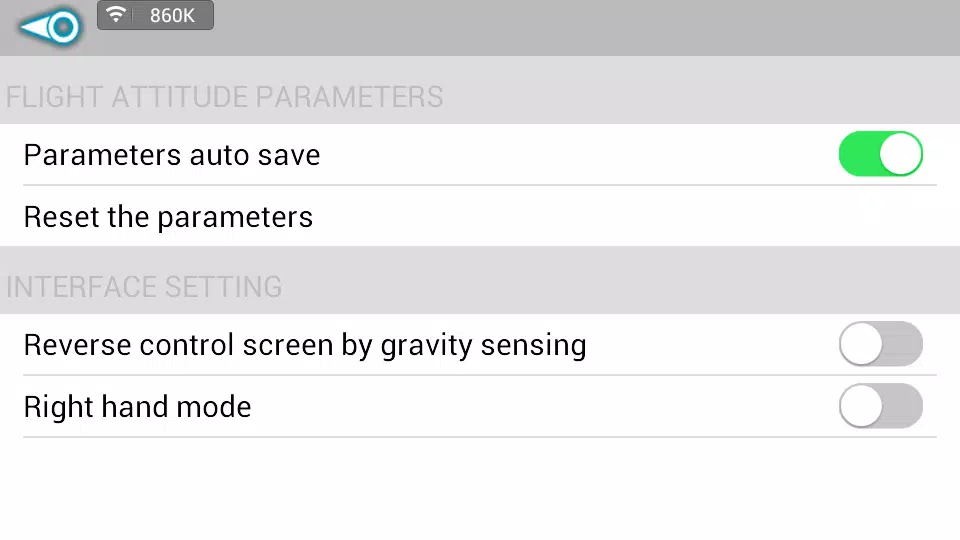
Settings let you tune scan frequency, choose battery‑aware modes, set quality thresholds for alerts and define preferred network priorities. The app supports larger fonts and high‑contrast UI options, and its controls are compatible with Android accessibility services including TalkBack. You can limit background scanning to preserve battery, restrict hotspot operation to manual mode, and configure notifications so only the most important alerts interrupt your workflow.
Many core functions work without an active internet connection: network discovery, signal mapping and local diagnostics run entirely on the device. Speed tests that require external servers will indicate when internet access is unavailable and will not attempt unnecessary uploads. The app requests only the permissions required to perform scans and manage hotspots; credential sharing via QR codes stores minimal data locally and gives you options to clear temporary results after troubleshooting sessions to protect privacy.
Scanning and active monitoring are more power‑intensive than passive use, so CX_WiFiUFO offers a battery‑aware mode that reduces scan cadence when charge is low and suspends background activity when Android power management signals require it. The app detects hardware capabilities during setup and reports when specific low‑level diagnostics are unavailable on some chipsets. Compatibility covers a broad range of Android versions and recent Wi‑Fi chipsets, with graceful fallbacks when a diagnostic feature is not supported.
For home users, the app helps identify the best router location and channel to improve coverage; for field technicians and freelancers, CX_WiFiUFO provides repeatable diagnostics that expose interference sources and guide remedial actions. If readings appear inconsistent, restart the router and the phone, rerun a mapping session at a different time of day to avoid transient interference, and try switching between 2.4GHz and 5GHz to isolate band‑specific problems. Enable battery‑aware scanning during extended monitoring to preserve charge and use the saved session comparisons to confirm the effectiveness of any changes you make.
File size: 5.30 M Latest Version: 0x7f070002
Requirements: Android Language: English
Votes: 484 Package ID: com.cx_car
Developer: SteveChan



Must Have Home Apps for Android
Make your house a home with our suite of helpful home apps. Discover clever tools to organize closets, streamline chores, and simplify cooking. Take the stress out of cleaning and maintenance with handy checklists and schedules. Enhance security and control appliances and lighting with our smart home integrations. Design, visualize, and renovate like a pro using our 3D planning software.






LIVE A HERO
Retro Hero Mr Kim
Empire of Passion
Arcane Quest Legends
Magic Snap: Momotaro
AllStar Manga Heroes
Lunescape
ONE PIECE Thousand Storm JP
Tap Titans 2