
Scan to Download
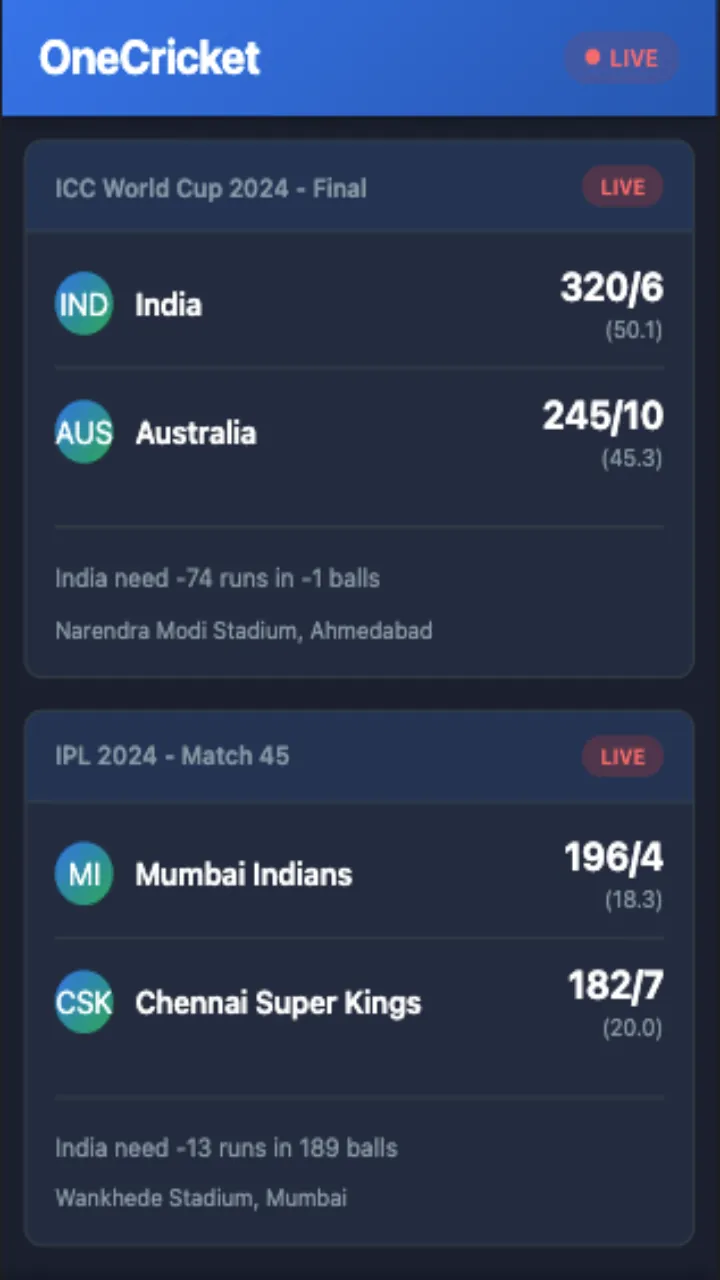
OneCricket is a focused, non-betting cricket companion app that gives fans in India and beyond fast live scores, concise commentary and in-depth player statistics. OneCricket puts ball-by-ball updates, full scorecards and upcoming fixtures in a clean, easy-to-navigate interface so you can follow IPL clashes, ICC events or bilateral tours on phone or tablet without gambling distractions.
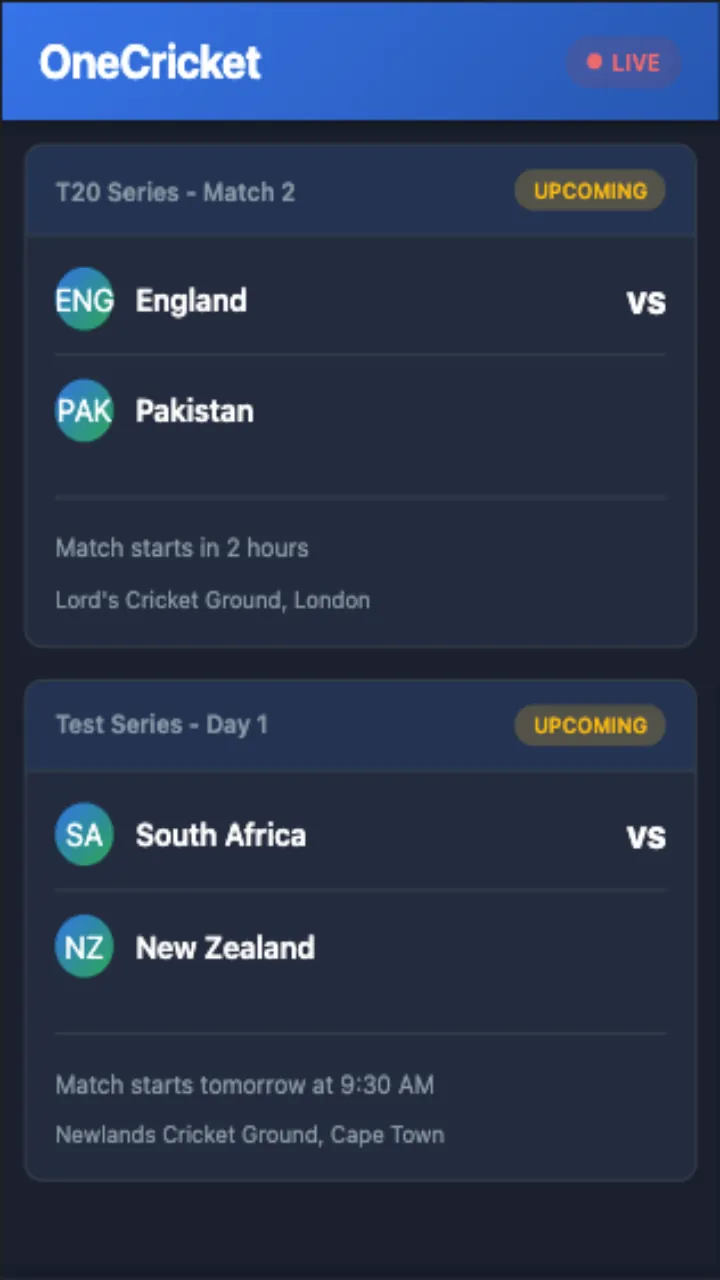
The app centers on live match coverage with accurate ball-by-ball text commentary, timestamped events and complete scorecards that include batting, bowling and fielding details. Match pages break information into digestible blocks so you can scan the current over, see who is batting and follow partnerships. Fixtures and results are presented with clear start times and venue information, while brief previews summarize team form and expected line-ups. Real-time notifications can be tailored to alert you about wickets, milestones, session breaks and final results so you receive meaningful updates without noise.
Navigation in OneCricket is gesture- and tap-friendly: swipe horizontally between live matches, tap to expand a scorecard or press the notifications bell to set alerts for a particular game. Match pages allow quick toggles between commentary, scorecard and statistics panels. Search and filter tools help you find teams, players or recent matches; a favorites option pins selected squads and fixtures to the top of your feed. Menus are structured to reduce taps: from the main scoreboard you can reach team squads, head-to-head summaries and the match timeline in two or three interactions.
Rather than a game-style progression, OneCricket offers a personalization pathway: as you follow teams and players the app surfaces more targeted content, highlights and historical comparisons. Your watchlist and notification preferences evolve with use, creating a tailored feed that rewards regular engagement. Replay value comes from comprehensive archives—past scorecards and match timelines remain accessible so you can revisit notable performances, track player form across a season and compare statistics match-to-match.
The visual approach favors clarity over ornamentation. Clean typography, high-contrast score displays and consistent spacing make numbers easy to read at a glance, even in bright outdoor conditions. The app organizes content into distinct levels: a summary scoreboard level, a match detail level with commentary and scorecard, and a profile level for players and teams. Each level is designed to surface the most relevant information first and offer deeper data without overwhelming the screen.
In settings you can control notification frequency and types, choose your preferred time zone display, and select which tournaments or teams appear in your main feed. Display options include compact and expanded scorecard views and adjustable font sizes for readability. These customization choices let you shape the app to match how you follow cricket—whether you want quick score checks during the day or a detailed read-through after a game.
OneCricket includes accessibility considerations such as scalable text, sufficient color contrast and simple touch targets to accommodate larger fingers and assistive technologies. Where connectivity is inconsistent, the app caches recent scorecards and the latest commentary so you can view short-term match history offline; live updates resume automatically when a reliable connection is detected. This approach helps users in areas with intermittent service stay informed during key moments.
Although the app does not offer betting or competitive multiplayer features, it supports milestone tracking and performance summaries: innings milestones, career markers and match milestones are highlighted within scorecards so you can follow records and significant achievements as they happen. Periodic round-ups and statistical snapshots let you monitor trends like highest run rates, leading wicket-takers in a series and head-to-head records between teams.
For the best experience, allow push notifications for matches you care about and pin your favorite teams to the top of the feed. OneCricket performs best on modern devices and benefits from a stable internet connection for continuous ball-by-ball updates, though cached data helps when networks are unreliable. The straightforward layout and minimal clutter make it suitable for casual followers who want quick updates as well as devoted fans who appreciate detailed scorecards and player analytics.
File size: 11.30 M Latest Version: 1.0
Requirements: Android Language: English
Votes: 241 Package ID: Dodo.onecricket.app
Developer: Dodo Cruz

Top Events Free Apps for Android
Discover and share the hottest events around with our intuitive apps. Find local concerts, festivals, shows, and more based on your unique interests. Create customizable calendars of upcoming events to coordinate schedules with friends. Purchase tickets seamlessly from our integrated platforms. Check real-time transit schedules to plan your trip. Access maps, directions, and parking information for any venue.






LIVE A HERO
Retro Hero Mr Kim
Empire of Passion
Arcane Quest Legends
Magic Snap: Momotaro
AllStar Manga Heroes
Lunescape
ONE PIECE Thousand Storm JP
Tap Titans 2










































