
Category: Productivity Date:2026-10-14 05:03:01
Rating: 4 Tags: Health
Scan to Download
kubenav - Kubernetes Dashboard is a lightweight, feature-rich mobile and desktop client that helps developers and operators inspect, manage, and troubleshoot Kubernetes clusters from a clean interface. The app bundles cluster browsing, resource editing, and log inspection into a single, consistent workflow so teams can carry out common operational tasks without switching between terminals, web consoles, and multiple tools.
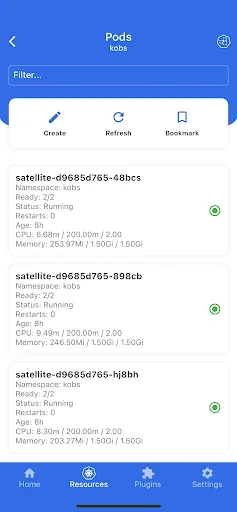
This client connects to clusters using kubeconfig, token-based methods, or in-cluster authentication and presents resources in a hierarchical explorer. It makes complex cluster state readable by exposing namespaces, workloads, services, config maps, secrets and custom resources in a structured tree view, and surfaces key health indicators and recent events alongside each object so you can quickly assess where to dig deeper.
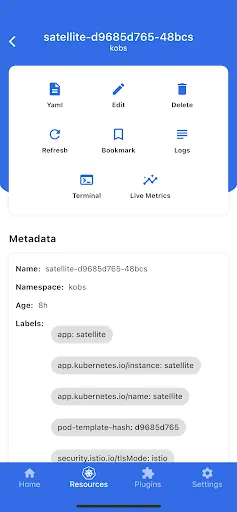
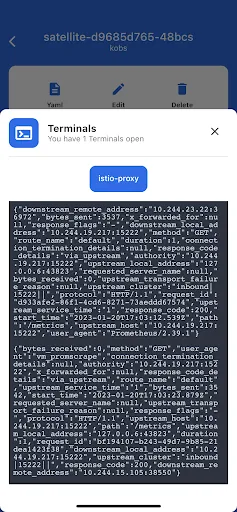
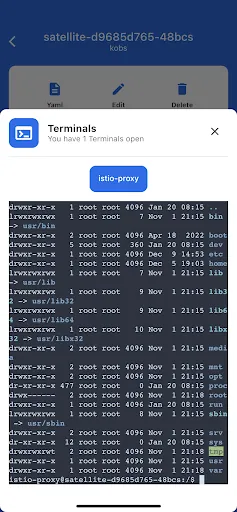
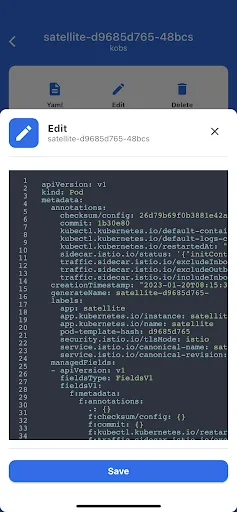
The interface centralizes utilities administrators use every day: a real-time log viewer, an interactive shell to run diagnostics inside pods, and a manifest editor with YAML validation and apply functionality. Controls are designed for both touch and desktop input — quick taps or clicks to expand nodes, contextual action buttons for common operations, and streamlined dialogs for port forwarding and remote command execution. These controls reduce context switching and help you complete investigative steps in a predictable sequence.
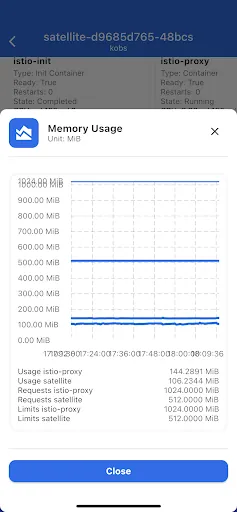
kubenav - Kubernetes Dashboard emphasizes clarity and speed in its visual language. A left-hand navigator organizes cluster objects, the main pane shows resource details and metadata, and compact visual indicators highlight status, restarts, and events. The layout scales for phones, tablets, and laptops so metadata remains legible on small screens while providing richer detail on larger displays.
Workflows in kubenav are centered on progressive investigation: start with the cluster explorer, drill into workload objects, stream logs for suspect pods, open a shell for live checks, and edit manifests with an inline preview before applying changes. Multiple contexts and kubeconfig support let you switch between clusters without reconfiguring the client, and filtering by name or labels helps narrow noisy namespaces. You can customize view density and enable or disable log streaming to match your preferred working rhythm.
Designed as a lightweight client, kubenav batches API requests and caches frequently accessed metadata to reduce latency and conserve device resources. This local caching improves responsiveness and can make recently viewed resource details available when connectivity is unstable for short periods. The UI keeps menus concise, supports scalable text and compact layouts for accessibility, and aims to be responsive even on lower-powered devices so teams can stay productive on the go.
Authentication is handled using standard kubeconfig files, tokens, or in-cluster credentials depending on deployment. kubenav respects Kubernetes RBAC so users see only the resources permitted by their roles, and transport uses the same TLS settings as standard Kubernetes clients. These choices preserve existing cluster security models and reduce the need to introduce separate access controls for the client.
Operations engineers, platform teams and on-call developers adopt kubenav - Kubernetes Dashboard to reduce cognitive load during incident response and routine maintenance. By consolidating essential tasks—navigation, log analysis, interactive shells, and manifest changes—into a single interface, the client helps teams respond faster to outages, reproduce issues more reliably, and maintain a consistent workflow across devices. For teams that need to stay connected to clusters while mobile or working from different machines, the portability and focused feature set make everyday cluster management simpler and more predictable.
File size: 126.80 M Latest Version: 4.2.3
Requirements: Android Language: English
Votes: 449 Package ID: io.kubenav.kubenav
Developer: Rico Berger


Top Health Free Apps for Android
Take charge of your wellbeing with our innovative health and fitness apps. Monitor your activity, sleep, nutrition and more using our advanced tracking tools. Access personalized insights to develop healthy habits. Check symptoms, manage medications, and connect with doctors through our telehealth services. Follow customized workout plans for any fitness level with our virtual coaching.






LIVE A HERO
Retro Hero Mr Kim
Empire of Passion
Arcane Quest Legends
Magic Snap: Momotaro
AllStar Manga Heroes
Lunescape
ONE PIECE Thousand Storm JP
Tap Titans 2