
Scan to Download
Azuki TCG brings fast-paced card duels to mobile devices, blending collectible mechanics with tactical combat and community features. This title emphasizes deck-building depth, responsive match systems, and a steady reward progression that rewards strategic play. Casual players and competitive duellists both find accessible entry points and satisfying long-term goals.
Azuki TCG positions itself as a modern trading card experience optimized for phones and tablets. Matches are designed to be engaging in short sessions while offering layers of strategy for those who enjoy planning several turns ahead. The learning curve stays reasonable thanks to clear tutorials and well-paced unlocks.
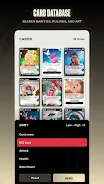
The core loop centers on deck construction, draw luck, and board control. Players collect cards from packs and events, then refine their decks to exploit synergies, counter common meta choices, and maximize resource efficiency. Combat resolves quickly, with visual clarity that helps players make split-second decisions.
Each match in Azuki TCG alternates between drawing, resource allocation, and card activation. Resource management is forgiving at start but becomes a central strategic element in higher tiers. Card types have clear roles—attackers, defenders, utility cards, and game-changers—so identifying your deck’s win condition early is crucial.
Turn planning matters: set up combos, reserve counters, and apply pressure incrementally. The game rewards prediction and adaptation; knowing common archetypes helps you craft answers rather than reactive gambits.
Building a competitive deck requires balancing curve, synergy, and tech choices. Azuki TCG encourages experimentation by offering frequent balance patches and rotating play formats. Newcomers benefit from preconstructed starter decks that teach core interactions while giving room to personalize card lists.
Progression is a mix of crafting, earning, and event-exclusive acquisitions. The system avoids pay-to-win extremes by providing viable paths for free-to-play users who engage with events and daily missions.
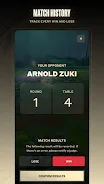
Visuals are crisp and readable on small screens. Card art emphasizes clarity and personality without overwhelming the battlefield. The UI prioritizes speed: intuitive drag-and-drop for plays, quick-access buttons for deck swaps, and an in-match log that summarizes recent actions.
Performance is stable on mid-range devices, with adaptive graphics settings for older hardware. Match animations are satisfying but can be shortened with a speed toggle to accelerate repetitive sequences.
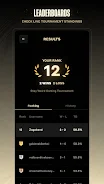
Azuki TCG stands out by blending collectible thrills with tactical depth while maintaining a polished mobile experience. It rewards planning, adapts to player skill, and supports a steady climb through ranked play. Whether you enjoy casual bouts or climbing the ladder, the game offers a well-rounded card-battling ecosystem to explore.
Install the app, complete the tutorial, and claim the new-player packs. From there, experiment in casual matches and track the meta through in-game event notes. With consistent play and a focus on learning, you’ll find that Azuki TCG scales nicely from introductory arcade-style rounds to complex, competitive duels.
File size: 96.00 M Latest Version: 1.12.0
Requirements: Android Language: English
Votes: 349 Package ID: com.azuki.tcg
Developer: Chiru Labs, Inc.



Must Have Tools Apps for Android
Equip yourself with our all-in-one toolbox app for everyday tasks and projects. Instantly convert between units, calculate tips, scan documents, manage files, and more with handy productivity tools. Includes a level, compass, QR code reader, ruler, speedometer, decibel meter, and flashlight. Save frequently used tools to your customizable dashboard for one-tap access. Track billable hours, wages, budgets, and invoices. Annotate screenshots, magnify labels, and sign PDFs on the go.






LIVE A HERO
Retro Hero Mr Kim
Empire of Passion
Arcane Quest Legends
Magic Snap: Momotaro
AllStar Manga Heroes
Lunescape
ONE PIECE Thousand Storm JP
Tap Titans 2










































