Scan to Download
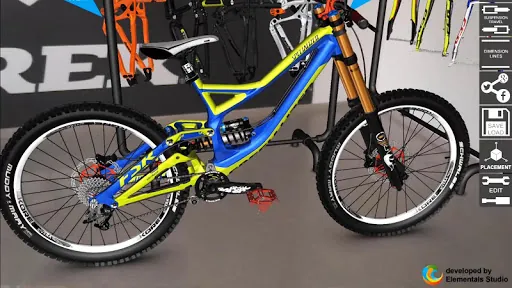
Bike 3D Configurator is a detailed design and preview tool that helps riders, hobbyists and small shops plan custom bicycles with a real-time 3D viewer and life-size AR preview. Bike 3D Configurator places component swapping, color and material choices, and adjustable geometry at the center of the workflow so you can visualize fit and clearances before buying parts or committing to a build. The introduction here explains how the app approaches realistic visualization, precise measurement and an iterative project workflow suitable for both one-off builds and ongoing parts libraries.
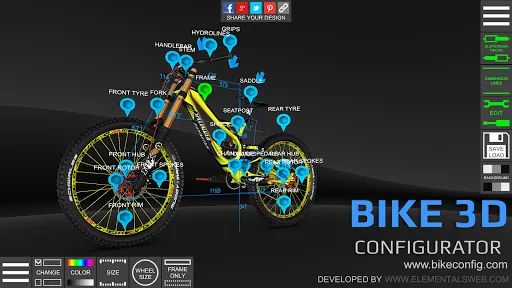
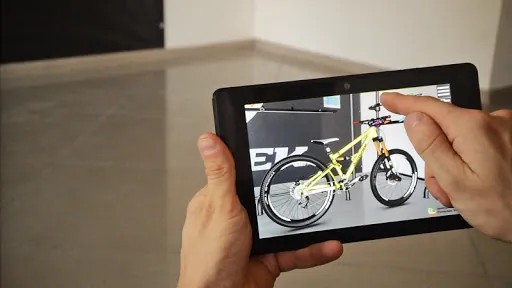
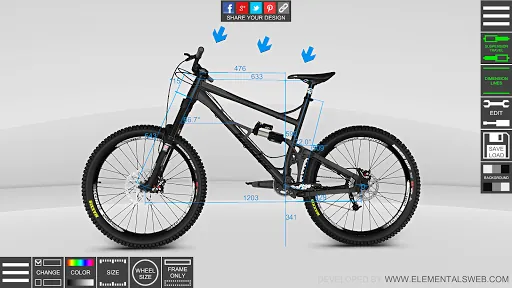
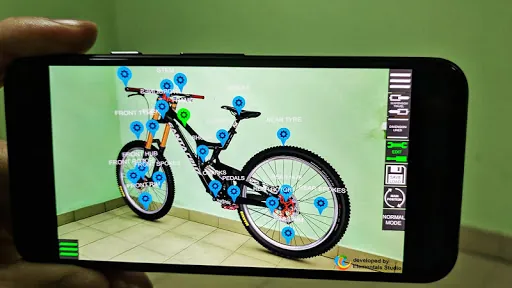
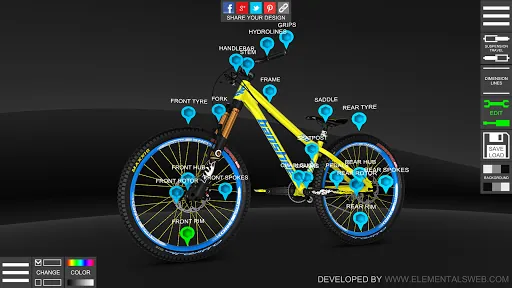
The app provides a full toolkit for visual prototyping: a high-fidelity 3D renderer for on-screen inspection and an augmented reality mode that places a life-size bike in your environment. You can swap frames, forks, wheels, drivetrains, brakes and common accessories, and apply paint or finish variations that match manufacturer-provided colors when available. Geometry controls let you change frame size, fork travel, wheel diameter, chainstay length and standover height, and a measurement overlay displays suspension travel and clearances with real-world dimensions. Projects save locally with options to export high-resolution renders and create printable build lists to support parts purchasing or workshop documentation.
Interactions are designed to feel natural on touch devices while still offering precise control when you need it: pinch to zoom, drag to rotate, two-finger pan to reposition and tap to select parts. Numeric inputs and sliders allow exact adjustments for head-tube angle, seat-tube length, wheelbase and other geometry values, and snapping or alignment helpers make pairing components less error-prone. Context-sensitive tooltips explain parameters in plain language and undo/redo with version saves lets you iterate safely through alternatives without losing earlier ideas. AR placement controls include simple on-screen handles to position and lock a life-size preview to the real world so measurements remain consistent during inspection.
Customization is modular: start from curated templates for popular categories such as mountain, road, gravel and commuter bikes or begin with a blank frame and assemble your preferred combination of parts. The app encourages a project-based progression where repeated builds populate a personal parts library and presets for frequently used setups. You can organize projects into named folders, tag favorites for quick access and duplicate projects to compare variations side by side. Over time, this progression builds a reference collection that reflects your exact fit preferences, commonly used component pairings and go-to paint schemes.
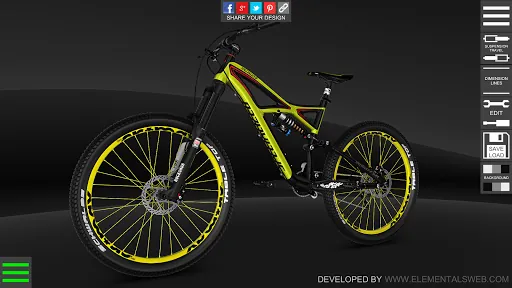
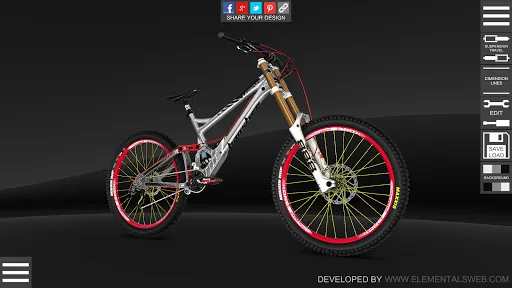
The rendering engine aims for clarity and realistic materials rather than flashy effects: painted, matte and anodized finishes are rendered with directional lighting and subtle reflections to help you judge color and texture differences. Where manufacturers supply accurate color swatches the app uses those values to keep comparisons meaningful. On lower-end devices simplified models are used automatically to preserve smooth performance, while higher-end systems retain more detail. AR mode presents the same visual fidelity at a life-size scale so you can check sightlines, reach and proportion in a real-space context.
Replay value derives from experimentation and comparison: the app makes it easy to iterate multiple configurations, test different wheel sizes or fork travel options, and compare paint schemes across saved projects. Use it to prototype upgrades, prepare seasonal setups, mock up builds for customers or generate visual quotes for parts purchases. Because projects are quick to duplicate and render, you can maintain a history of what worked, export images for records or shopping lists, and reduce the risk of incompatible parts at the point of purchase.
The user interface emphasizes readability and straightforward controls with adjustable UI scale, high-contrast element options and alternate color palettes to assist users with color perception differences. Interactive help, contextual guidance and plain-language tooltips introduce geometry concepts and explain how changes affect bike handling and fit. Core 3D editing works offline after install; AR and selective part downloads require camera access, motion sensors and occasional internet access to fetch updated models or manufacturer palettes.
AR features depend on device camera, motion sensors and platform AR support, so availability varies by phone or tablet model; when AR isn't supported the app falls back to the standard 3D viewer. Some components are displayed only in manufacturer-provided colors or have texture limitations that prevent full repainting. The parts library expands over time based on manufacturer data and community requests, and the app indicates any limitations for specific parts within the component picker to avoid confusion during design.
The development team actively maintains Bike 3D Configurator and welcomes feedback, bug reports and requests for additional parts or improved device support. Use the in-app feedback option to share screenshots, describe desired components or suggest workflow refinements. Regular updates focus on adding components, improving performance on a wider range of devices and refining measurement and AR accuracy based on user input.
File size: 82.30 M Latest Version: 1.6.8
Requirements: Android Language: English
Votes: 417 Package ID: com.Elementals.Bike3DConfigurator
Developer: Elementals Studio

Empower learning and research with our innovative reference apps. Access dictionaries, thesauruses, encyclopedias, and more with our comprehensive databases. Get homework help, study tips, and writing guides from our academic resources. Learn new skills by browsing how-to videos and manuals. Stay up-to-date with latest news, data, and facts curated by our editors.






LIVE A HERO
Retro Hero Mr Kim
Empire of Passion
Arcane Quest Legends
Magic Snap: Momotaro
AllStar Manga Heroes
Lunescape
ONE PIECE Thousand Storm JP
Tap Titans 2