Scan to Download
LibLib is a live streaming and private events app built for communities that prioritize authenticity, free expression, and meaningful real-time connection. From its streamlined mobile broadcaster to invite-only rooms and multimodal messaging, LibLib focuses on short, purposeful sessions where hosts and participants can exchange voice, text, photos and video without the noise of endless feeds. The app is designed to make live interaction feel natural on a phone — low-latency streaming, clear chat mechanics and simple controls let people move from passive scrolling to intentional conversation in minutes.
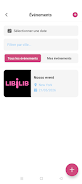
The core of LibLib is high-quality mobile streaming optimized for low latency so that conversations remain immediate. Hosts can start a broadcast with simple on-screen controls to switch cameras, mute audio, manage bitrate or pause and resume a session, while viewers engage through chat, reactions and two-way voice messages. Private, invite-only events create focused spaces where organizers control access and discussion topics; these sessions include moderation tools so hosts or designated moderators can remove unwanted messages or temporarily mute participants to maintain a safe environment.
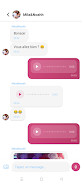
Multimodal messaging on LibLib allows participants to mix short voice notes, concise text replies, photos and short video clips during live sessions, which keeps exchanges expressive without requiring long-form production. The session format is intentionally short and concentrated: hosts set a clear duration for each event, a visible timer helps attendees keep track of remaining time, and scheduled or recurring sessions encourage regular participation without overwhelming listeners.
LibLib’s mobile interface is designed for quick learning: large tap targets for start/stop broadcasting, a straightforward chat composer that supports attachments, and easy-to-use moderation panels. Hosts can customize their room’s name, brief description and privacy settings before going live, and participants select a display name and profile image to build recognition across sessions. The visual style favors a clean, uncluttered layout with readable typography and contrast settings that adapt to day or night use, reducing visual fatigue during multiple short sessions.
Instead of long continuous streams, LibLib breaks engagement into discrete session units. This structure helps hosts plan focused topics and encourages attendees to return for new sessions, increasing replay value through frequency rather than length. Community progression is organic: hosts grow an audience by consistently delivering concise, moderated sessions; participants deepen connections by joining recurring events and contributing to discussions. While LibLib emphasizes live interaction, its design supports repeated attendance and topic-driven series that naturally create follow-up opportunities for creators and communities.
Accessibility is a priority for LibLib’s mobile-first design: adjustable text sizes in chat, clear contrast in the interface, and simple iconography make the app approachable for a wide range of users. The app is optimized to handle varying mobile connectivity: adaptive streaming quality helps maintain continuity on fluctuating networks, and the design reduces data usage when appropriate. Offline capabilities are limited because of the live-focus — however, the app caches basic event metadata and user settings so you can view upcoming session info or compose draft messages when connectivity is intermittent, then send them once a connection is restored.
LibLib includes moderation options to help hosts maintain safe, purposeful events: invite-only rooms, roles for trusted moderators, and in-session muting or removal tools. These features are meant to support constructive, human conversations and to reduce distractions common in open social feeds. On the other hand, the short-session format may not be ideal for creators who prefer extended, long-form broadcasts, and invite-only settings can limit organic discovery for new community members. Additionally, the best streaming performance depends on a stable mobile connection, so results will vary by network and device capability.
LibLib is well suited to hosts who want to run focused discussions, teachers or facilitators who schedule short interactive lessons, and community organizers who value controlled access and real-time moderation. Listeners who prefer engaged, human-paced interaction over endless algorithmic feeds will find the app’s session-driven model refreshing. With attention to low-latency streaming, clear controls and privacy-conscious event options, LibLib aims to support meaningful, repeatable live exchanges on mobile devices.
File size: 86.41 M Latest Version: 1.0.0
Requirements: Android Language: English
Votes: 319 Package ID: com.enkiitechnology.desiretok
Developer: Enkii



Must Have Tools Apps for Android
Equip yourself with our all-in-one toolbox app for everyday tasks and projects. Instantly convert between units, calculate tips, scan documents, manage files, and more with handy productivity tools. Includes a level, compass, QR code reader, ruler, speedometer, decibel meter, and flashlight. Save frequently used tools to your customizable dashboard for one-tap access. Track billable hours, wages, budgets, and invoices. Annotate screenshots, magnify labels, and sign PDFs on the go.






LIVE A HERO
Retro Hero Mr Kim
Empire of Passion
Arcane Quest Legends
Magic Snap: Momotaro
AllStar Manga Heroes
Lunescape
ONE PIECE Thousand Storm JP
Tap Titans 2