Scan to Download
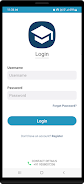
MyClassSync is a comprehensive class management system that centralizes administrative work for schools and training centers, helping administrators and teachers manage students, faculty, schedules, fees and coursework from one place. It combines role-based access, multi-branch organization, attendance tracking, test scheduling and fee management into a single interface, so staff spend less time on paperwork and more time on instruction. Institutions may choose MyClassSync to keep records consistent across branches, simplify follow-ups on inquiries and payments, and provide a clearer workflow for teachers and non-teaching staff.
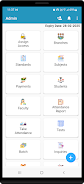
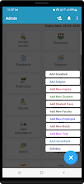
⭐ Assign access and permissions so admins can control who sees and edits student records, schedules and financial data — core to how MyClassSync secures operations.
⭐ Manage multiple branches with separate student lists, faculty assignments and resources for each campus or center.
⭐ Organize standards and classes, create new grades or sections and assign students and teachers to those standards.
⭐ Create and link subjects to specific classes, and add new subjects as curriculum needs evolve.
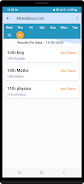
⭐ Record attendance and generate attendance reports for both students and faculty, with daily or periodic marking options.
⭐ Handle payments and fees, track pending or overdue amounts and keep a clear financial record for each student.
✅ Centralizes student, faculty and academic data so administrators have a single source of truth for everyday tasks.
✅ Reduces administrative overhead by automating attendance, inquiries, fee tracking and test scheduling.
✅ Role-based access improves security and ensures staff see only the tools and data relevant to their responsibilities.
✅ Multi-branch support makes it straightforward to scale operations and switch between locations without losing context.
❎ Initial setup and configuration of roles, branches and fee structures can require careful planning and time from administrators.
❎ The system relies on accurate data entry and regular updates to remain effective, which means ongoing discipline from staff.
File size: 33.22 M Latest Version: 1.5
Requirements: Android Language: English
Votes: 387 Package ID: com.myclass.sync
Developer: ITVL Solution

Must Have Tools Apps for Android
Equip yourself with our all-in-one toolbox app for everyday tasks and projects. Instantly convert between units, calculate tips, scan documents, manage files, and more with handy productivity tools. Includes a level, compass, QR code reader, ruler, speedometer, decibel meter, and flashlight. Save frequently used tools to your customizable dashboard for one-tap access. Track billable hours, wages, budgets, and invoices. Annotate screenshots, magnify labels, and sign PDFs on the go.






LIVE A HERO
Retro Hero Mr Kim
Empire of Passion
Arcane Quest Legends
Magic Snap: Momotaro
AllStar Manga Heroes
Lunescape
ONE PIECE Thousand Storm JP
Tap Titans 2