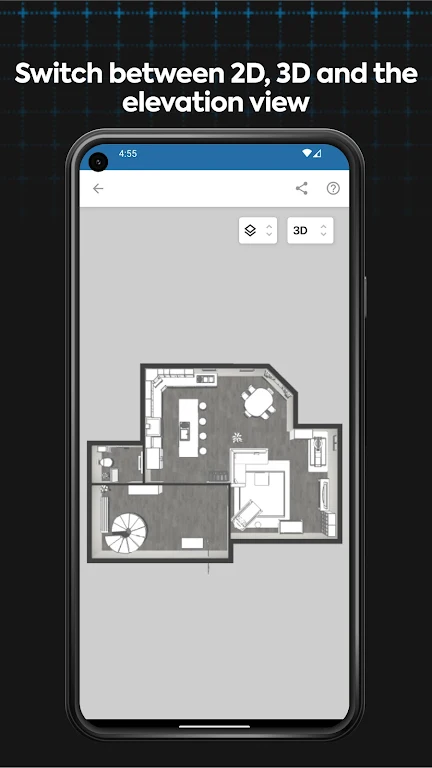
magicplan is a mobile productivity app that helps contractors, designers and property managers capture measurements, draw floor plans and produce field reports and estimates directly on an Android device. Combining AR-assisted measuring, manual sketching and 2D/3D visualization, magicplan speeds up on-site workflows, reduces errors and makes it easier to share structured reports with photos, markups and custom forms. The app’s estimating engine links measured takeoffs to pricing for fast quotes, while paid subscriptions unlock unlimited projects and collaboration features for professional use.
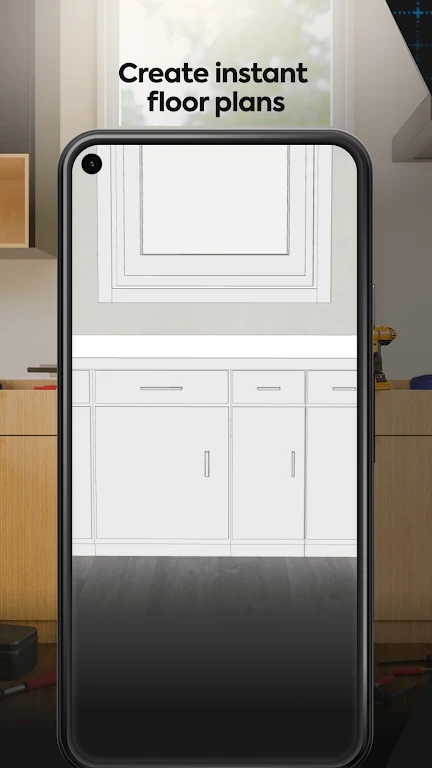
⭐ AR-assisted measuring and sketching with 2D and 3D views; requires an Android device with AR Core and a gyroscope for accurate on-site capture.
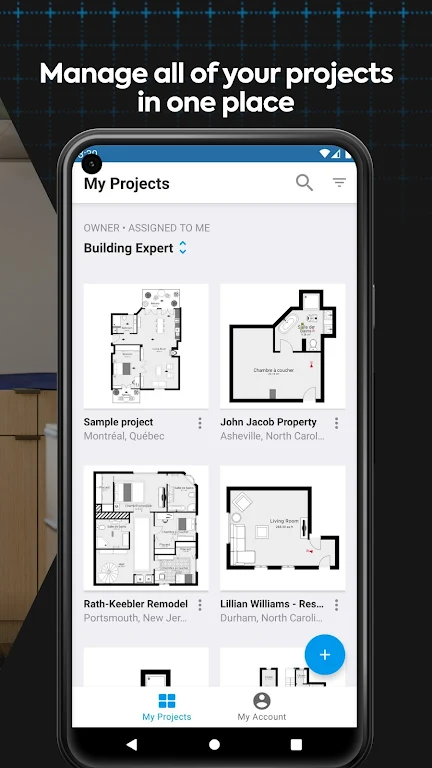
⭐ magicplan lets you create, edit and share floor plans, field reports and mobile estimates from a single, easy-to-use interface.
⭐ Structured reporting tools attach photos, 360° images, notes, custom forms and markups to avoid confusion and improve documentation.
⭐ Integrated estimating combines take-off and pricing logic to automatically calculate quotes from measured data on your device.
✅ magicplan streamlines on-site workflows and reduces manual measurement errors, saving time on inspections and quotes.
✅ Paid subscriptions provide unlimited projects and three focused plan types—Sketch, Report or Estimate—so you can choose the tools you need.
✅ Compatible with a wide range of laser distance meters from Bosch, Leica, Hilti, DeWalt and Stabila to speed up measurement capture.
✅ Produces clear, exportable reports with photos and custom forms; the app’s underlying technology is protected by multiple patents.
❎ The free tier restricts project creation, team collaboration and API access, so professional users will likely need a paid plan.
❎ Requires a compatible Android device with AR Core and a working gyroscope, which may exclude older phones.
File size: 186.92 M Latest Version: 2024.8.0
Requirements: Android Language: English
Votes: 233 Package ID: com.sensopia.magicplan

Must Have Tools Apps for Android
Equip yourself with our all-in-one toolbox app for everyday tasks and projects. Instantly convert between units, calculate tips, scan documents, manage files, and more with handy productivity tools. Includes a level, compass, QR code reader, ruler, speedometer, decibel meter, and flashlight. Save frequently used tools to your customizable dashboard for one-tap access. Track billable hours, wages, budgets, and invoices. Annotate screenshots, magnify labels, and sign PDFs on the go.






LIVE A HERO
Retro Hero Mr Kim
Empire of Passion
Arcane Quest Legends
Magic Snap: Momotaro
AllStar Manga Heroes
Lunescape
ONE PIECE Thousand Storm JP
Tap Titans 2