
Scan to Download
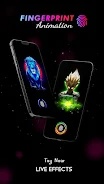
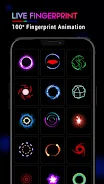
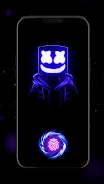
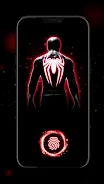
Fingerprint Animation is a lightweight Android utility that changes how your device responds to touch, adding visually appealing fingerprint effects to your lock screen and app icons. It brings smooth animations, customizable styles, and responsive feedback without compromising battery life, making routine unlocking feel more tactile and modern.
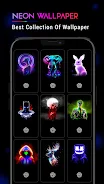
Fingerprint Animation focuses on delivering a polished visual layer to standard fingerprint interactions. Rather than altering biometric security, it overlays animated effects when you touch the screen or use the fingerprint sensor, giving the interface a lively, personalized look that complements a wide range of launchers and wallpapers.
Fingerprint Animation runs as an overlay service, detecting touch events at the system level and rendering animations on top of your current UI. The app does not replace existing biometric authentication systems; it simply listens for touch input patterns and triggers visual feedback in milliseconds. This technical separation keeps security intact while enhancing the user experience.
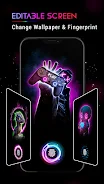
You can tailor the experience in several ways. Pick colors, tweak animation duration, and set location preferences so effects appear only on the lock screen, home screen, or any app. Profiles let you save different setups for day and night or low-power modes, and a preview panel provides real-time feedback as you adjust settings.
The user interface prioritizes clarity. Settings are grouped by function, with toggles and sliders replacing dense menus. New users can enable a default preset and explore advanced options later. Hints and short descriptions guide you through each control, reducing friction while learning the app’s capabilities.
Performance was a central consideration in the design. Rendering uses lightweight routines and takes advantage of hardware acceleration when available, so animations remain smooth even on mid-range hardware. Background monitoring is minimized to essential events, and an integrated battery mode lowers animation detail when power is limited.
Fingerprint Animation is useful for people who want a more modern, tactile feel from their device without changing how they authenticate. It’s also popular among content creators who record screen interactions, as animations make taps and gestures clearer to viewers. For accessibility, visual cues can help users confirm a successful touch when auditory feedback is disabled.
Many users install Fingerprint Animation to add personality and instant feedback to everyday actions. The blend of visual polish, lightweight performance, and straightforward customization makes it appealing to people who care about UI aesthetics and subtle interaction cues.
Installation is typical for Android apps. Grant the minimal permissions the app requests for overlay and accessibility integration, select a style, and enable the service. Most setups are complete in under five minutes, and subsequent modifications can be done from a single settings screen.
Whether you’re looking to enhance on-screen feedback or simply want a more engaging unlock experience, Fingerprint Animation provides a fast, flexible way to refresh your device’s tactile response without changing core security features.
File size: 106.00 M Latest Version: 3.9
Requirements: Android Language: English
Votes: 137 Package ID: applock.lockapp.scan.fingerprint.animation.live
Developer: Editro

Must Have Home Apps for Android
Make your house a home with our suite of helpful home apps. Discover clever tools to organize closets, streamline chores, and simplify cooking. Take the stress out of cleaning and maintenance with handy checklists and schedules. Enhance security and control appliances and lighting with our smart home integrations. Design, visualize, and renovate like a pro using our 3D planning software.






LIVE A HERO
Retro Hero Mr Kim
Empire of Passion
Arcane Quest Legends
Magic Snap: Momotaro
AllStar Manga Heroes
Lunescape
ONE PIECE Thousand Storm JP
Tap Titans 2










































