
Scan to Download
Agrotti is a mobile farming and strategy game that blends relaxed crop and animal management with light tactical base-building. In this editor introduction I describe how Agrotti plays on handheld devices, what systems you’ll use most often, and how progression and controls are structured so you can decide if it fits your play style.
At its core Agrotti revolves around an intuitive loop: prepare fields or pens, plant or introduce animals, tend them through daily actions, and convert harvests into upgrades or market goods. Each cycle asks you to make trade-offs—higher-value crops often need more hands-on care, while investing in enclosures and storage reduces waste but requires resources. Light tactical encounters and environmental hazards are interleaved with farming so sessions can range from short maintenance rounds to longer planning-focused days.
Progression in Agrotti is driven by tools, buildings and automation. You unlock improved implements like a stronger plow or modular barn attachments that shift attention from routine maintenance to system design. Over time you can transform manual tasks into predictable supply chains, which opens new strategic choices such as specializing in dairy, artisan goods or seasonal crops. Seasonal events alter available rewards and encourage adjusting priorities across playthroughs rather than repeating a single build order.
Maps vary in terrain and resource distribution—river valleys favor irrigation, terraced hills require layout planning, and open plains change how you prioritize wind exposure and storage. Early levels focus on basics like soil health and water management. Later stages introduce weather patterns, pest pressure and intermittent threats that reward preparedness, such as storage buffers and simple defenses. Each map is designed to encourage different approaches rather than present rote obstacles.
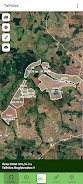
Agrotti’s interface is tuned for touchscreens: buttons are sized to reduce accidental taps and overlays are context-aware so actions remain clear during busy moments. Optional tap-and-hold shortcuts speed common operations for experienced players while step-by-step menus help newcomers. Performance aims to be smooth on a broad range of handsets, with lightweight animations and brief area transitions so sessions feel responsive without sacrificing visual clarity.
Customization affects both form and function. Farm layouts can be optimized for workflow and expanded with modular attachments that alter production chains. Cosmetic choices let players create recognizably personal homesteads without affecting balance, and the visual design emphasizes readable, colorful art that keeps attention on decisions rather than flashy effects. This combination supports aesthetic variety while preserving clear gameplay cues.
Key systems include crop and soil management where fertility, pest control and rotation matter across seasons, and animal husbandry where feeding schedules and enclosure upgrades change output quality. A crafting and production layer lets you convert raw harvests into higher-value goods, and a simple market mechanic rewards selling at advantageous times. These systems interact so choices in one area ripple into others, encouraging thoughtful planning.
Replay value comes from modular maps, different specialization paths and seasonal variations that change the effectiveness of particular strategies. Short, meaningful sessions are possible, but the game also supports longer campaigns when you want to optimize supply chains and test layout ideas. Because the systems are layered rather than strictly time-gated, players can experiment with new approaches without losing prior progress.
Agrotti aims for accessibility through clear tutorials, adjustable difficulty settings, and control options that scale with player skill. Tooltips and contextual help reduce friction for newcomers, while more advanced menu shortcuts are available for players who want to streamline longer sessions. Visual clarity and consistent feedback on actions help maintain accessibility across device sizes.
The design supports play in short offline sessions: core salvage, planning and production systems remain usable without a persistent connection, and progress is saved locally so you can return to a homestead after a break. When online features are available they augment the single-player experience, but the core mechanics remain satisfying in offline play.
Begin by stabilizing a small area: establish irrigation, basic storage and one processing building to increase product value. Rotate crops to preserve soil fertility and prioritize a single production chain early to maximize returns. Keep buffer storage for unexpected weather or market shifts and use modular upgrades to test different specialties. These habits lay a foundation for longer-term experimentation and steady improvement in Agrotti.
File size: 67.76 M Latest Version: 1.0.1
Requirements: Android Language: English
Votes: 318 Package ID: br.com.geodata.agrotti
Developer: Agricultura de Informação





Must Have Home Apps for Android
Make your house a home with our suite of helpful home apps. Discover clever tools to organize closets, streamline chores, and simplify cooking. Take the stress out of cleaning and maintenance with handy checklists and schedules. Enhance security and control appliances and lighting with our smart home integrations. Design, visualize, and renovate like a pro using our 3D planning software.






LIVE A HERO
Retro Hero Mr Kim
Empire of Passion
Arcane Quest Legends
Magic Snap: Momotaro
AllStar Manga Heroes
Lunescape
ONE PIECE Thousand Storm JP
Tap Titans 2










































