Scan to Download
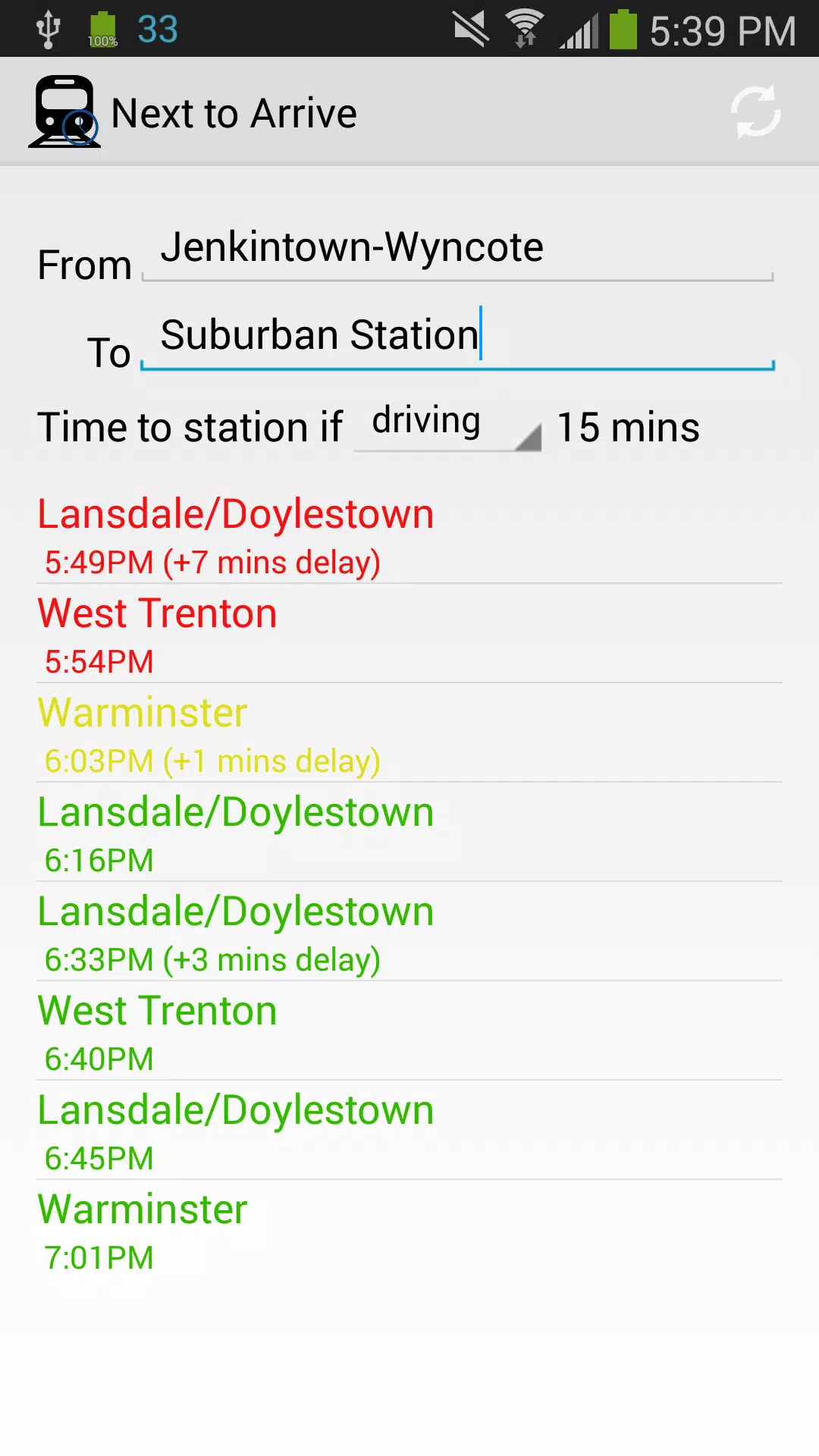
Next to Arrive is a practical companion for SEPTA regional rail riders that puts real-time departure information and catchability guidance in a single, easy-to-scan view. Next to Arrive asks for your origin and destination and then lists upcoming trains with clear departure times and simple color cues so you can quickly decide which service you’re likely to catch. For commuters and occasional riders alike, Next to Arrive reduces uncertainty during the rush by estimating how likely you are to make a scheduled train and presenting that information in a compact, actionable way.
Next to Arrive shows live SEPTA regional rail departures for any origin and destination you enter, paired with a three-tier catchability indicator that uses green, yellow, and red to represent higher, moderate, and low chances of boarding. The app displays departure times alongside platform and route information when available, and the interface keeps the most relevant trains highlighted so you don’t have to hunt through full schedules. The app uses coarse, network-based location to estimate distance to the station and to inform the catchability color, balancing practical usefulness with reduced location precision for privacy. The project source code is published in a public repository so developers and curious users can inspect how the app works.
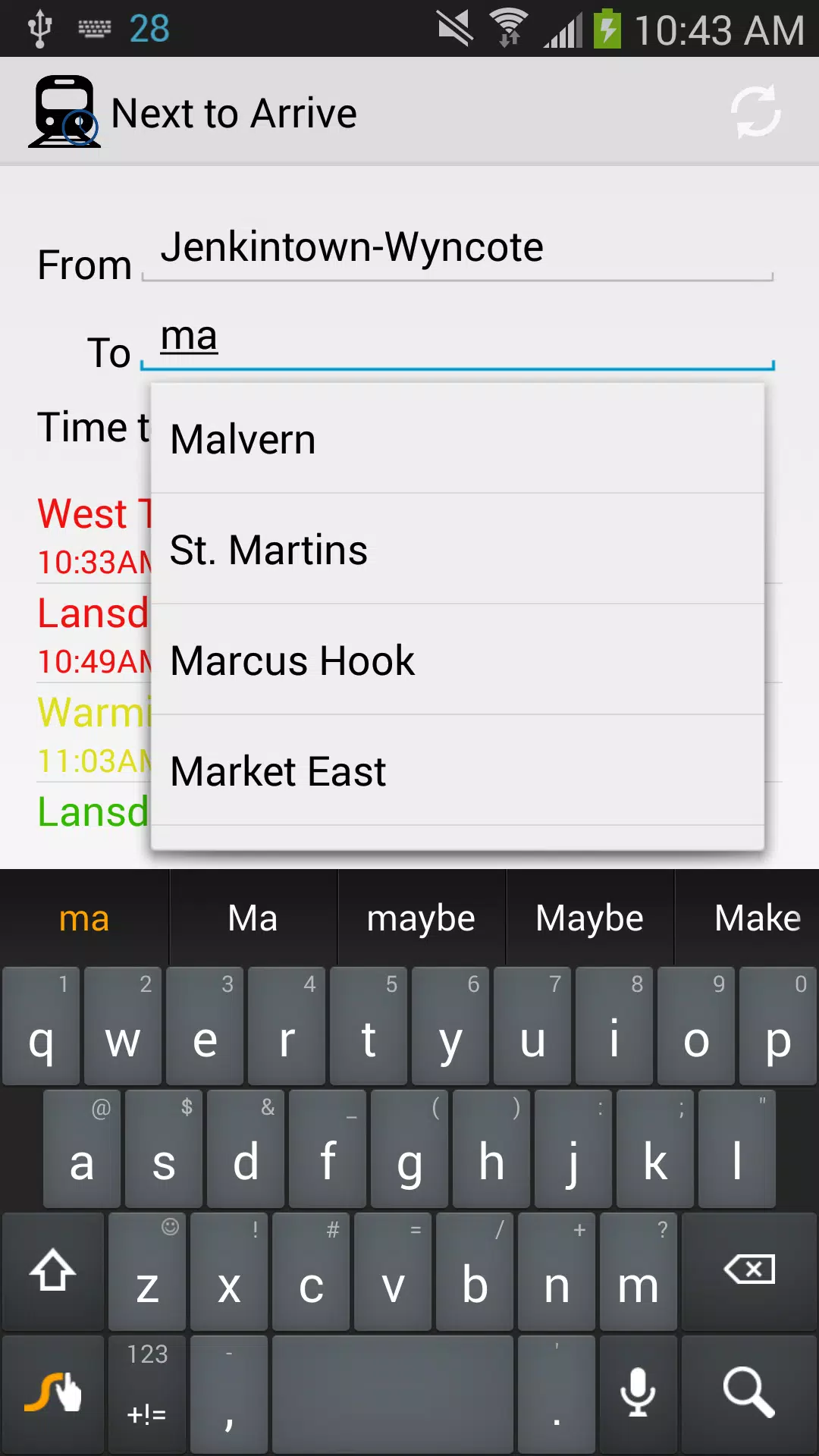
Controls are intentionally simple: type or select your origin and destination, then scan the ordered list of upcoming departures. Tap a listed train to reveal more details such as scheduled departure time and any available notes about the run. The UI focuses on quick glances and minimal input so you can make decisions while on the move. Buttons and input fields are placed for one-handed use on modern phones, and the presentation scales for both small and large screens so essential information remains readable at a glance.
The visual design favors clarity over decoration: bold departure times, concise route labels, and a prominent color strip that communicates catchability without needing to read small print. Typography and spacing emphasize the next few departures rather than long lists, helping you focus on trains that matter in the next 30 to 60 minutes. The use of color is consistent and explained within the app so new users learn the meaning of each cue immediately.
While not a game, Next to Arrive builds utility through repeated use: as riders rely on the app for daily commutes, they learn to calibrate catchability cues against their personal walking and transfer times. This natural progression makes planning faster over time because users internalize which color thresholds match their habits. The app rewards continued use by saving you time and stress during rushed departures and by consistently surfacing the most relevant options for your route and schedule.
Settings let you tailor how much information is displayed and how far ahead departures are shown so you can adjust the app to short trips or longer planning windows. You can choose whether to show more detailed schedule text or a compact view focused on times and catchability. Privacy-related settings clarify that location is determined using network-based methods rather than high-precision GPS, giving you control over how your proximity is estimated.
Next to Arrive depends on an active internet connection to fetch up-to-date SEPTA schedule and status information, so live accuracy requires connectivity. When connectivity is intermittent the app clearly indicates that live updates are unavailable and encourages re-connecting for the latest departures; this helps set correct expectations during service outages or in areas with poor reception. The app is lightweight and designed to load quickly on typical mobile data connections.
Accessibility considerations include readable contrast ratios, scalable text, and a focus on concise content to help screen reader users and riders with reduced vision scan essential details quickly. The use of coarse, network-based location reduces precision while still giving useful proximity estimates; the repository contains details about what data the app uses so privacy-conscious users and developers can review implementation choices.
Next to Arrive is tailored to SEPTA regional rail schedules and may be less useful for other transit systems. Catchability indicators are predictive guidance and do not guarantee boarding if delays or last-minute platform changes occur. The app aims to be a focused, transparent tool that surfaces the most relevant departures with minimal fuss while being clear about its data dependencies and limitations.
File size: 0.30 M Latest Version: 1.0
Requirements: Android Language: English
Votes: 251 Package ID: my.app.septanexttoarrive

Best Free Media Apps for Your Android Phone
Explore an immersive world of entertainment with our media software. Watch, listen, and engage with your favorite shows, music, movies, and more. Access exclusive content, personalized recommendations, and innovative formats. Enhance your experience with our suite of cutting-edge applications. Discover hidden gems tailored to your unique tastes. Create, share, and connect over personalized playlists, reviews, and forums.






LIVE A HERO
Retro Hero Mr Kim
Empire of Passion
Arcane Quest Legends
Magic Snap: Momotaro
AllStar Manga Heroes
Lunescape
ONE PIECE Thousand Storm JP
Tap Titans 2










































