Scan to Download
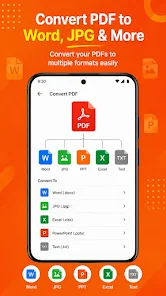
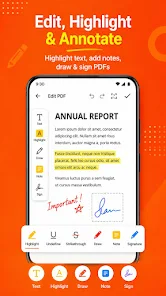
Nitro Pdf Editor is a compact Android toolbox for everyday PDF tasks, letting you edit pages, merge documents, split files, crop margins and convert images into multi‑page PDFs directly on your phone or tablet. The app works with the standard system file picker so you can open files from your preferred document UI, process them locally and save results wherever you choose. It’s aimed at users who need fast, offline PDF handling for reading, sharing or light edits without complex desktop software, and it keeps common workflows simple and accessible on devices running Android 7.0 and above.
⭐ Open and edit PDFs: preview the first page, rotate the preview and save a full copy of the document.
⭐ Image to PDF: select photos and build a single multi‑page PDF with an A4‑style layout; images are scaled and centered.
⭐ Delete pages: load a PDF, choose which pages to keep, then export a shorter document.
⭐ Merge: select several PDFs in order and combine them into one file.
⭐ Split: choose where the document should divide and save each part separately (two‑step save).
⭐ Crop: trim margins using percentage sliders for each edge and export a new PDF.
✅ Nitro Pdf Editor processes files locally through the system picker, so you control which folders the app can access.
✅ Covers common PDF tasks in a single app—editing, merging, splitting, cropping and converting images—reducing the need for multiple utilities.
✅ Output is recreated from rendered visuals which generally produces reliable results for reading and sharing.
✅ Uses the Android Storage Access Framework for open/export operations, letting you grant only the access you’re comfortable with.
✅ Supports Android 7.0 (API 24) and up and encourages keeping originals backed up before heavy edits like merges or splits.
❎ Nitro Pdf Editor recreates pages from rendered visuals (similar to printing), so editable text layers are not preserved.
❎ Very large documents can require more memory during processing and may affect performance.
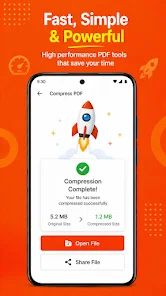
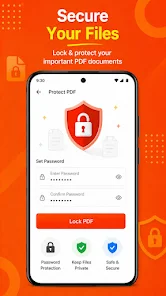
❎ Some additional tiles on the home screen (compress, protect, watermark, etc.) indicate planned or future workflows and their behaviour may vary until implemented end‑to‑end.
File size: 40.00 M Latest Version: 1.0
Requirements: Android Language: English
Votes: 371 Package ID: com.nitropdf.editor
Developer: Arfa Soft tech


Must Have Home Apps for Android
Make your house a home with our suite of helpful home apps. Discover clever tools to organize closets, streamline chores, and simplify cooking. Take the stress out of cleaning and maintenance with handy checklists and schedules. Enhance security and control appliances and lighting with our smart home integrations. Design, visualize, and renovate like a pro using our 3D planning software.





LIVE A HERO
Retro Hero Mr Kim
Empire of Passion
Arcane Quest Legends
Magic Snap: Momotaro
AllStar Manga Heroes
Lunescape
ONE PIECE Thousand Storm JP
Tap Titans 2