Category: Lifestyle Date:2026-05-15 13:33:01
Rating: 4.3 Tags: Navigation
Scan to Download
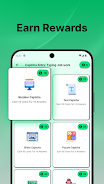
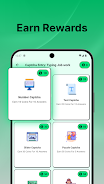
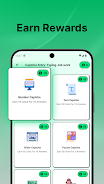
Captcha Job: Online Entry work is a compact utility that converts short captcha-solving sessions into a point-earning activity you can pick up between tasks. Captcha Job: Online Entry work focuses on four primary challenge types — number, text, slider and puzzle-style captchas — and rewards consistent, accurate entries with points that accumulate in your account. This introduction explains how the app works, how the controls respond on mobile, what progression looks like, and which settings help make the experience accessible and suited to short bursts of play.
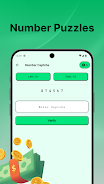
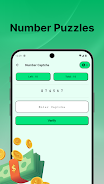
The core gameplay in Captcha Job: Online Entry work is intentionally simple and repeatable: a captcha appears, you interpret the prompt, and you submit your answer. Number and text captchas require quick typing or selection, slider captchas respond to a smooth swipe to align pieces, and puzzle-style tasks ask you to drag a fragment into place or match shapes. Each successful entry awards points, and tasks tend to be brief so you can complete several in a single idle session. A lightweight task queue surfaces available puzzles one after another to minimize waiting and keep the flow steady.
The app’s controls are optimized for touch: tap targets are sized for one-handed use, sliders respond to steady swipes, and drag-and-drop for puzzle pieces includes subtle snap-to hints to assist precision. Text input supports the standard mobile keyboard and autocorrect can be toggled off in settings to avoid accidental changes. Input latency is kept low so the app feels responsive during fast sessions, and basic vibration or visual feedback confirms successful entries without drawing attention or interrupting your routine.
Progression is driven by a points-based system: each correct captcha adds to your running total, and the app shows progress bars or tier indicators so you can see how close you are to the next milestone. Points can unlock in-app perks or digital rewards as defined in the app UI; progression rewards increase gradually to encourage regular activity rather than one-off bursts. Accuracy matters: incorrect attempts may not award points, and the system gently encourages careful entries through small bonuses for streaks of correct answers.
The visual design emphasizes clarity and minimal distraction. Clean backgrounds, high-contrast text, and large captcha elements keep each challenge legible under different lighting conditions. Level structure is organized into difficulty bands rather than numbered levels: beginners see simpler number and text tasks, while more complex puzzle-style captchas appear as you demonstrate reliable accuracy. This pacing helps maintain engagement without introducing heavy learning curves.
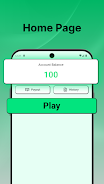
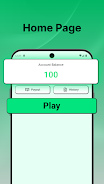
Settings let you tailor the experience: adjust font size, switch color schemes for low-light or high-contrast needs, and configure feedback intensity. Short instructional tips appear on first use and can be reviewed later in a help panel. The interface is designed for quick navigation so you can start solving within seconds of opening the app, and a concise history view lets you check recent activity and earned points at a glance.
Accessibility options include larger text modes and simplified visuals to reduce clutter for screen readers or users with visual sensitivities. Colorblind-friendly palettes reduce reliance on color cues. Captcha Job: Online Entry work also provides an offline practice area where you can try sample puzzles without affecting your live point total; this mode is useful for learning controls or warming up when you don’t have a reliable connection. Real reward points are awarded when you complete live tasks in normal mode.
Replay value comes from the variety of captcha types, incremental difficulty adjustments, and periodic daily sequences that refresh the selection of tasks. Short-session design encourages repeated returns: a few minutes of focused solving yields measurable progression, and the app avoids overly long levels so sessions remain manageable during commutes or breaks. The gentle challenge curve favors accuracy and consistency rather than speed alone.
While Captcha Job: Online Entry work is useful for quick, repeatable activity, it is focused entirely on captcha entry and may feel repetitive to some users over long stretches. It may take time and consistent play before accumulated points translate into meaningful in-app rewards. For the best results, start in practice mode to learn controls, enable accessibility options that suit you, and aim for accuracy to build steady progression.
File size: 75.63 M Latest Version: 2.0.0
Requirements: Android Language: English
Votes: 260 Package ID: cashloot.rewards.app
Developer: Black PearL



Must Have Navigation Apps for Android
Finding your way has never been easier with our cutting-edge navigation apps. Save time and reduce stress during daily commutes or long road trips. Our software offers real-time traffic updates, accurate ETAs, and optimal routing to avoid delays. Customize routes to find the most scenic drives. Discover interesting stops along the way with points of interest. Arrive relaxed and informed every time.






LIVE A HERO
Retro Hero Mr Kim
Empire of Passion
Arcane Quest Legends
Magic Snap: Momotaro
AllStar Manga Heroes
Lunescape
ONE PIECE Thousand Storm JP
Tap Titans 2