Scan to Download
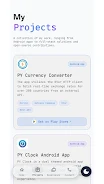
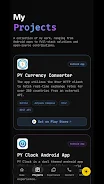
PY Portfolio helps professionals and creatives organize and present their work in one clear place. The app lets you collect project images, descriptions, links and contact details so you can share a concise portfolio with clients or employers.
These capabilities in PY Portfolio let you organize projects with titles, descriptions, tags and galleries for images or screenshots, choose a simple layout and set a custom presentation order, export to PDF or share a secure public link, and add contact and social links per project. The app also supports offline access so you can view and edit entries without an internet connection.
Create projects, add images and notes, arrange the sequence and preview the portfolio. Use the export and sharing tools to send a PDF or publish a public link for review. PY Portfolio keeps editing straightforward so you can prepare materials for interviews, client reviews and personal websites.
All data is stored locally by default with options to back up or export. The app requests only necessary permissions and provides export controls so you decide when and how to share your work.
File size: 14.00 M Latest Version: 2.0
Requirements: Android Language: English
Votes: 209 Package ID: com.piyushprajpti.portfolio
Developer: PiyushPrajpti



Must Have Tools Apps for Android
Equip yourself with our all-in-one toolbox app for everyday tasks and projects. Instantly convert between units, calculate tips, scan documents, manage files, and more with handy productivity tools. Includes a level, compass, QR code reader, ruler, speedometer, decibel meter, and flashlight. Save frequently used tools to your customizable dashboard for one-tap access. Track billable hours, wages, budgets, and invoices. Annotate screenshots, magnify labels, and sign PDFs on the go.






LIVE A HERO
Retro Hero Mr Kim
Empire of Passion
Arcane Quest Legends
Magic Snap: Momotaro
AllStar Manga Heroes
Lunescape
ONE PIECE Thousand Storm JP
Tap Titans 2