
Scan to Download
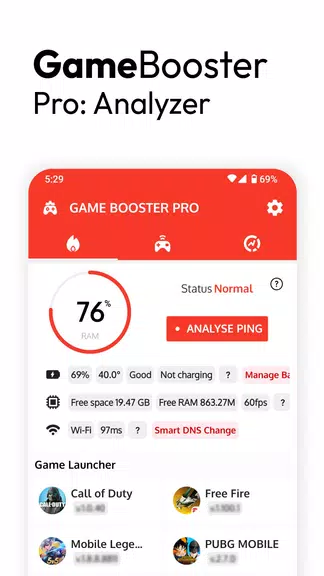
Game Booster Pro: Turbo Mode helps you organize and launch mobile games from a single hub while offering a lightweight on-screen FPS panel and pre-game readiness checks to surface battery-related issues that might interrupt a session.
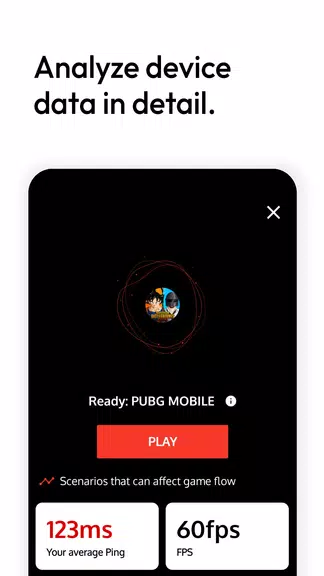
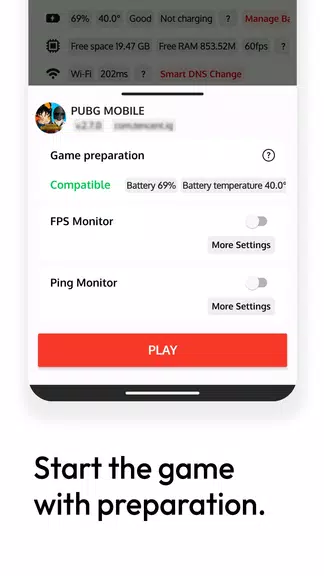
Game Booster Pro: Turbo Mode organizes installed titles into one launcher for faster access, displays an on-screen FPS panel to observe frame-rate values and diagnose stutter (note: it may not work with every title and does not increase device performance), and runs pre-game readiness checks to highlight battery conditions and other factors that could affect play.
Using Game Booster Pro: Turbo Mode saves time by reducing steps to start games, keeps simple performance information visible without advanced diagnostic tools, and helps you determine whether low frame rates or other issues are likely causes of stuttering.
The FPS panel may not function with every game depending on how the title renders frames, the app reports performance data but does not increase frame rates or change hardware performance, and pre-game checks can identify risks but cannot guarantee uninterrupted gameplay.
File size: 4.20 M Latest Version: 2.5.0
Requirements: Android Language: English
Votes: 238 Package ID: com.scoregame.gameboosterpro
Developer: Scoteam

Must Have Tools Apps for Android
Equip yourself with our all-in-one toolbox app for everyday tasks and projects. Instantly convert between units, calculate tips, scan documents, manage files, and more with handy productivity tools. Includes a level, compass, QR code reader, ruler, speedometer, decibel meter, and flashlight. Save frequently used tools to your customizable dashboard for one-tap access. Track billable hours, wages, budgets, and invoices. Annotate screenshots, magnify labels, and sign PDFs on the go.






LIVE A HERO
Retro Hero Mr Kim
Empire of Passion
Arcane Quest Legends
Magic Snap: Momotaro
AllStar Manga Heroes
Lunescape
ONE PIECE Thousand Storm JP
Tap Titans 2