Scan to Download
Silhouette art maker transforms ordinary photos into expressive silhouette paintings and sketches, letting anyone produce artful images without advanced drawing skills. The app focuses on artistic and painting effects that layer silhouettes over natural-looking backgrounds, creating pieces that read like hand-painted or sketched work. Silhouette art maker is aimed at users who want to turn portraits, landscapes or simple snapshots into mood-driven wallpapers and profile pictures with minimal effort and a visually soothing aesthetic.
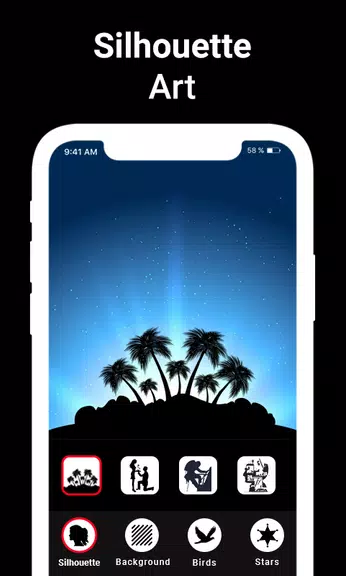
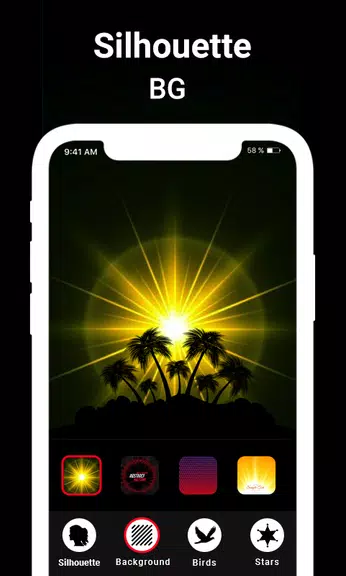
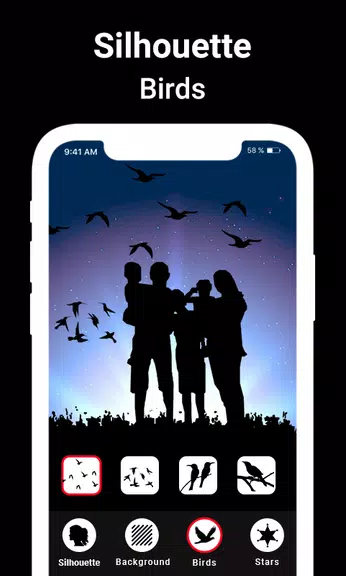
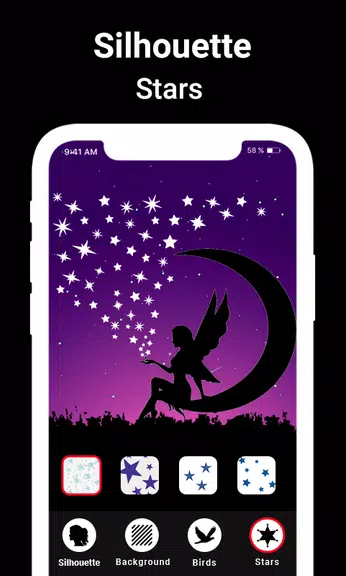
Silhouette art maker helps you generate silhouette art pictures by applying a curated set of silhouette filters and designs. You can choose from a variety of silhouette motifs — animals, boys, girls, mountains, trees — and place them against artistic backgrounds. The app also permits further editing by adding additional silhouette effects and filters to refine contrast, color tone and the painted look. The output is intended for use as silhouette wallpapers or profile photos that carry a hand-crafted appearance.
The feature set centers on creating natural, artistic results rather than heavy photo manipulation. Highlights include a collection of silhouette filters and designs that produce colorful dark effects resembling traditional painting and sketching. There are multiple artistic backgrounds designed to complement silhouette compositions, and the app emphasizes easy enhancement of images through painting and sketch-like effects. The combined effects aim to enhance creativity and give photos an old-or-modern-art glow without complex editing steps.
Silhouette art maker is presented as a lightweight, approachable tool for users who feel they lack painting or sketching skills. The interface and tools prioritize quick results so you can experiment with silhouettes and backgrounds until you find a mood that works. The natural and soothing effects are crafted to make images look as if they were painted by an experienced artist, helping users produce shareable wallpapers and profile pictures with little fuss.
If your goal is to convert photos into stylized silhouette art with a painted or sketched sensibility, Silhouette art maker delivers a focused set of filters and backgrounds to do exactly that. It’s a practical choice for creating evocative wallpapers and profile images while encouraging experimentation with silhouette-driven compositions.
File size: 6.90 M Latest Version: 2.5
Requirements: Android Language: English
Votes: 288 Package ID: com.silhouette.art.silhouetteart.painting.silhouet
Developer: MaveenLabStudio

Must Have Tools Apps for Android
Equip yourself with our all-in-one toolbox app for everyday tasks and projects. Instantly convert between units, calculate tips, scan documents, manage files, and more with handy productivity tools. Includes a level, compass, QR code reader, ruler, speedometer, decibel meter, and flashlight. Save frequently used tools to your customizable dashboard for one-tap access. Track billable hours, wages, budgets, and invoices. Annotate screenshots, magnify labels, and sign PDFs on the go.






LIVE A HERO
Retro Hero Mr Kim
Empire of Passion
Arcane Quest Legends
Magic Snap: Momotaro
AllStar Manga Heroes
Lunescape
ONE PIECE Thousand Storm JP
Tap Titans 2