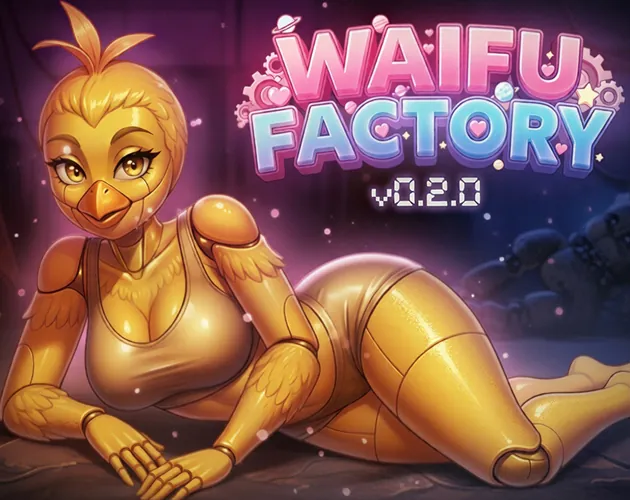
WaifuFactory is a creative Android app that generates anime-style character portraits with a focus on customization, fast rendering, and straightforward controls. It combines template-driven design and adjustable parameters to help hobbyists and artists produce unique illustrations for avatars, concept sketches, or social profiles in minutes.
WaifuFactory offers a toolkit tailored to stylized character creation. Users can choose from preset character archetypes, adjust facial proportions, select hairstyles and clothing, and apply mood-based color palettes. The app supports multiple aspect ratios, high-resolution exports, and a gallery for saving iterations. Batch generation and randomize functions help spark ideas quickly.
The engine behind WaifuFactory guides users through a step-by-step process: pick a base model, tweak parameters, preview changes, and render a final image. Real-time previews show how sliders affect facial features, lighting, and shading. The app balances automated design choices with manual controls so you can refine details like eye shape, expression intensity, and accessory placement.
Customization is where WaifuFactory shines. Sliders and toggles let you fine-tune attributes such as age appearance, symmetry, color saturation, and line style. Separate controls for background complexity and depth-of-field allow simple portraits or more cinematic scenes. Layered adjustments let experienced users combine multiple effects while keeping earlier edits non-destructive.
The interface prioritizes speed and clarity. A clean toolbar groups primary actions—new character, randomize, save, export—while an expandable properties panel holds advanced controls. Contextual tips appear as you hover over options, helping new users understand terms without leaving the app. Project thumbnails make it easy to jump between versions and continue work later.
WaifuFactory is optimized for modern Android hardware, scaling quality based on available CPU and GPU resources. Low-power mode reduces resource use for older devices, trading off resolution for responsiveness. High-end phones can render larger images for printing or desktop use. The app is compatible with a broad range of Android versions and adjusts to screen sizes and orientations automatically.
Export options include PNG and JPG at several resolutions, with transparent background support for layered workflows. Direct sharing shortcuts integrate with social platforms and messaging apps so creations can be posted or sent without leaving the app. A quick-export button produces web-optimized files while a high-quality option preserves details for further editing in external software.
WaifuFactory stores projects locally by default, giving you control over where images are saved. Cloud sync is optional and clearly explained at setup for users wanting cross-device access. The app outlines usage rights for generated images and provides licensing information so creators understand how they can use, modify, or distribute their work.
Installing WaifuFactory is straightforward through official app distribution channels. The onboarding process guides new users through basic controls and shows example projects to learn from. Accessibility options include adjustable font sizes and high-contrast UI elements to support different visual preferences. Tooltips and a searchable help section reduce the learning curve for newcomers.
WaifuFactory appeals to a wide audience: hobbyists wanting personalized avatars, content creators who need rapid concept art, and illustrators seeking a quick reference for poses and color schemes. Its combination of speed, customization, and ease of use makes it a practical addition to a mobile creative workflow.
Whether you need a polished portrait for a profile or a starting point for a larger artwork, WaifuFactory delivers an approachable, feature-rich environment for generating stylized characters on Android devices.
File size: 424.09 M Latest Version: 0.4.0
Requirements: Android Language: English
Votes: 287 Package ID: com.silentcherry.waifufactory
Developer: silentcherry

Best Guides Games to Play on Android
Conquer games faster and unlock their full potential with our comprehensive guides and walkthroughs. Created by expert gamers, they contain tips, strategies and secrets for mastering both new releases and all-time classics across platforms. Packed with detailed maps, collectible locations, boss tactics, hidden areas and more, you'll have everything needed to finish games 100%.






LIVE A HERO
Retro Hero Mr Kim
Empire of Passion
Arcane Quest Legends
Magic Snap: Momotaro
AllStar Manga Heroes
Lunescape
ONE PIECE Thousand Storm JP
Tap Titans 2